Run your whole service business in one app
From first booking to renewals: customers book online and sign quotes from their phone. The dispatch engine sends the right tech and keeps adjusting as the day changes. Your techs collect checklists, signatures and payment on site, and service agreements schedule their own visits. Built for HVAC, plumbing, electrical and every trade in between.
Free for up to 5 users · 14-day trial on paid plans · Set up in under 5 minutes
Auto-assignment & Intelligent rebalancing included
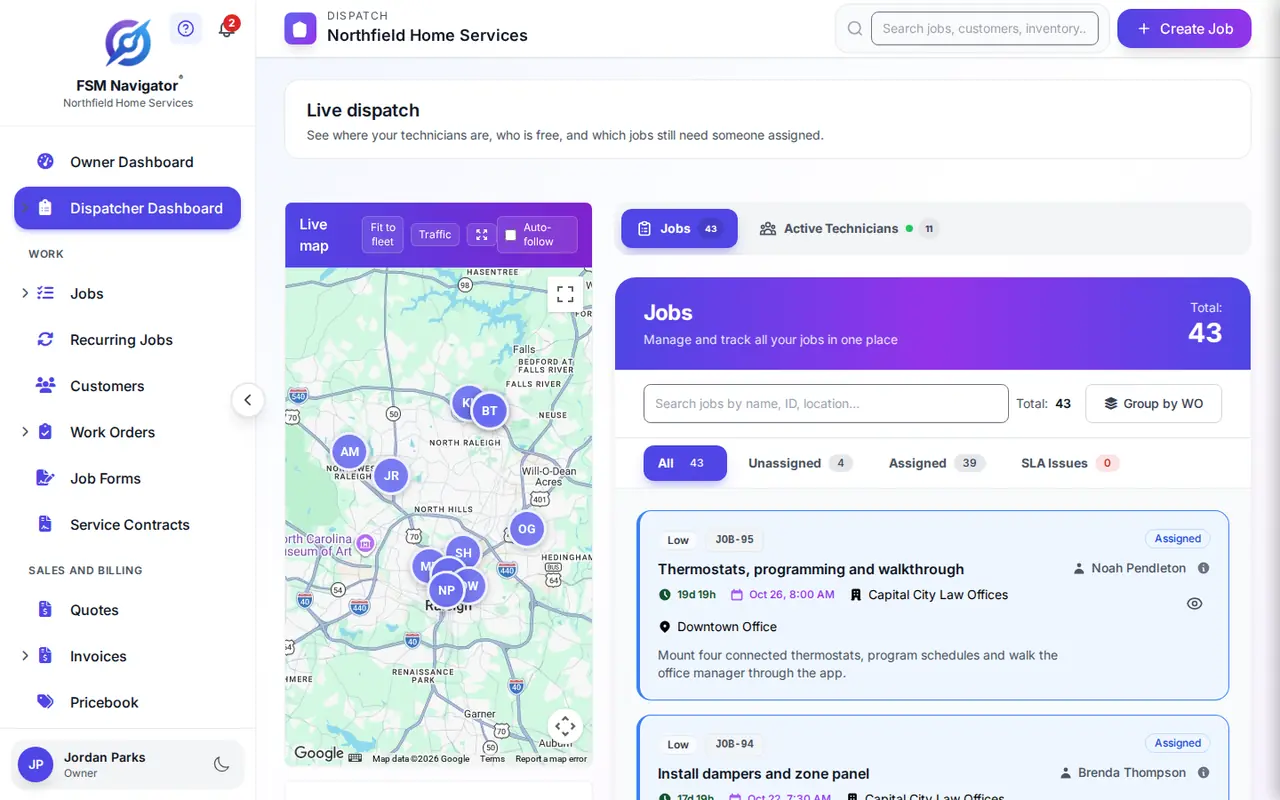
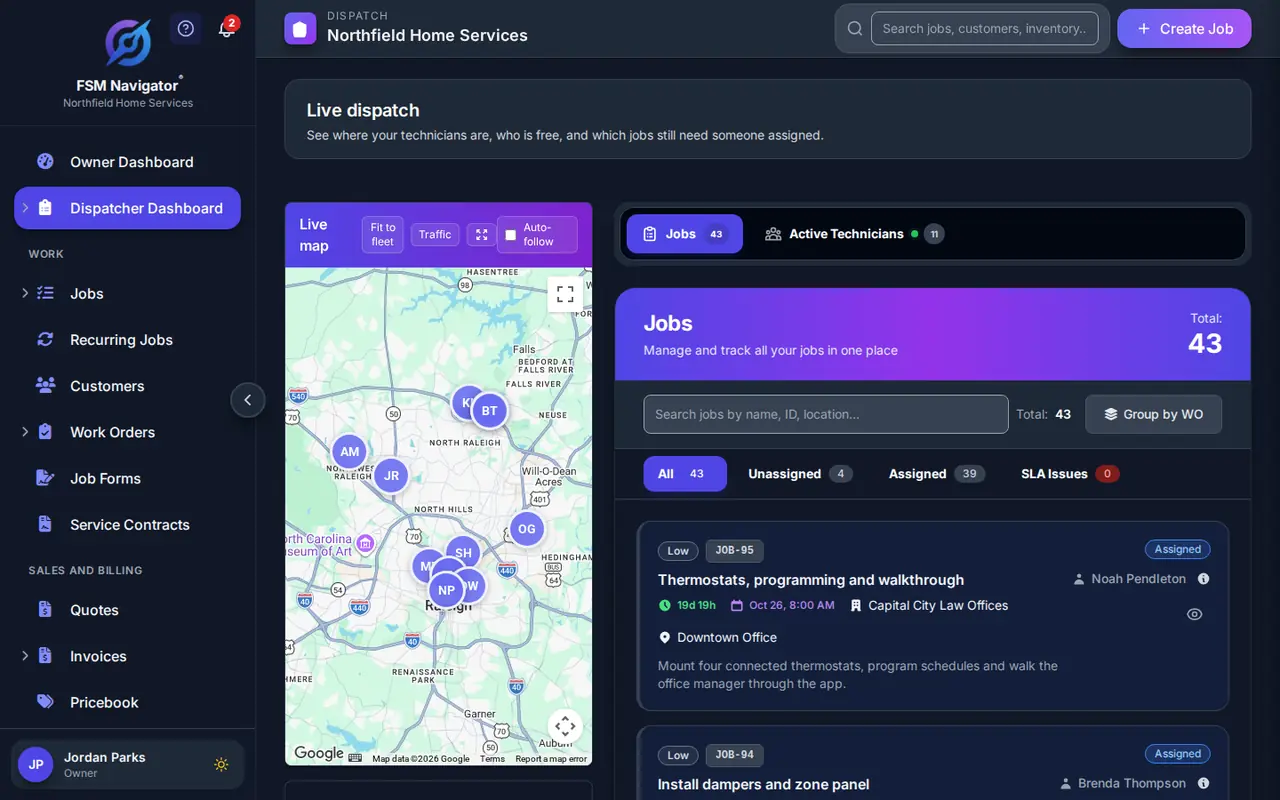
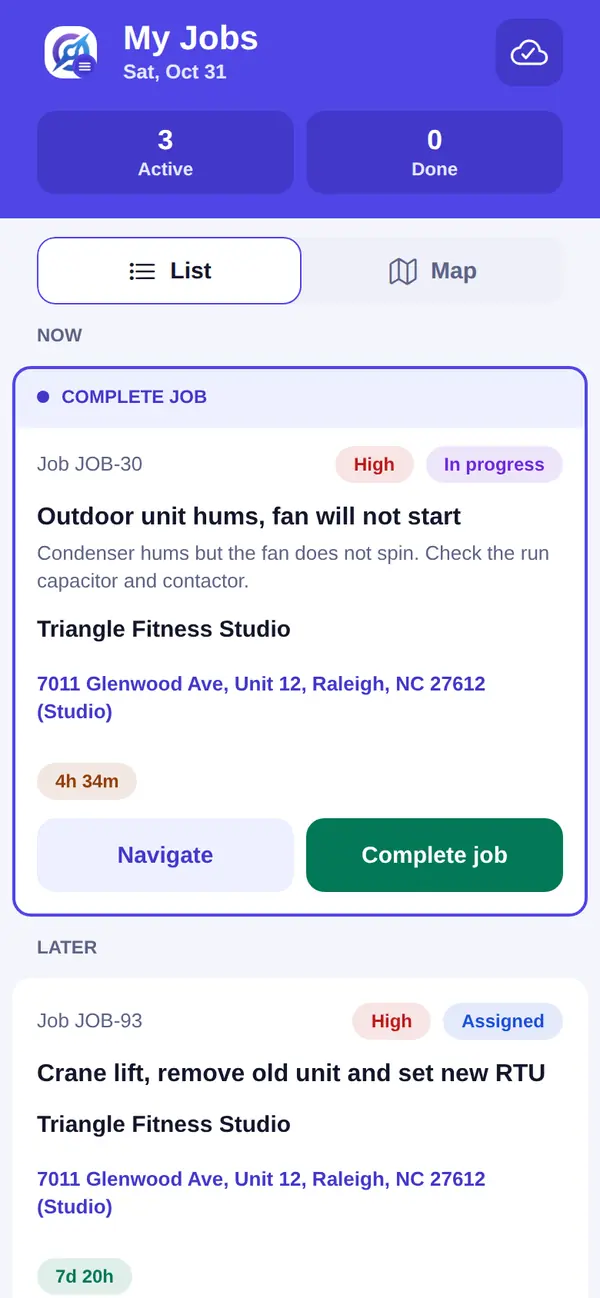
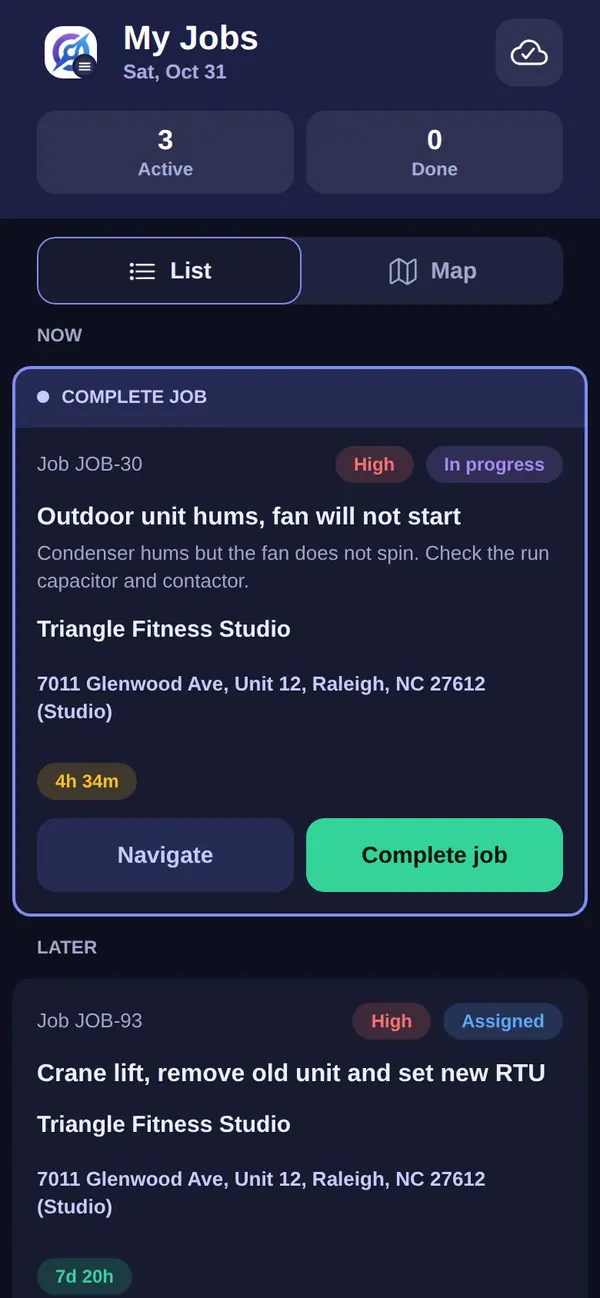
One app for the whole customer lifecycle
Most shops juggle a booking tool, a quoting tool, a dispatch board, an invoicing app and a spreadsheet of maintenance contracts. FSM Navigator® does all of it in one place. See how it works, step by step.
Get the customer Pro
Customers request a service and an arrival window on your booking page, any time of day, and you approve it. After the job, every customer is asked for a rating, and everyone who rates can leave you a Google review.
Learn more about online bookingWin the work Pro
Build quotes from your pricebook with good, better and best options. The customer signs from their phone and pays the deposit online, and one click turns the signed quote into the job at the agreed price and tax.
Do the work
Intelligent dispatch weighs skills, SLA deadlines, workload and availability, and keeps rebalancing as the day changes. Your techs fill in job forms and checklists and collect the customer's signature in the iOS and Android app. The app is on every plan and keeps working without a signal; auto-assignment, job forms and automatic mileage tracking are on Pro.
Learn more about intelligent dispatchGet paid Every plan
The invoice goes out before your tech leaves the driveway. On Pro, customers pay by card or bank transfer (ACH) in the portal, deposits are credited automatically, and invoices and payments go to QuickBooks Online automatically.
Learn more about the customer portalKeep the customer Pro
Service agreements schedule their own visits and renew on time. Sell membership plans with member pricing and automatic card payments, so a one-off repair turns into a customer you see every season.
Learn more about service agreementsRun the business Pro
Job profitability shows the margin on every completed job, and KPI dashboards and a weekly report keep score. Custom fields hold the details your trade tracks. Enterprise adds work orders, inventory, assets, the REST API and outbound webhooks.
See all featuresThe rest of the office, in the same app
Invoices, customer records, technician locations and your books sit next to the schedule, so the whole office works from one place.
Invoicing and payments Every plan
Turn a finished job into an invoice in a few taps. On Pro, customers pay by card or bank transfer (ACH) in the portal.
Learn more about invoicingQuickBooks Online Pro
Send customers, service locations, invoices and payments from FSM Navigator to QuickBooks Online, so your books follow the work.
Learn more about QuickBooks OnlineCustomer history
Every job, note, photo and invoice for a customer and each of their locations, kept in one record.
Learn more about customer recordsTechnician GPS location Every plan
Dispatchers and managers see technicians on a live map while they're on duty or on a job. Location comes from the technician's phone.
Learn more about technician GPSEstimates for bigger jobs Enterprise
Price multi-visit projects line by line and run them as work orders with their own visits and documents.
Learn more about work-order estimatesIntegrations and API
See what connects to FSM Navigator. Enterprise adds the REST API and outbound webhooks.
See all integrationsIntelligent Auto-Assignment with Rebalancing
Tired of calling around to find who's free? FSM Navigator® looks at every tech's skills, location, and current workload — then picks the best match in seconds.
Your average dispatch time drops from 20 minutes to under 30 seconds — benchmarked on 1,510 jobs and 60 technicians in a simulated week across 4 states. And your customers get the right tech, every time.
- Matches skills to job requirements automatically
- Real-time technician matching: picks the closest qualified tech for each job
- Balances workload across your entire team
- Tech calls in sick? Jobs that haven't started yet auto-reassign to the next best available technician, and a job with no free tech waits for your dispatcher instead of being double-booked
Bring the AI Assistant You Already Use
The FSM Navigator AI Connector links Claude, ChatGPT, Gemini, Grok or any other AI app that supports custom MCP connectors to your FSM Navigator account.
It Reads Your Jobs and Customers
Ask which jobs are due tomorrow or which quotes haven't been answered. Your AI answers from your real records, with your own permissions.
It Drafts, Your Team Sends
Your AI can draft a quote from a tech's notes. A person on your team checks it and sends it. The AI never messages your customers.
Your Owner Stays in Control
Included with Enterprise and the 14-day trial. Your company's Owner chooses what the AI can read, and money data stays off until the Owner turns it on. We don't charge AI usage fees.
Up and running in three steps
No consultants. No training sessions. Just sign up and start managing jobs.
Step 1: Set up your team
Add your techs, set their skills and schedules. Setup takes under 5 minutes.
Step 2: Schedule your first job
Create a job, pick a tech (or let intelligent auto-assignment choose), and hit send. Your tech gets it on their phone.
Step 3: Get paid faster
Your tech completes the job, snaps a photo, and generates an invoice on the spot. Done. Every plan
Built for the way you actually work
Every feature your team needs, from booking page to invoice to parts in the van.
See all features →Job Scheduling
The field service scheduling software that matches the right technician to every job based on skills, location, and availability.
Learn more about schedulingMobile App
iOS and Android apps, offline-first on every plan. Your techs log notes from the field, and capture job photos too on Pro
Learn more about our mobile appInvoicing
Generate invoices from completed jobs with one click and send them by email. Every plan
Let customers pay through the portal with Stripe-powered secure checkout — standard processing fees apply. Pro
Customer Portal Pro
Give your customers a branded portal to request service, view job status, and pay invoices securely via Stripe — supporting all major credit and debit cards.
Learn more about customer portalInventory Tracking Enterprise
Track parts across warehouses and vans. Auto-deduct when a tech uses a part on a job.
Reports & KPIs Pro
Dashboards showing revenue, job completion rates, technician performance, and more.
Simple, transparent pricing
Start free. Upgrade when you're ready. No surprises.
Free
Start free and upgrade when you need more
Get Started Free- Up to 5 users
- Job scheduling & dispatch
- Manual technician assignment
- Mobile app (iOS & Android)
- Offline-first: works without signal, syncs on reconnect
- Basic invoicing (100/month)
- PDF invoices
- Basic reporting
- Customer rating requests
- Encrypted data storage
- Email support
Pro
For growing teams that need more power
Start 14-Day Free TrialEverything in Free, plus:
- Unlimited users — no seat cap, 5 or 500 technicians
- Intelligent auto-assignment
- Required skills on jobs, matched to technicians with current certifications
- Traffic-aware dispatch
- Online booking page (customers request, you approve)
- Recurring jobs
- Performance dashboard & analytics
- Team chat
- Telegram notifications
- Customer en-route alerts
- Customer portal with online payments
- QuickBooks Online sync
- Automatic mileage tracking (IRS-ready records)
- Job photo uploads (10/job)
- Company branding & logo
- Customer bulk import
- Appointment times honoured in dispatch
- Technician time tracking & timesheets
- Service agreements (customer & site, labor or inspection coverage)
- Agreement visits scheduled automatically
- Membership plans with member pricing & automatic card payments
- Pricebook of services, labor & materials
- Quotes with good/better/best options, e-signature & online deposits
- Job forms & checklists with customer signatures
- Google review invites & low-rating alerts
- Job profitability
- Custom fields on jobs & customers (10 per record type)
- Weekly business reports
Enterprise
For large operations that need everything
Start 14-Day Free TrialEverything in Pro, plus:
- Unlimited users — no seat cap, 5 or 500 technicians
- Work order management
- Work order templates
- Work order documents
- Budget tracking
- Customer estimates
- Inventory management
- Enterprise asset management
- Equipment-linked & parts-coverage service agreements
- REST API access (1K writes/day)
- Outbound webhooks to your own systems
- Booking widget for your own website
- Booking page on your own domain
- FSM Navigator AI Connector: bring your own AI (Claude, ChatGPT, Gemini, Grok or a voice agent)
- Appointment & on-the-way text notifications from your own Twilio account
- Customer emails sent from your own domain or Microsoft 365 mailbox
- Single sign-on with Microsoft Entra ID
- Automatic user provisioning from Microsoft Entra ID
- Custom fields on jobs & customers (50 per record type)
- Custom skill categories
- Job photo uploads (20/job)
See what's included on Free, and what isn't.
Built for every trade
From a two-truck shop to 200 technicians and beyond, with no user limit on paid plans, FSM Navigator® adapts to your trade.
Your data, locked down tight
Customer phone numbers, email addresses, and service addresses are encrypted at rest, and all data is encrypted in transit with industry-standard encryption. And we never sell your data.
- Customer contact details encrypted at rest, all data in transit
- Multi-tenant isolation — your data is yours alone
- Role-based access control on every screen
- Automatic database backups
Questions? We've got answers.
Want deeper dives on dispatch, SLAs, and running a leaner operation? Read the field service blog.
Is FSM Navigator really free?
Yes! The Free plan supports up to 5 users with no credit card and no time limit. Paid plans (Pro and Enterprise) include a 14-day free trial — a payment method is collected when the trial starts, but you're not charged until the trial ends.
How long does setup take?
Setup takes under 5 minutes. Add your techs, set their skills, and start dispatching. There's no complex onboarding or training required.
Can my techs use it offline?
Yes. Offline-first sync is included on every plan, Free included — techs can view job details and log notes without cell service, and capture photos too on Pro. Everything syncs automatically when they're back online.
Do you integrate with QuickBooks?
Yes, our Pro plan includes a direct QuickBooks Online integration. Invoices, customers, and payments are sent to QuickBooks Online automatically — no manual data entry.
Can I connect ChatGPT or Claude to FSM Navigator?
Yes, on Enterprise. The FSM Navigator AI Connector works with Claude, ChatGPT, Gemini and Grok. The AI assistant you already use can read your jobs and customers and draft quotes. Your company's Owner chooses what the AI can read, and money data stays off until the Owner turns it on. A person on your team reviews and sends everything. FSM Navigator doesn't charge AI usage fees.
What happens when I upgrade or downgrade?
Upgrades take effect immediately and you're billed a prorated amount for the remainder of the billing cycle. Downgrades take effect at the end of your current billing period. No penalties either way.
Is my data secure?
Absolutely. Customer phone numbers, email addresses, and service addresses are encrypted at rest, and all data is encrypted in transit with industry-standard encryption. Your company's data is completely isolated from other customers, and role-based access control ensures only authorized users see what they should.
Compare your options and run your own numbers
Plain guides to help you decide, and free tools you can use today, whichever software you pick.
Compare approaches
- Spreadsheets vs field service software
Six moments a schedule sheet breaks, and what an app does instead.
- Generic CRM vs field service software
A CRM tracks leads and deals; a field service app runs jobs, techs and visits.
- Replacing older field service software
Pricing, contract terms, set-up effort and data export, with a switching checklist.
- Pricing models compared
Per user, flat tiers, usage-based or quote-only, and how to total your real cost.
Free resources
- Contractor estimate template
Scope, line items, good-better-best options, deposit and signature, as PDF and editable copies.
- ROI calculator
Enter your own numbers to estimate what hand work costs in office time, trips and missed SLAs.
- Case studies and benchmarks
Simulated week-long dispatch benchmarks by trade, and stories of shops running the whole job in one app.
Run your service business from one app
Booking, quotes, dispatch, invoicing and service agreements in one place. Start free, or try any paid plan for 14 days.
Start Free TrialFree forever for up to 5 users · Unlimited users on paid plans · 14-day trial


Claude is a trademark of Anthropic, PBC. ChatGPT is a trademark of OpenAI. Gemini is a trademark of Google LLC. Grok is a trademark of xAI. Vapi and Retell are trademarks of their respective owners. FSM Navigator is not affiliated with or endorsed by these companies.