Know Which Jobs Make You Money. And Which Ones Don't.
FSM Navigator® runs your service business from first booking to renewals, so the numbers for every job are already in one place. Job profitability puts them together: what you billed, minus labor, parts and mileage, on every completed job. When a cost is missing, it says so instead of showing you a number that isn't true.
14-day free trial · Nothing charged until the trial ends · Cancel anytime
Busy Isn't the Same as Profitable
You had the best month of the year for jobs. The schedule was full, the techs were running and the invoices went out. Then the bank balance came in lower than last month's.
Somewhere in that month were jobs that lost money: "quick" repairs that took three hours, installs with twice the drive, diagnostics that turned into a second visit. You won't find them in a revenue report. Revenue tells you what you billed, not what you kept.
Job costing software answers the second question. The catch is that most job costing reports only work when every cost has been recorded, and they don't tell you when one hasn't.
Margin on Every Completed Job
For every completed job, FSM Navigator® works out four numbers from records you already keep. Revenue minus the three costs is the job's margin.
- Revenue: the job's invoice total before tax, less the before-tax share of any refund or chargeback. A chargeback you win stops counting.
- Labor: the time from when work started to when the job was completed, minus time on hold, at the technician's cost rate.
- Parts: each part used on the job at its cost when it was used, from parts tracking (Enterprise).
- Mileage: business trips logged to the job in mileage tracking, at your fuel cost per mile, or the IRS standard rate if you haven't set one.
Each figure is rounded to the cent once, per job, and a period total is the sum of its jobs, so the total always matches the list underneath it.
Real Labor Cost, Kept Private
What you bill for an hour and what an hour costs you are different numbers. Owners and Managers set a cost rate for each technician: wages plus payroll taxes, benefits and whatever else you want counted. It's never taken from your billing rate.
Private
Only Owners and Managers can set or see cost rates. Technicians never see rates, costs or margins, so pay stays between you and the person it belongs to.
Dated
Each rate starts on a date you pick. A job uses the rate in effect on the day it was completed, so a raise in March doesn't rewrite February's margins. A rate you back-date re-prices the jobs from that date on.
On-Hold Time Left Out
A job that sat on hold for two days waiting for a part didn't cost two days of labor. Time the job spends on hold after work starts is taken out before labor is costed.
Not sure what a technician's hour costs you? Here's how to work out a real hourly cost rate.
No Number Is Better Than a Wrong Number
Most job costing reports have a quiet problem. When a cost hasn't been recorded, they leave it out and show the margin anyway. The job looks better than it was, you price the next quarter on it, and you find out later.
The Margin Says Unknown, and Why
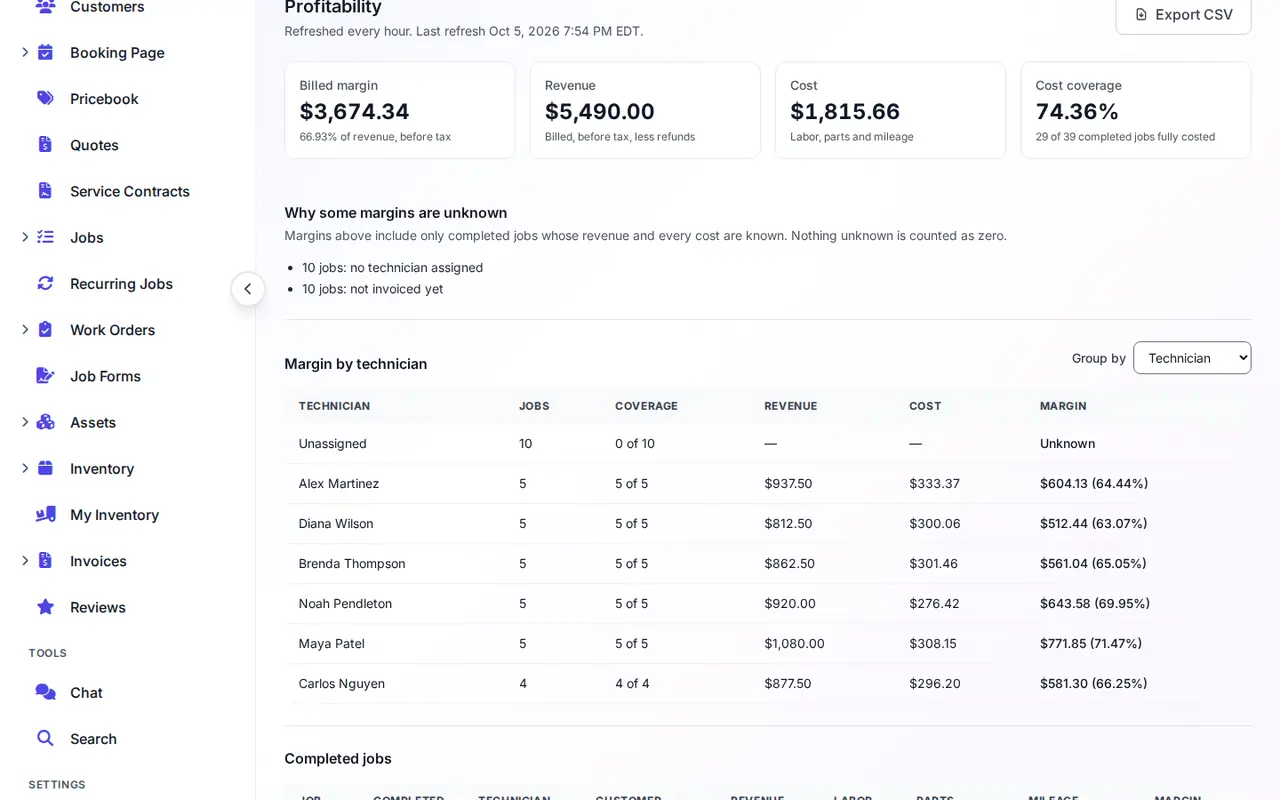
A margin is only shown when every part of it is known. Otherwise it reads Unknown, with the reason:
- Not invoiced yet, or only a draft invoice
- No cost rate for the technician on the day the job was completed
- No technician assigned
- A part used on the job has no recorded cost
- Billed as part of a work order invoice
Cost Coverage Tells You How Far to Trust It
The cost coverage card shows how many completed jobs in the period are fully costed. Margin totals include only those jobs, so a missing cost can't pull your average up. The tab counts each reason and has a shortcut to the cost-rate editor for the most common one.
Profit Per Job, by Technician, Customer, Job Type or Skill
Find out that drain cleanings hold their margin and water heater installs don't, or that one commercial customer carries the month.
The Profitability Tab
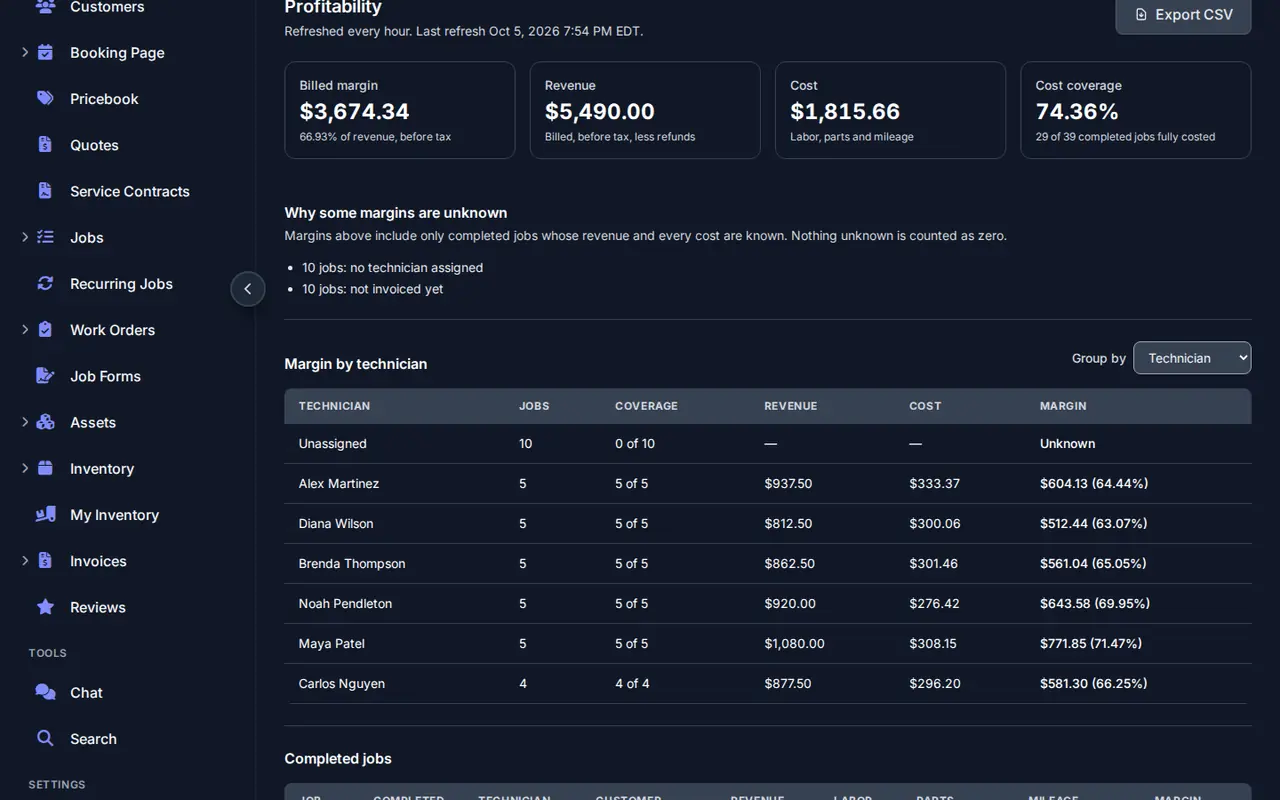
On the performance dashboard: margin, revenue and cost for any date range, grouped by technician, customer, job type or required skill, with the job list underneath.
A Card on Every Job
Each completed job's details page shows its own revenue, labor, parts, mileage and margin, and which mileage rate was used.
CSV Export
One row per job for your accountant or your own spreadsheet. Unknown figures are left empty, never written as zero.
Figures refresh every hour. Want the math behind it? How to calculate profit per job, with a worked example.
Built From What You Already Track
There's no separate spreadsheet to keep. The customer booked, the job was dispatched, the tech did the work and the invoice went out, all in FSM Navigator®, so the margin is worked out from the same records.
Online Booking
Where the job starts, booked by the customer any time.
Intelligent Dispatch
The right tech gets every job, and the schedule adjusts when the day changes.
Mobile App
Where the tech starts, holds and completes the job, which sets the labor time.
Customer Portal
Where the customer pays the invoice that becomes the job's revenue.
Mileage Tracking
Business trips logged to a job count toward its cost.
Parts Tracking
Parts used on the job, at their cost when used. Enterprise.
Service Agreements
See whether the visits your plans include are worth what they cost.
Work Order Budgets
Budget against actual on multi-stage projects. Enterprise.
Job Profitability or Budget Tracking?
Job Profitability
Looks back at completed jobs that have their own invoice: what did each one make, after labor, parts and mileage? Nothing to enter by hand. Pro and Enterprise.
Work Order Budget Tracking
Watches a multi-stage work order while it runs: is it on budget? You enter each sub-job's actual cost. Enterprise.
Most service shops start with job profitability. Contractors running staged projects use both. Margins are before overhead: rent, insurance and office salaries aren't allocated to jobs.
Job Profitability Questions
Which plans include job profitability?
Job profitability is included on the Pro plan ($34.99 per user per month billed monthly) and the Enterprise plan ($59.99 per user per month billed monthly). Parts cost comes from inventory, which is on Enterprise.
Is this net profit?
No. It is margin before overhead: the revenue you billed for the job, before tax, minus the labor, parts and mileage that job used. Rent, insurance, office salaries and other overhead are not allocated to jobs.
On Pro, are parts costs included?
No. Parts cost comes from the parts recorded against a job in inventory, and inventory is on the Enterprise plan. On Pro, the margin is revenue minus labor and mileage, so keep in mind that parts are not in it.
Where do the labor hours come from?
From the job record: the time from when work started to when the job was completed, minus any time the job spent on hold. That time is multiplied by the assigned technician's cost rate on the day the job was completed.
Who can see technicians' cost rates?
Owners and Managers set them and can see them. Technicians never see cost rates, costs or margins.
What does Unknown mean?
The job is missing something the margin needs, and the report names it: no issued invoice yet, no cost rate for the technician on that date, no technician assigned, or a part used with no recorded cost. It shows Unknown rather than a margin that looks better than it is.
Are work orders included?
Jobs billed together on one work order invoice are not split into per-job margins. They show as Unknown with that reason. For work orders, use work order budget tracking on Enterprise to compare the budget with actual costs.
How current are the figures?
They refresh every hour. A job completed since the last refresh shows as calculating until the next one, and a job that was invoiced, refunded or re-costed keeps its last figures, marked as recalculating, until then.
More on Job Costing
How to Calculate Profit Per Job
A water heater repair worked end to end, and the three ways the same job can look like three different margins.
Read the article LaborLabor Cost Per Job: Your Real Hourly Cost
Wage, cost rate and billing rate, and how to work out the one that belongs in your job costs.
Read the article PricingHow to Charge for Travel Time
Flat trip fees, per-mile and zone pricing compared, for the jobs where the drive eats the margin.
Read the articleFind Out Which Jobs Are Worth Doing More Of
Set a cost rate for each technician, dated from when it applied, and the margins fill in on the jobs you've already completed at the next hourly refresh.
A card is required at signup and nothing is charged until the trial ends · Job profitability is included on Pro and Enterprise