How reporting works
Plan
Basic reporting is on every plan. The full performance dashboard, job profitability, mileage reports and the weekly business report need Pro.
What it is
Reporting turns what your team already records into numbers you can act on. There's no separate data entry: job statuses, SLA timers, invoices, payments, parts used, time entries and mileage all feed the reports as the work happens.
Where it fits
flowchart LR
    J[Jobs and SLA timers] --> CP[Company performance]
    I[Invoices and payments] --> CP
    P[Parts used] --> CP
    T[Time entries] --> CP
    M[Mileage] --> CP
    CP --> JP[Job profitability]
    CP --> TS[Timesheets]
    CP --> WR[Weekly business report]
    RV[Customer ratings] --> RVW[Reviews]
Every earlier stage feeds the Company performance page. From there you can drill into job profitability and timesheets, and on Pro, owners get a weekly summary by email. Customer ratings collect separately on the Reviews page.
Statuses
Reports don't have statuses of their own. They read the statuses from every other stage, such as a job's Completed or an invoice's Paid, so the numbers change as the work does.
Step by step
- Open Performance from the side menu. The page is titled "Company performance".
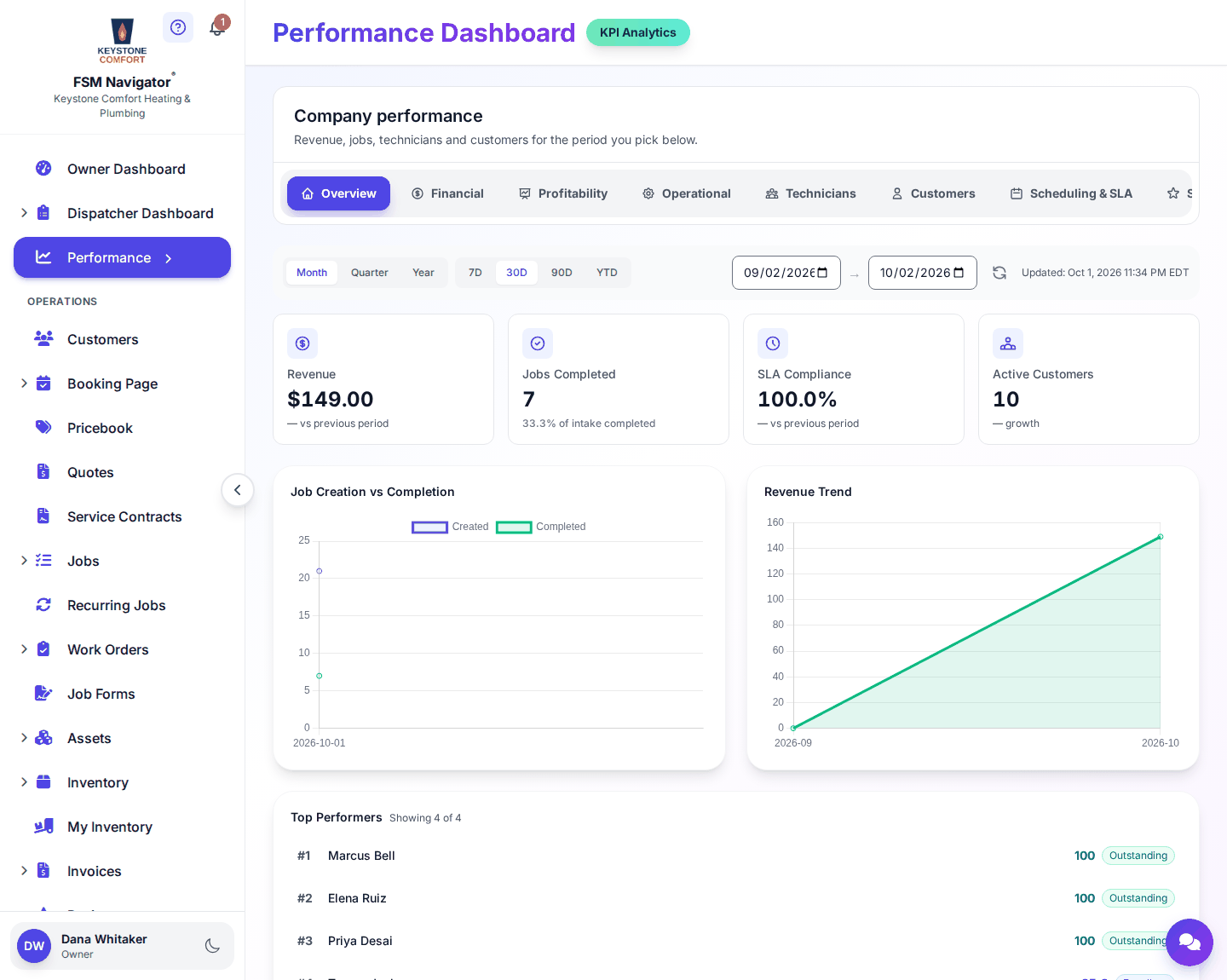
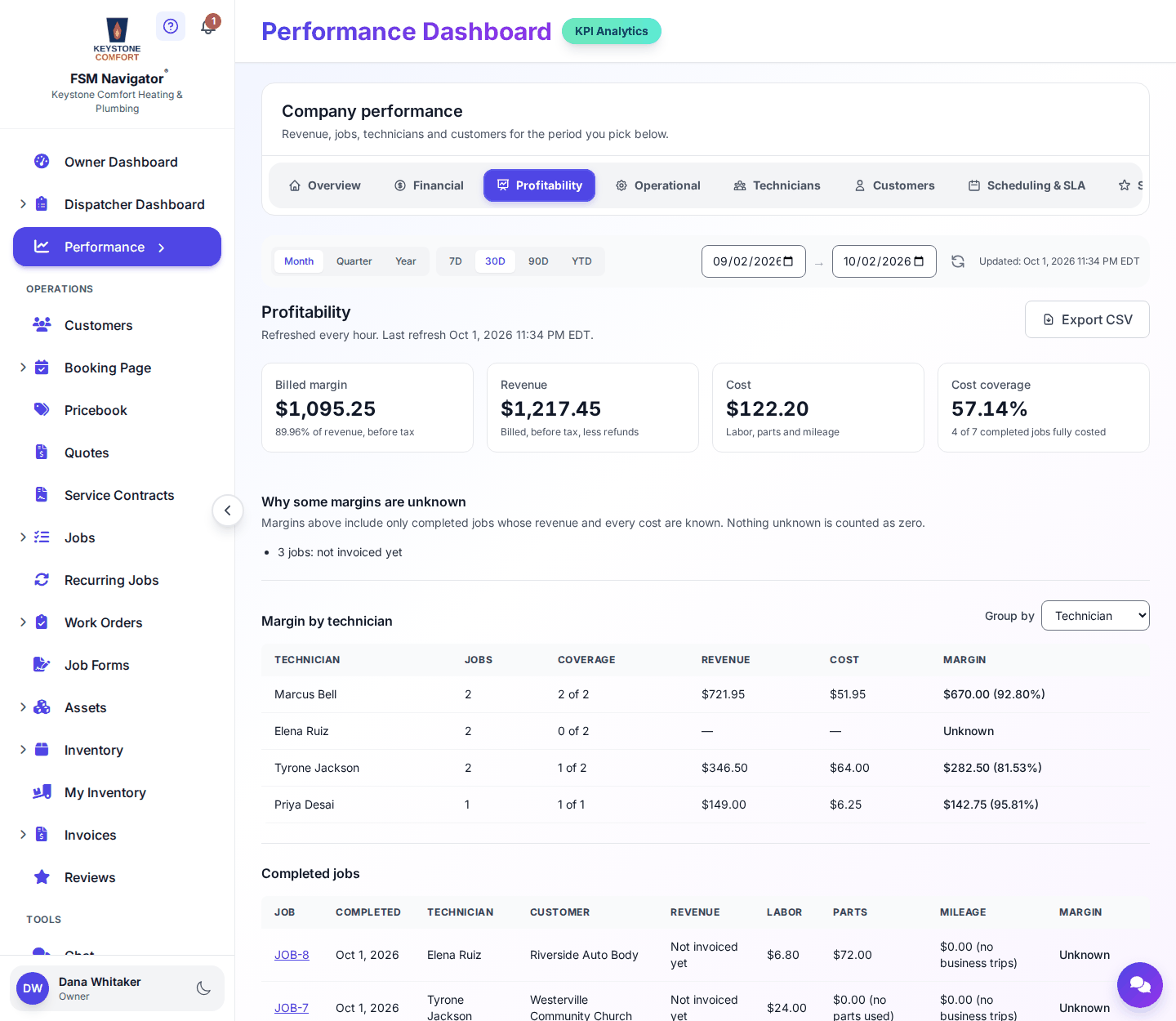
- Start on Overview, then move across the tabs: Financial, Profitability, Operational, Technicians, Customers, Scheduling & SLA, Skills, Auto-Assignment, Time & Attendance, Mileage Tracking, Inventory and Work Orders. You'll see the tabs your plan includes.
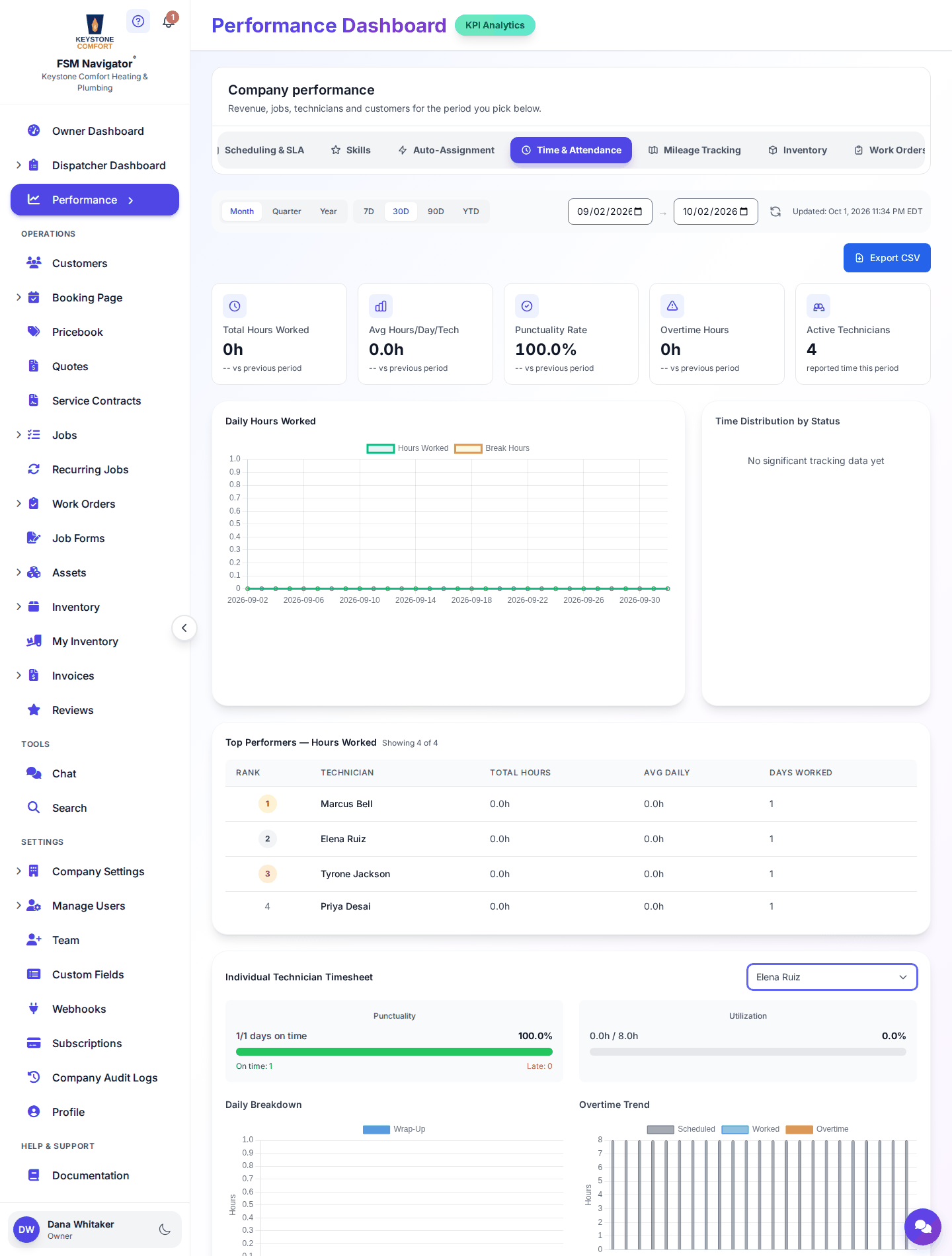
- For hours worked, open Time & Attendance. The Individual Technician Timesheet shows each person's hours, and you can export it as CSV.
- Open Reviews to see customer ratings and follow up on low ones.
- On Pro, look for the weekly business report in your inbox on Monday morning.
What happens next
- Previous stage: Invoicing and payments
- Next stage: this is the last stage. See How things connect for the whole picture, or go back to the overview.
For the full detail, see Reports and analytics, the Performance dashboard, Job profitability, Time tracking, Timesheets, Weekly reports, Audit logs and Customer reviews.
Who can do this
| Action | Who can do it |
|---|---|
| Company performance and timesheets | Owner, Manager |
| Owner dashboard | Owner |
| Weekly business report (Pro) | Emailed to Owners |
| View reviews | Owner, Manager, Dispatcher |
| Change review settings | Owner, Manager |
Tips and common questions
Why don't I see every tab? Without Pro, Company performance shows the Overview tab with an upgrade banner. Some tabs also depend on features like inventory or work orders.
Why does a job's profit look off? Profit comes from what was recorded on the job. Check that labor time and parts used were entered.
How do review requests work? In review settings you turn on Ask customers for a rating, add your Google review link, and set a Low-rating threshold so low ratings come to you as well.
Learn more about job profitability and timesheets.