Timesheet Software for Field Service Teams.
Your technicians set their status with one tap — and their timesheets write themselves. Accurate hours, break and overtime detail, and payroll-ready exports, without collecting a single paper time sheet.
Free for up to 5 users · 14-day trial on paid plans
Why Paper Time Sheets Fail Field Service Companies
Whether your crew calls it a time sheet or a timesheet, the paper version is the same story: lost pages, guessed hours, and payroll built on handwriting.
Friday-Night Guesswork
Techs fill out the week's time sheet from memory on Friday. Monday's hours are a guess, and payroll inherits the error.
Hours of Admin Every Week
Someone in the office collects timesheets, deciphers handwriting, keys hours into a spreadsheet, and chases the missing ones. Every single week.
No Proof When It Matters
A payroll dispute or wage-and-hour audit against handwritten timesheets is a losing position. Verifiable records protect both sides.
Timesheets That Build Themselves
Six ways FSM Navigator turns one-tap status changes into payroll-ready timesheets.
Automatic Daily Timesheets
Every status change, from start to lunch to finish, rolls into a clean daily timesheet per technician — no forms, no data entry, no Friday reconstruction.
Timesheet CSV Export
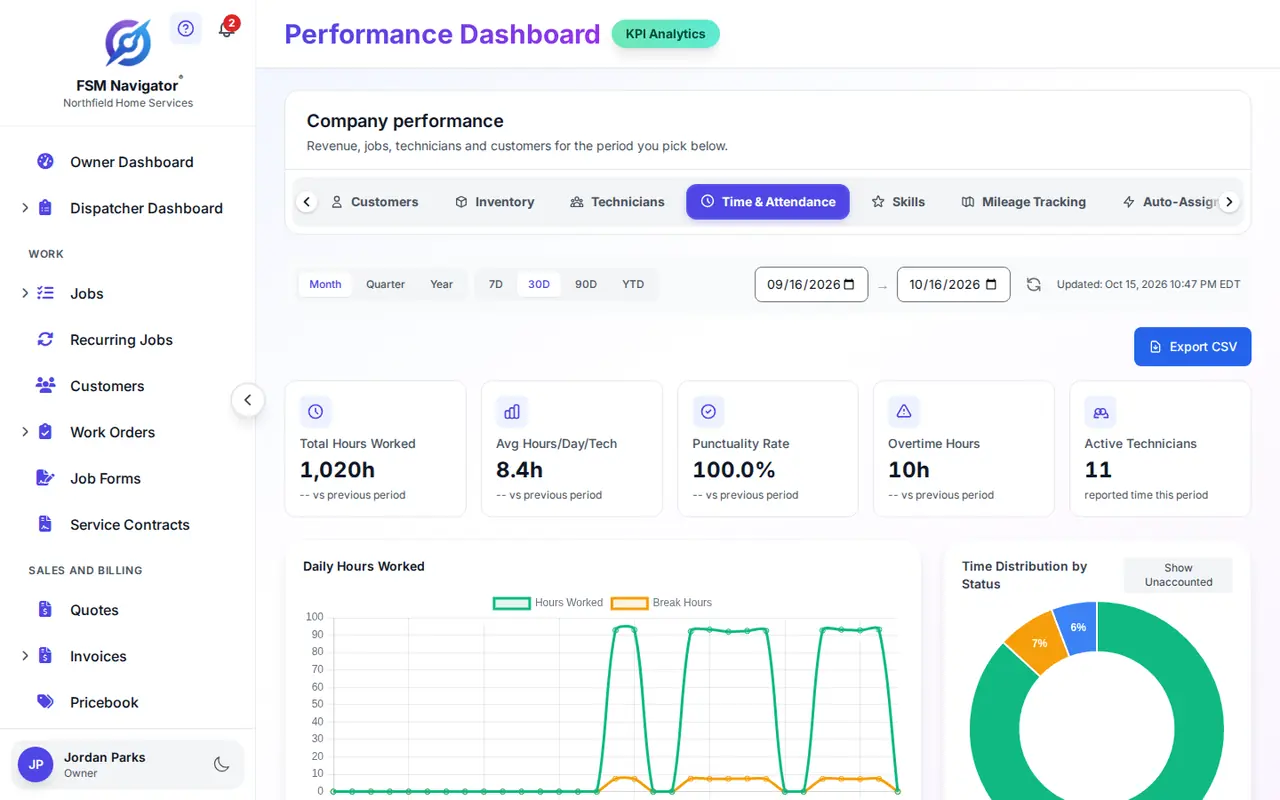
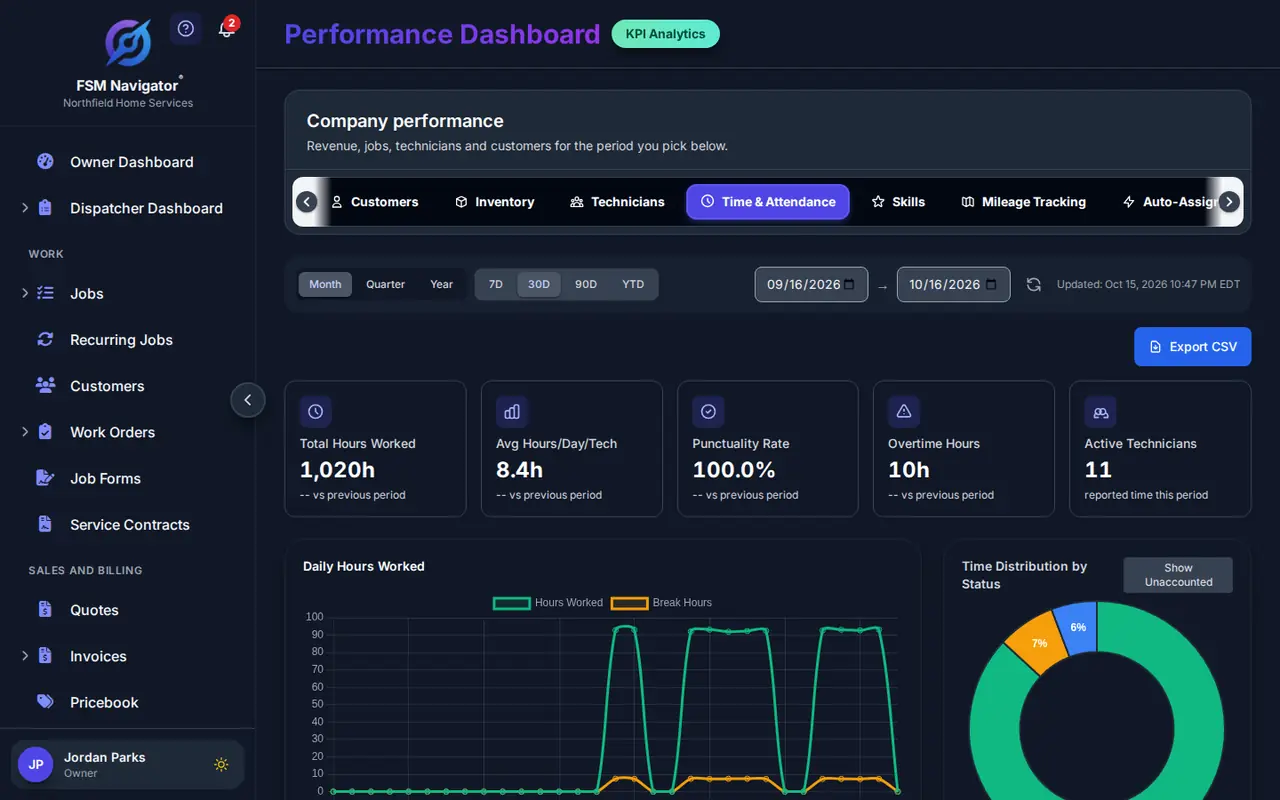
Export any date range from the Time & Attendance tab as a CSV your payroll system imports directly. Payroll prep drops from hours to minutes.
Overtime & Break Detail
Each timesheet separates working hours, breaks, lunch, and overtime automatically — the math is done before you ever look at it.
Team-Wide Timesheet View
See every technician's timesheet in one place — daily breakdowns, weekly totals, and per-person detail, filterable by any date range. Owners can also see the owner dashboard.
Verifiable, Device-Tied Records
Every entry is timestamped and tied to the technician's authenticated device. Timesheets you can stand behind in a dispute or audit.
Works Offline in the Field
Status changes made offline are queued on the device and sent when signal returns. Dead zones never leave holes in a timesheet.
From First Tap to Payroll in Four Steps
No forms, no spreadsheets — the timesheet assembles itself as the day happens.
Tech Taps Available
One tap in the FSM Navigator® mobile app at the start of the shift — the timestamp is captured automatically.
The Day Logs Itself
Lunch and going Off Duty are each one tap. Every transition lands on the timesheet with its duration.
Timesheets Assemble
Daily and weekly timesheets build automatically per technician — hours, breaks, and overtime already separated.
Export for Your Payroll Provider
Review on the Time & Attendance tab and export a payroll-ready CSV for any date range.
What Accurate Timesheets Change
Payroll Without Disputes
Hours come from timestamped events, not memory. Both sides can see exactly when the day started and ended.
Hours Back Every Week
Nobody collects, deciphers, or re-keys paper time sheets. The admin burden simply disappears.
Audit-Ready Records
Wage-and-hour records that are timestamped and device-authenticated stand up to scrutiny.
True Labor Costs Per Job
Job profitability costs each technician's time on the job at their hourly cost rate, so you see what the job cost in labor next to what you billed, and can price the next one accordingly.
Fair for Technicians Too
Every worked minute is on the record. Techs get paid for the hours they actually put in.
Frequently Asked Questions
How are timesheets created?
Timesheets build themselves. Technicians tap one button in the FSM Navigator mobile app to go Available, take Lunch, or go Off Duty — every status change is timestamped and rolled into a daily timesheet automatically. Nobody fills out a time sheet by hand.
Can I export timesheets for payroll?
Yes. Timesheet data exports directly from the Performance Dashboard's Time & Attendance tab as a CSV file, ready to import into your payroll system.
What is the difference between a timesheet and time tracking?
Time tracking is the act of recording when technicians start work, take breaks, and finish. A timesheet is the payroll-ready record those events produce. FSM Navigator does both: technicians track time with one tap, and the system assembles accurate timesheets automatically.
Do digital timesheets work without cell signal?
Yes. Status changes made offline are queued on the technician's device and sent automatically when connectivity returns, so timesheets stay complete even in dead zones.
Are timesheets available on the Free plan?
No. Timesheets are part of Time Tracking, a Pro feature starting at $34.99/user/month. Free plan users see an upgrade prompt when accessing time tracking features.
Can timesheets track overtime and breaks?
Yes. Every status change — Available, On Break, Lunch, Off Duty — is logged with its duration, so each timesheet shows working hours, break time, and overtime without any manual math.
Do timesheets feed job profitability?
Not directly, and they don't need to. Timesheets cover a technician's whole day for payroll. Job profitability costs each job on its own: the time from when work started to when the job was completed, minus any time on hold, at that technician's hourly cost rate. Both are on the Pro and Enterprise plans and both come from statuses your techs already tap, so you get payroll hours and per-job labor cost without anyone filling in a form.
Ready to Retire the Paper Time Sheet?
One tap to start the day. Automatic timesheets. Payroll-ready exports. Your office gets its Friday afternoons back.
Start Free TrialFree forever for up to 5 users · 14-day trial on paid plans · Upgrade to Pro in one click