Customers Know You're Coming Before They Call to Ask
FSM Navigator® runs your service business from first booking to renewals. Text notifications tell customers what they want to know about a visit: that you got their request, when you're coming, a reminder the day before, and when the technician is on the way. Texts go out from your own Twilio number, alongside the emails customers already get.
Included in Enterprise · Uses your own Twilio account · A card is required at signup · Nothing is charged until the trial ends
9:40 AM, and the phone won't stop
Three customers have called in twenty minutes. Two want to know where the technician is. One says nobody told her the visit was today. The confirmation email went out on Monday, and it's sitting under a pile of promotions in her inbox.
None of those calls needed to happen. A customer who got a text the day before, and another when the technician left the last job, doesn't call to ask. Your office gets the morning back.
The Texts Your Customers Get
These go out on their own as visits are booked and worked. Each one starts with your business name, gives the number to call, and ends with how to opt out. Here's what they say, for a made-up company called Harbor Heating.
Booking Received
A customer books on your online booking page and ticks the box to get texts.
Harbor Heating: got your request for Thu Oct 8. Msg freq varies. Msg&data rates may apply. Help: (512) 555-0142 or reply HELP. STOP to opt out.
Appointment Confirmed
The visit is scheduled.
Harbor Heating: appointment confirmed for Thu Oct 8, 8:00 AM-10:00 AM. Questions? Call (512) 555-0142. Reply STOP to opt out.
Day-Before Reminder
The day before the visit.
Harbor Heating: reminder, your technician comes tomorrow, Thu Oct 8, 8:00 AM-10:00 AM. Questions? Call (512) 555-0142. Reply STOP to opt out.
On My Way
The job is marked En Route, usually by the technician in the mobile app. It names the technician by first name and adds a drive-time estimate when one is available.
Harbor Heating: Marcus is on the way, about 25 min out. Questions? Call (512) 555-0142. Reply STOP to opt out.
Rescheduled
The visit moves. Several quick changes in a row send one text, with the final time.
Harbor Heating: your appointment moved to Thu Oct 8, 8:00 AM-10:00 AM. Questions? Call (512) 555-0142. Reply STOP to opt out.
Cancelled
The visit is cancelled, and only if the customer already had a text about it. A cancelled work order sends one text, not one per visit.
Harbor Heating: your Thu Oct 8 appointment is cancelled. To rebook, call (512) 555-0142. Reply STOP to opt out.
What makes a good on-my-way text, and why it cuts the calls: on my way texts for contractors.
Five More Texts You Can Turn On
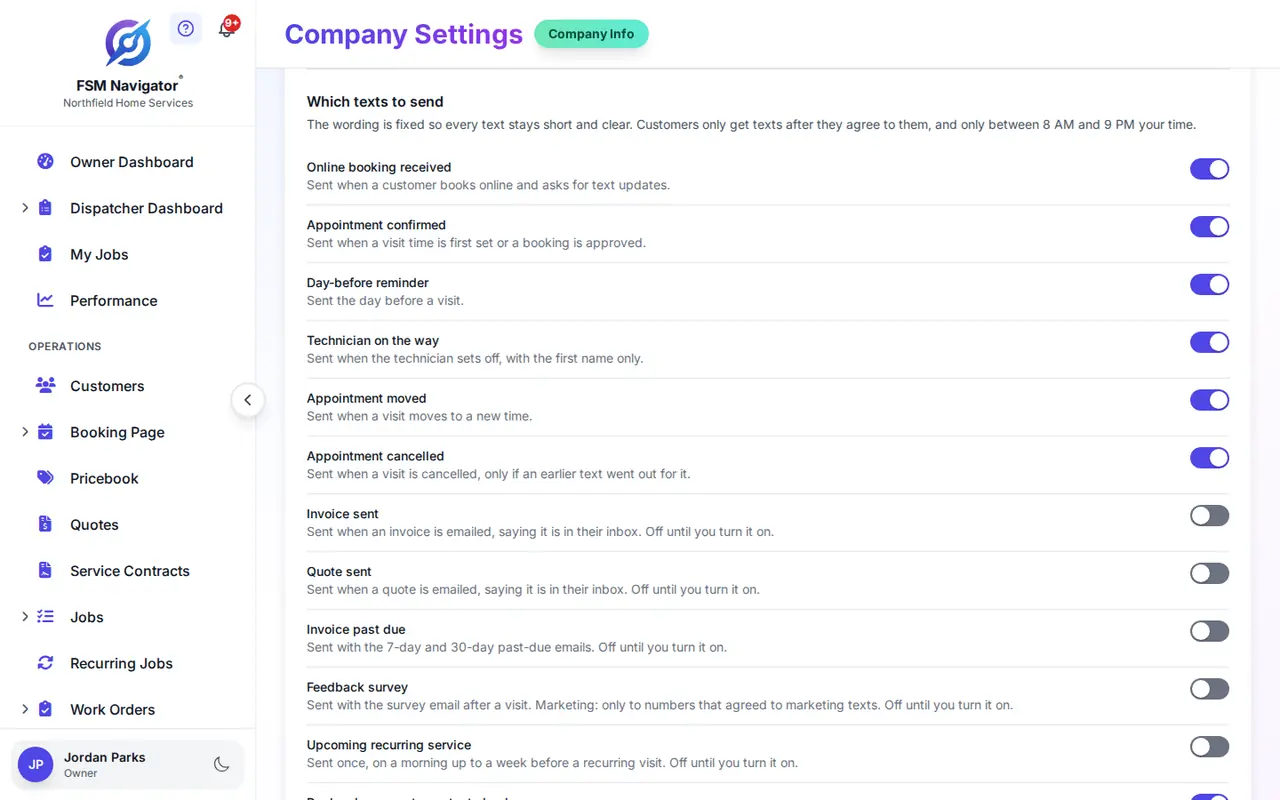
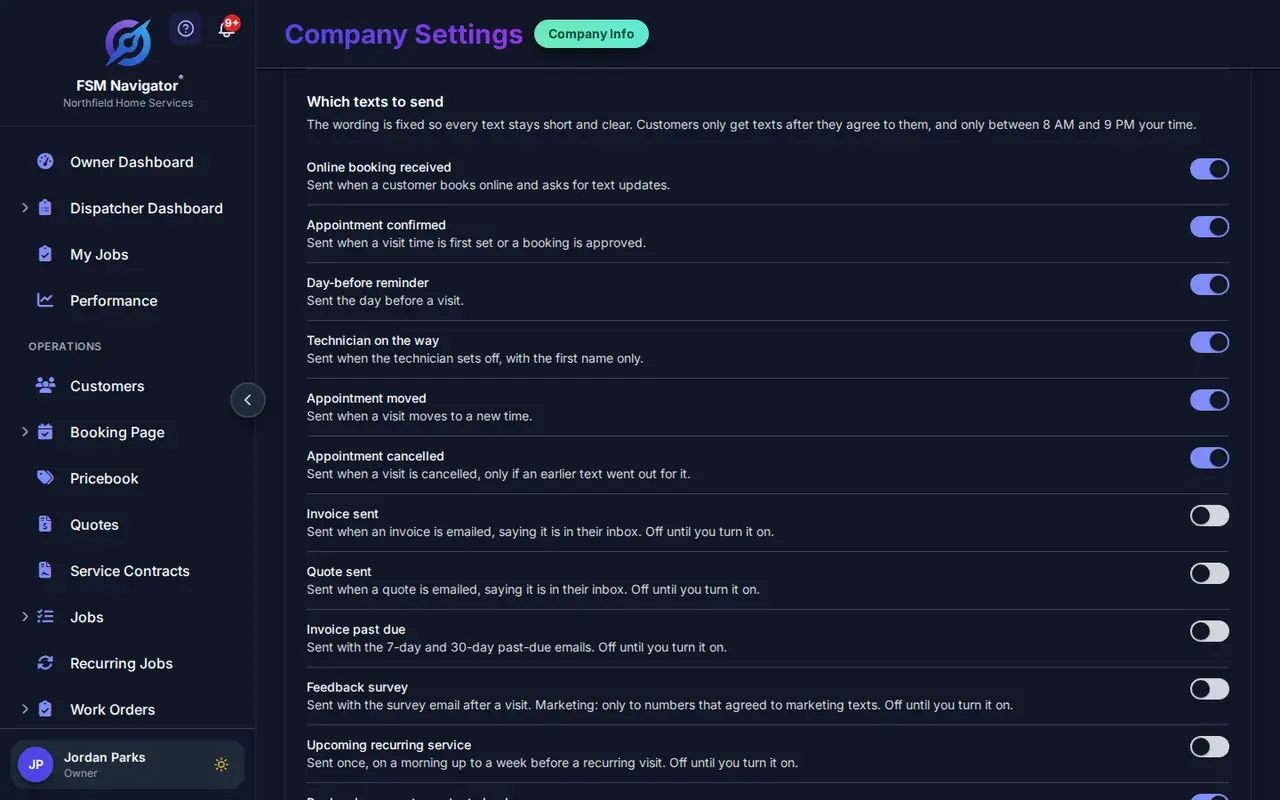
These are off until you switch them on in settings. Texts carry no links, so each one tells the customer to check their email, where the invoice, quote or survey already is.
Invoice Ready
When an invoice is sent, a text says it's been emailed. One text per invoice, however often you resend it.
Quote Sent
When a quote goes out, a text tells the customer to look for it in their email.
Overdue Reminder
At 7 and 30 days past due, alongside the overdue reminder email.
Recurring Service Reminder
Before the next visit on a repeating schedule or service agreement, with the number to call to move it.
Review Request
After the visit, a text points to the rating email from review requests. Because it asks for something, it goes only to customers who also agreed to marketing texts.
Texts Customers Don't Mind Getting
A text at 10:30 at night, or the fourth one today, is how a helpful message becomes a complaint. These rules are built in, and you can't switch them off.
Consent First
No number gets a text until its owner agrees: an unticked box on your booking page, an opt-in in the customer portal, or your office recording it on the customer record with the wording the customer agreed to.
STOP Means Stop
A reply of STOP, UNSUBSCRIBE, CANCEL or a plain "stop texting me" opts the number out at once. START signs it back up. Staff can't override an opt-out.
Quiet Hours
Texts go out only between 8am and 9pm in your company's time zone. You can make the window shorter, never longer.
A Daily and Weekly Limit
No number gets more than 3 automated texts in a day or 8 in a week. Newer news replaces older: on-my-way replaces a reminder that hasn't gone out yet.
Your Number in Every Text
Texts are one-way, so each one names the number to call. A customer who replies anyway gets one automatic answer pointing them to that number.
On Top of Email
Texts never replace the emails customers already get. A customer who doesn't want texts still gets every email.
These rules help you text the right way. Getting and recording permission properly is still your job, and the rules can differ by state. This page isn't legal advice.
Your Number, Your Registration
Text notifications run on your company's own Twilio account. Twilio is a messaging provider: you get a phone number there, Twilio sends the texts, and Twilio bills you directly for the number and each message at its published rates.
It's more setup than a tool that lends you a number. In return, the number and its carrier registration belong to your business, and the bill is one you can read line by line.
US carriers require business texts sent through software to be registered, a process called A2P 10DLC. You register your business and the kind of texts you'll send, in your own Twilio account, and texts wait until carriers approve it. A2P 10DLC registration for contractors, in plain English.
Getting Set Up
- Create or open your Twilio account and get a phone number for texting.
- Register for A2P 10DLC in Twilio: your business details, then a description of the appointment texts you'll send and how customers agree to them. Start early; this is the step that takes longest.
- Connect Twilio in FSM Navigator under Company Settings, Text Notifications. Set the business name that starts each text and the number customers should call.
- Choose your texts. The appointment texts start on; switch on any of the optional ones you want.
- Collect consent on your booking page, in the customer portal or from your office. Texts start once carriers approve your registration.
You can pause all texts with one switch, and the settings page shows what went out recently. The schedule and the mobile app your technicians already use drive the texts: booking a visit sends the confirmation, and marking a job En Route sends the on-my-way text.
Included in Enterprise
Text notifications sit beside work orders, inventory, asset management and webhooks. They work during the Enterprise trial too, once Twilio is connected and your registration is approved.
What Text Notifications Don't Do
Two-way texting, a texting inbox or chat with customers, editable message wording, links in texts, and promotional or bulk texts.
Text Notification Questions
Which plans include text notifications?
Enterprise ($59.99 per user per month, or $47.99 billed annually), including the Enterprise trial. Text notifications are not on Free or Pro. Twilio bills you separately for your number and messages.
Can customers text back?
No. Text notifications are one-way. Every text carries the number customers should call, and a customer who replies gets one automatic answer telling them to call that number. There is no texting inbox or chat.
Why do I need my own Twilio account?
Texts go out from your business's own number, registered to your business with US carriers. Twilio bills you directly for the number and each message, at its published rates. It takes more setup than a shared number, and the number and its registration stay yours.
Do I have to register with the carriers?
Yes. US carriers require A2P 10DLC registration for business texts sent through software from a regular 10-digit number. You register your business and your texting purpose in your own Twilio account. Texts wait until the registration is approved.
Do customers have to agree to get texts?
Yes. Nothing is texted to a number without consent. Customers can tick a box on your booking page or opt in from the customer portal, and your office can record a customer's agreement on their customer record, which stores the wording they agreed to.
What happens when a customer replies STOP?
That number gets no more texts from you, straight away. Words like UNSUBSCRIBE, CANCEL, END and QUIT count too, and so does a plain "stop texting me". Replying START signs them back up. Your staff cannot override an opt-out.
When are texts sent?
Only between 8am and 9pm in your company's time zone. You can narrow that window in settings, but not widen it. A text that comes due overnight waits for the morning, and a reminder that would arrive too close to the visit is dropped.
Could a customer get too many texts?
Automated texts to any one number are capped at 3 a day and 8 a week. An on-my-way text replaces a reminder that has not gone out yet, and a reschedule replaces a confirmation or reminder still waiting to go out, so customers get the latest news, not a pile of messages.
Do emails still go out?
Yes. Texts are sent in addition to the emails your customers already get, never instead of them. Customers who do not want texts still get every email.
Can I change the wording?
You set the business name that starts each text and the phone number customers call. The rest of the wording is fixed, so every text fits in one message, includes your number and ends with how to opt out.
Can I send marketing texts or promotions?
No. Text notifications cover appointments and the optional texts listed on this page. The one text that asks for something, the review request, goes only to customers who also agreed to marketing texts. There are no promotional or bulk texts.
Let the Text Answer "Where's My Tech?"
One app from first booking to renewals, and customers hear from you at every step of the visit.
14-day free trial · A card is required at signup · Nothing is charged until the trial ends