Ask every customer. Every time. Hear the bad news first.
About a day after each job, your customer gets a short email asking them to rate the visit from 1 to 5 stars. Everyone who rates sees your Google review link. Customers who had a bad day also get a private way to tell you, and your team gets an alert so someone can call.
Rating emails and private feedback on every plan, including Free · Google link, team alerts and rating reports on Pro and Enterprise
You do good work. Google doesn't know it yet.
When a water heater starts leaking, the homeowner searches, looks at the map and compares stars. In BrightLocal's 2026 survey of 1,002 US consumers, 97% said they read reviews online, and Google was still the top review site at 71%.
Your happy customers would leave a review if someone asked at the right moment. But techs forget, or feel awkward asking at the door. The office means to send a follow-up and then the phone rings. So you finish the year with a dozen reviews while the shop down the road has a hundred.
The fix isn't a trick. It's asking every customer, every time, without anyone having to remember.
From a Finished Job to a Rating
- The job is marked completed. About a day later, during your business hours, the customer gets a "How did we do?" email with five stars.
- They tap a star. A short rating page shows your company name, visit date and the technician's first name, and the customer confirms the rating. The link is personal to them and works for 30 days.
- Everyone who rates sees your Google review link on Pro and Enterprise, once you've saved it. Five stars or two, the link is there.
- A low rating also opens a private feedback form. The customer can tell you what went wrong and tick a box asking to be contacted.
- Your team hears about it. On Pro and Enterprise, Owners, Managers and Dispatchers get an email and an in-app notification for each low rating.
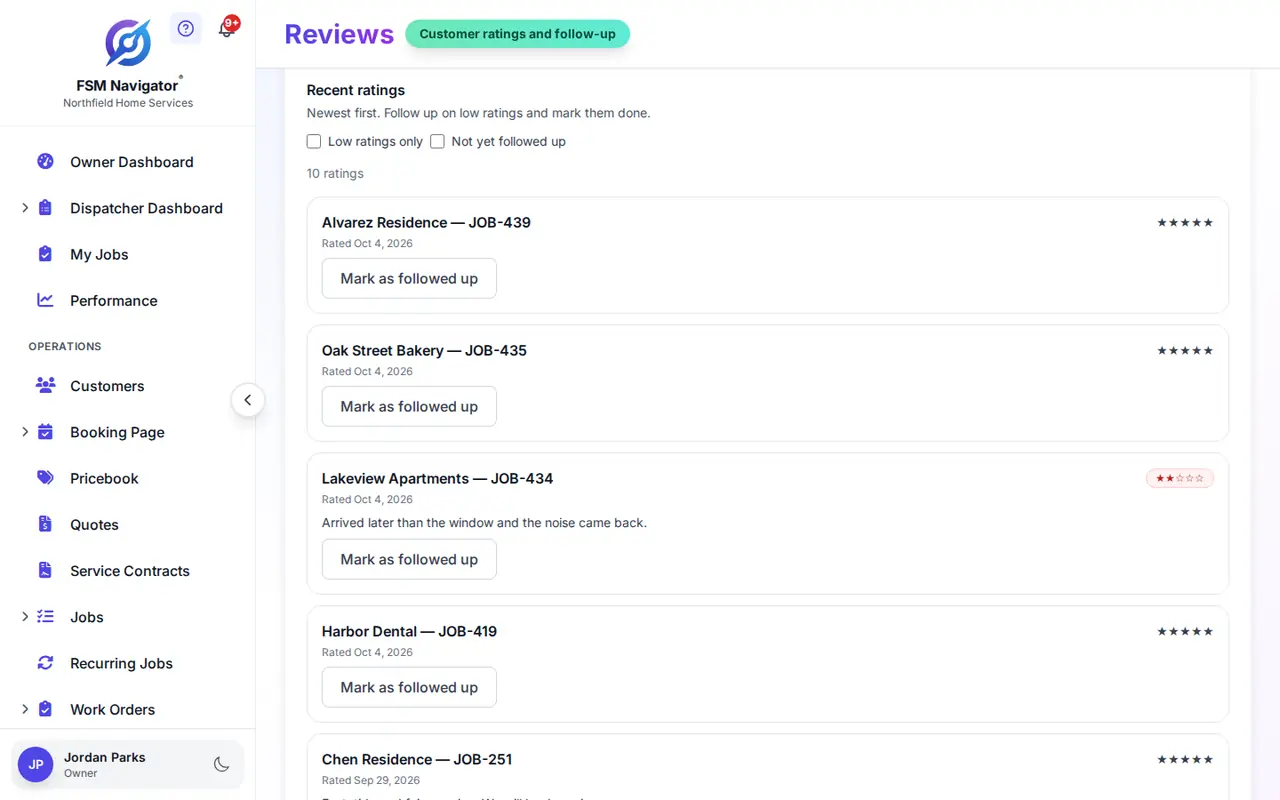
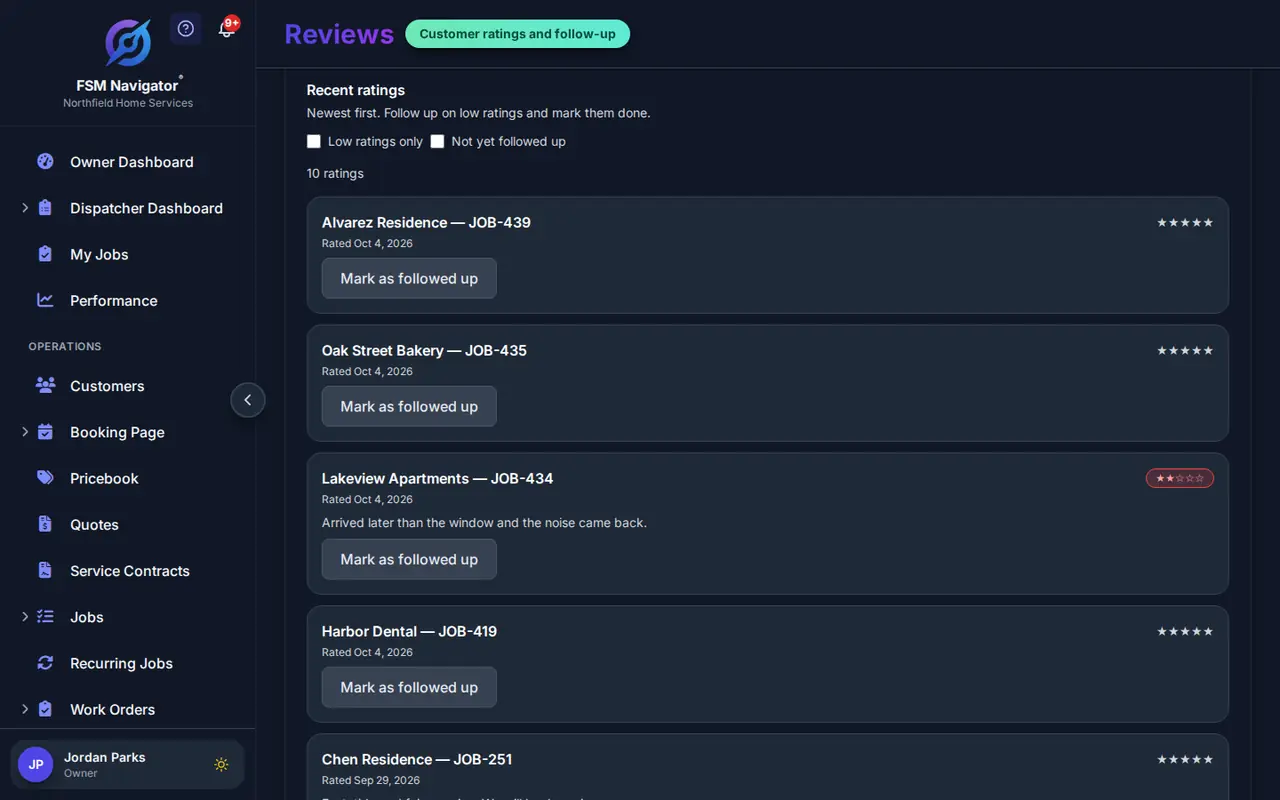
- Someone follows up and marks it done. The Reviews page lists every rating, with filters for low ratings and for ones nobody has followed up on yet.
The ask happens on its own, with no tech having to remember it. Each job gets one rating email, and a customer who was asked recently isn't asked again until the waiting period you set has passed.
On Enterprise, text notifications can add a short text pointing the customer to the rating email. It's off by default, and it goes only to customers who also agreed to marketing texts.
Why every rater sees your Google link
Some review tools send happy customers to Google and unhappy ones to a private form, and hide the Google link from the second group. It's called review gating, and it breaks the rules.
Google's content policy for Maps lists businesses that "selectively solicit positive reviews from customers" among the things it prohibits (Google Maps content policy). The FTC's rule on consumer reviews and testimonials took effect on October 21, 2024. In its guidance, the FTC answers the question of asking only customers you think are happy: the rule doesn't name it, "But this practice could violate the FTC Act" (FTC questions and answers).
So FSM Navigator shows your Google link to every customer who rates. The score decides only one thing: whether the customer also gets the private feedback form and your team gets an alert. The unhappy customer gets the link and a private way to reach you. There's no setting that hides it. More on what review gating is and why to avoid it.
Catch the Problem While You Can Still Fix It
A two-star rating the day after the job is useful. The customer is annoyed but hasn't posted anything, and they've told you what went wrong.
You Set What "Low" Means
Ratings below your threshold count as low. The default is 4 stars, so 1 to 3 stars get the feedback form and alert. Change it on the Reviews page.
The Customer Can Ask for a Call
The feedback form asks what you could do better and lets the customer ask to be contacted, so whoever calls knows they're expected.
Nothing Slips Through
Filter the ratings list to low ratings that nobody has followed up on, and mark each one done once it's handled. Each team member can turn the alert email off in their own preferences.
That call is where a return visit gets scheduled, a refund gets offered or a misunderstanding gets cleared up. What the customer posts afterwards is up to them. Don't make the fix depend on a review; the call is about the customer.
No incentives, no five-star scripts
Google's policy also prohibits offering incentives "such as payment, discounts, free goods and/or services" in exchange for posting a review (Google Maps content policy). The FTC rule bans incentives conditioned on a review expressing a particular sentiment, positive or negative (16 CFR § 465.4).
The rating email doesn't offer anything, and it doesn't ask for five stars. It asks how the visit went, the same way every time.
Part of the Job, Not Another App
FSM Navigator runs your service business from first booking to renewals. The rating request is one more step in that chain, sent by the system that already knows who the customer is, what was done and who did it.
Get the Customer
New customers request a visit from your online booking page, and your Google reviews help them pick you over the next shop on the map.
Do the Work
Intelligent dispatch sends the right tech, and the job is marked completed in the mobile app. That completion is what starts the rating request.
Keep Them Coming Back
A customer you called back after a bad day is a good candidate for a service agreement, and existing customers see their history in the customer portal.
What Your Plan Includes
Rating requests run on every plan, including Free. Rating reports sit on the Customers tab of the Performance Dashboard.
| Feature | Free | Pro | Enterprise |
|---|---|---|---|
| Rating email about a day after each job | Included | Included | Included |
| Private feedback form on low ratings | Included | Included | Included |
| Ratings list with follow-up tracking | Included | Included | Included |
| Your Google review link shown to every rater | Not included | Included | Included |
| Low-rating alerts to your team | Not included | Included | Included |
| Average rating, response rate and ratings by technician | Not included | Included | Included |
Set It Up in a Few Minutes
Everything lives on the Reviews page in the app. Owners and Managers change the settings; Dispatchers can see and follow up on ratings.
1. Copy Your Google Review Link
On a computer, open your Business Profile, select Read Reviews, then Get more reviews, then Copy (Google's steps).
2. Paste It and Save
If your booking page already lists a Google link, the box is filled in with it as a suggestion. Nothing is shown to customers until you save it.
3. Pick Your Threshold
Keep the 4-star default or change it, and set how many days to wait before asking the same customer again. The help guide walks through each setting.
More on Getting Reviews the Right Way
How to Get More Google Reviews
Eight steps for a contractor, from the review link to replying to every review.
What Review Gating Is
What Google's policy and the FTC say, and the honest setup to use instead.
Review Request Email Templates
Short, honest templates for HVAC, plumbing and electrical jobs.
Add a Booking Link to Google
Put your booking page on your Business Profile, step by step.
Online Booking
Where the customer's first request comes in.
Customer Portal
History, quotes and invoice payments for customers who come back.
Questions Owners Ask About Review Requests
Which plans include review requests?
Every plan, including Free, sends the rating email, shows the private feedback form on low ratings and keeps the ratings list on your Reviews page. Showing your Google review link, low-rating alerts to your team and rating reports on the Performance Dashboard are on Pro ($34.99 per user per month) and Enterprise ($59.99 per user per month).
Do unhappy customers see my Google link too?
Yes. On Pro and Enterprise, everyone who rates sees your Google review link, whatever score they gave. Google's policy prohibits selectively asking for positive reviews, so FSM Navigator does not offer a setting that hides the link from low raters.
Then how does this protect my reputation?
By telling you about unhappy customers early. A low rating also opens a private feedback form, the customer can ask to be contacted, and on Pro and Enterprise your team gets an alert. A same-day call fixes more than a filter ever could.
When does the rating email go out?
About a day after the job is marked completed, during your business hours. Each job gets at most one rating email, and a customer who was asked recently is not asked again until the waiting period you set has passed. The default is 90 days.
What counts as a low rating?
You choose. Ratings below your low-rating threshold get the private feedback form and the team alert. The default threshold is 4 stars, so 1, 2 and 3 stars count as low. The threshold never decides who sees your Google link.
Can I offer a discount for a review?
No. Google prohibits offering incentives such as discounts or free services in exchange for reviews, and the FTC rule bans incentives tied to a positive or negative review. The rating email offers nothing and asks for nothing but an honest rating.
Does FSM Navigator track my Google reviews?
No. It records that a customer clicked your Google review link, not whether they posted a review. Your Google Business Profile shows the reviews themselves.
Can a customer change their rating?
Yes, for 3 days after they first rate. After that the rating is locked. The rating link in the email works for 30 days, and it only ever records one rating for that job.
Can I turn rating emails off?
Yes. Owners and Managers can turn the rating email off for the whole company on the Reviews page. It is on by default on every plan.
Does it send text messages?
Rating requests go by email on every plan. On Enterprise, if you use text notifications, you can also switch on a review request text that points the customer to the rating email. It is off by default and goes only to customers who also agreed to marketing texts.
Start Asking Every Customer This Week
Save your Google review link, and the next completed job starts the first rating request.
14-day free trial · A card is required at signup · Nothing is charged until the trial ends