Track Equipment & Assets from Purchase to Retirement
Know which site every piece of equipment is at, what it's worth, when it needs service, and whether the warranty is still good. One screen replaces your spreadsheets, filing cabinets, and guesswork.
14-day free trial · Full Enterprise features · Nothing charged until the trial ends
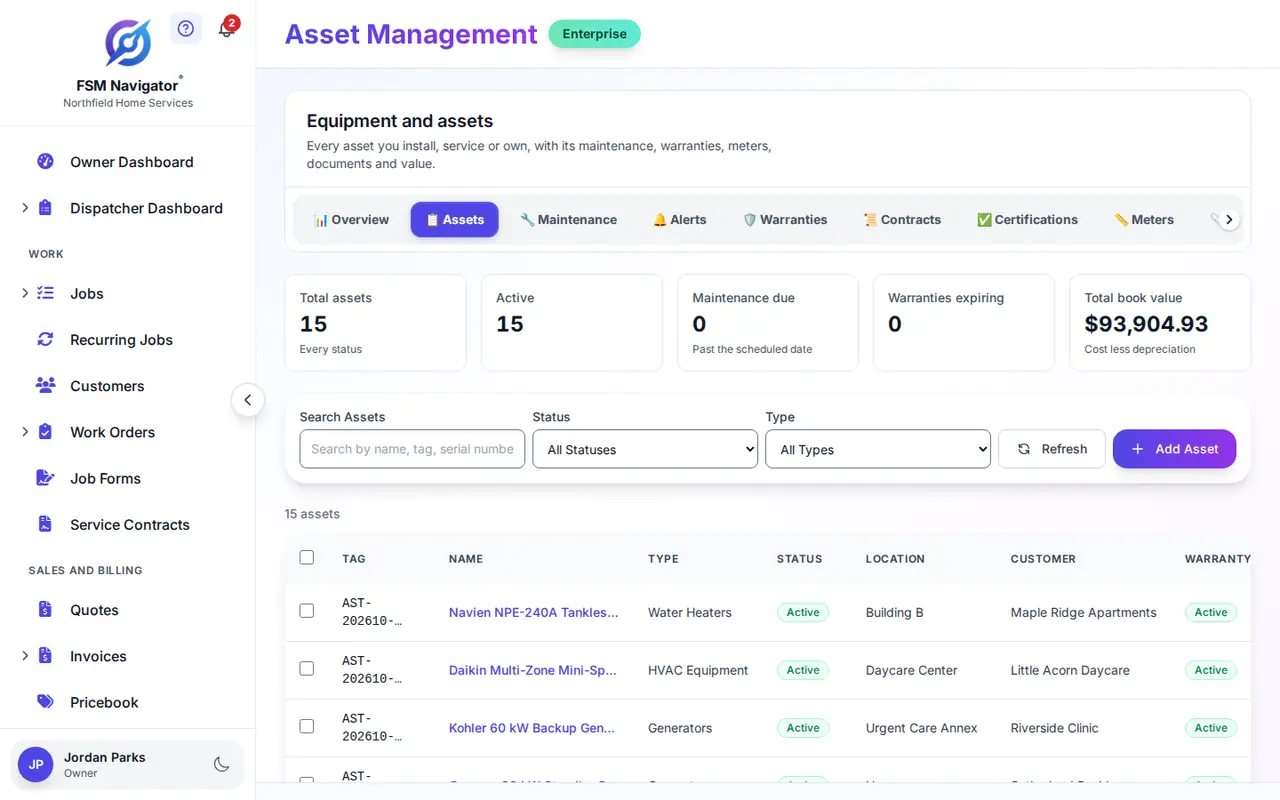
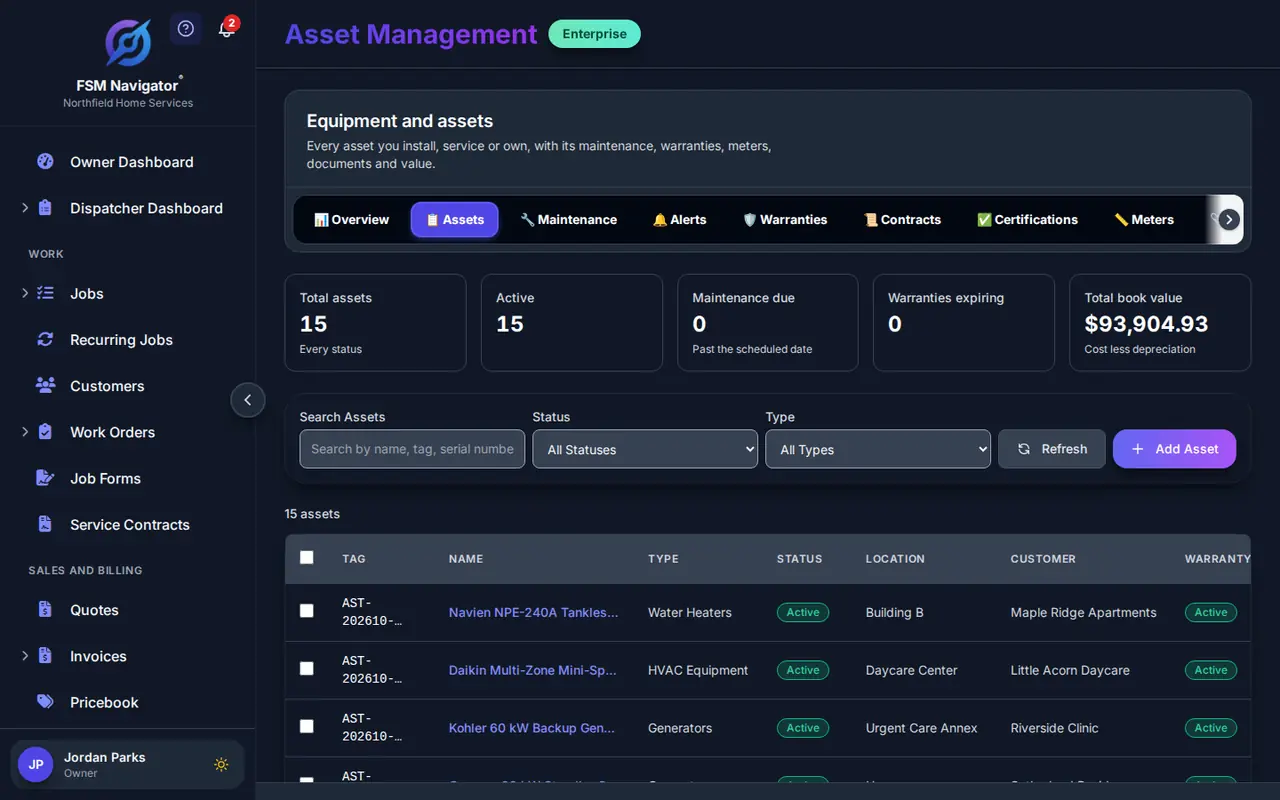
Stop Guessing. Start Tracking.
When you manage hundreds of assets across dozens of job sites, things get lost, maintenance gets skipped, and warranties expire without anyone noticing. FSM Navigator® fixes that.
Complete Lifecycle Visibility
See every asset's full history — from the day it was purchased through every service call, transfer, and status change, all the way to retirement. No more digging through files.
Know Your True Costs
Track purchase price, maintenance spend, and depreciation in one place. When you can see total cost of ownership at a glance, you make smarter replacement decisions.
Preventive Maintenance Schedules
Set preventive maintenance schedules and get alerts before service is due. Catch problems early, extend equipment life, and avoid the cost of emergency repairs.
From Day One to End of Life
Every asset in your fleet has a story. FSM Navigator® tracks the full arc — acquisition, deployment, active use, maintenance cycles, and eventual retirement or disposal. You always know exactly where each asset stands.
- Record acquisition date, purchase cost, and vendor details
- Track status changes: active, in maintenance, inactive, retired
- Organize with custom categories and custom fields, the same way you can add custom fields on jobs and customers
- Generate QR and barcode labels for quick field identification
Asset Lifecycle Management
Follow each piece of equipment from purchase to disposal, with depreciation, warranty alerts and total cost of ownership.
See how lifecycle tracking works →Stay Ahead of Every Service Date
Reactive maintenance costs three to five times more than preventive. FSM Navigator® helps you schedule service before things break, track every repair when they do, and build a complete maintenance history for every asset you manage.
- Schedule preventive maintenance on custom intervals
- Log corrective repairs with parts, labor, and notes
- Get alerts when service is overdue or coming up
- View complete maintenance history for any asset
Preventive and Corrective Maintenance
Schedule recurring service and log repairs, so every asset carries its full service history.
See how maintenance works →Every Unit, Tied to Its Location
"Who has the thermal camera?" shouldn't take three phone calls to answer. FSM Navigator® records which customer site every asset is at and which technician it is assigned to.
- Assign assets to customer sites and to technicians
- Transfer assets between locations with a full audit trail
- Assign individual assets to specific technicians
- Scan QR/barcode labels to look up any asset in the field
Asset Tracking
Assign equipment to sites and technicians, move it between locations, and scan a QR label to pull up any asset.
See how asset tracking works →See the Full Cost Picture
An asset's purchase price is just the beginning. The real cost includes maintenance, repairs, downtime, and depreciation. FSM Navigator® gives you the complete financial picture for every piece of equipment you own.
- Track depreciation and current book value over time
- Total cost of ownership: purchase + all maintenance costs
- Warranty expiration alerts before the claim window closes
- Make data-driven repair vs. replace decisions
Connected to Everything You Already Use
The unit you install today is next year's maintenance visit and the renewal after that. Asset records connect directly to your inventory, work orders, service agreements and mobile app, and your customers can see their own equipment, warranty dates and recent service in the customer portal.
Inventory Management
When a maintenance job needs parts, pull them from your tracked inventory. Asset costs and inventory usage stay connected automatically.
Learn more about inventory managementWork Orders
Link assets directly to work orders. When a tech completes a maintenance job, the asset record updates automatically with the service history.
Learn more about work ordersMobile App
Technicians scan QR codes or barcodes on-site to pull up asset details, maintenance history, and warranty info — right from their phone.
Learn more about the mobile appCommon Questions About Asset Management
Which plan includes asset management?
Asset management is part of the Enterprise plan, which starts at $59.99 per user per month (or $47.99/user/month with annual billing). Every Enterprise subscription includes a 14-day free trial with full access to all features — a payment method is required to start the trial, but you won't be charged until it ends.
Can I track asset depreciation?
Yes. FSM Navigator tracks asset value over time starting from the original purchase cost. You can monitor how each asset depreciates, see current book value at a glance, and use that data to plan replacements before equipment reaches end of life.
How does preventive maintenance scheduling work?
You set a maintenance schedule for each asset — weekly, monthly, quarterly, or any custom interval. When service is due, the system alerts you so nothing slips through. When a scheduled maintenance job is completed, the service is logged automatically, building a complete maintenance history for the life of the asset.
Can I assign assets to customer locations?
Yes. Every asset can be assigned to a customer site and to a specific technician. When an asset moves between sites, the transfer is recorded with a full audit trail — so you always have a clear chain of custody.
Does it work with the mobile app?
Yes. Technicians can view asset details and maintenance history directly from the FSM Navigator mobile app. They can also scan QR codes and barcodes in the field to pull up an asset record — no manual lookups or phone calls back to the office.
Can I track warranty information?
Yes. Each asset record stores warranty start and end dates, coverage details, and provider information. You'll get alerts before warranties expire, so you can file claims in time or plan ahead for replacements and renewals. More on equipment warranty tracking, plus an equipment warranty tracking checklist for HVAC contractors.
Can my customers see their own equipment?
Yes. The customer portal has a My Equipment tab that lists the units at each customer's sites: model, serial number, location, warranty end date, the service agreement that covers it, and recent service visits. Each customer sees only their own equipment. The customer portal comes with the Pro plan; the equipment tab needs asset management, which is on Enterprise.
Can I add custom fields to jobs and customers too?
Yes. Asset custom fields are set per asset type, and jobs and customers now have custom fields of their own: up to 10 per record type on the Pro plan and up to 50 on Enterprise. A gate code, refrigerant type or customer PO number sits on the record where your team needs it.
More on Keeping Track of What You Service
An equipment register earns its keep when the records are complete and easy to pull. These guides go deeper on the operational side.
Managing Equipment Across Dozens of Buildings
One customer, forty addresses, and equipment at each one. How contractors keep per-building records straight so no site drops off the schedule unnoticed.
Read the multi-site guideWarranty Records That Pay for Themselves
Serial numbers, install dates, and coverage terms are the difference between billing the manufacturer and eating the repair. A close look at the revenue leak weak records create.
Read the warranty guideWhere Asset Records Fit in the Bigger Picture
A plain-English tour of how customers, jobs, technicians, parts, and equipment records connect — useful if you're mapping this out for the first time.
Read the FSM primerReady to Take Control of Your Assets?
14-day free trial · Full Enterprise features · No setup or cancellation fees