Every customer, site and job in one record
Field service CRM software for the office: customers, service locations, jobs, invoices and history in one place, with import, custom fields and a QuickBooks Online connection on Pro.
Sign up free, then start a 14-day Pro or Enterprise trial from your account. A payment method is collected when the trial starts and isn't charged until the trial ends. Customer records and service locations are included on every plan, Free included.
The call where nobody can find last time
A property manager calls at 8:10 on a Monday. "You were out at the Birch Street building in the spring. Same unit's leaking again. Was that covered?"
The tech who went is on a roof across town. The invoice lives in the accounting system, the notes are in a text thread, and the address on file is the property manager's office, not the building. So the office says "let me call you back," and the callback eats the morning.
That's the problem a field service CRM should fix. Not more leads. Fewer callbacks to find out what happened last time.
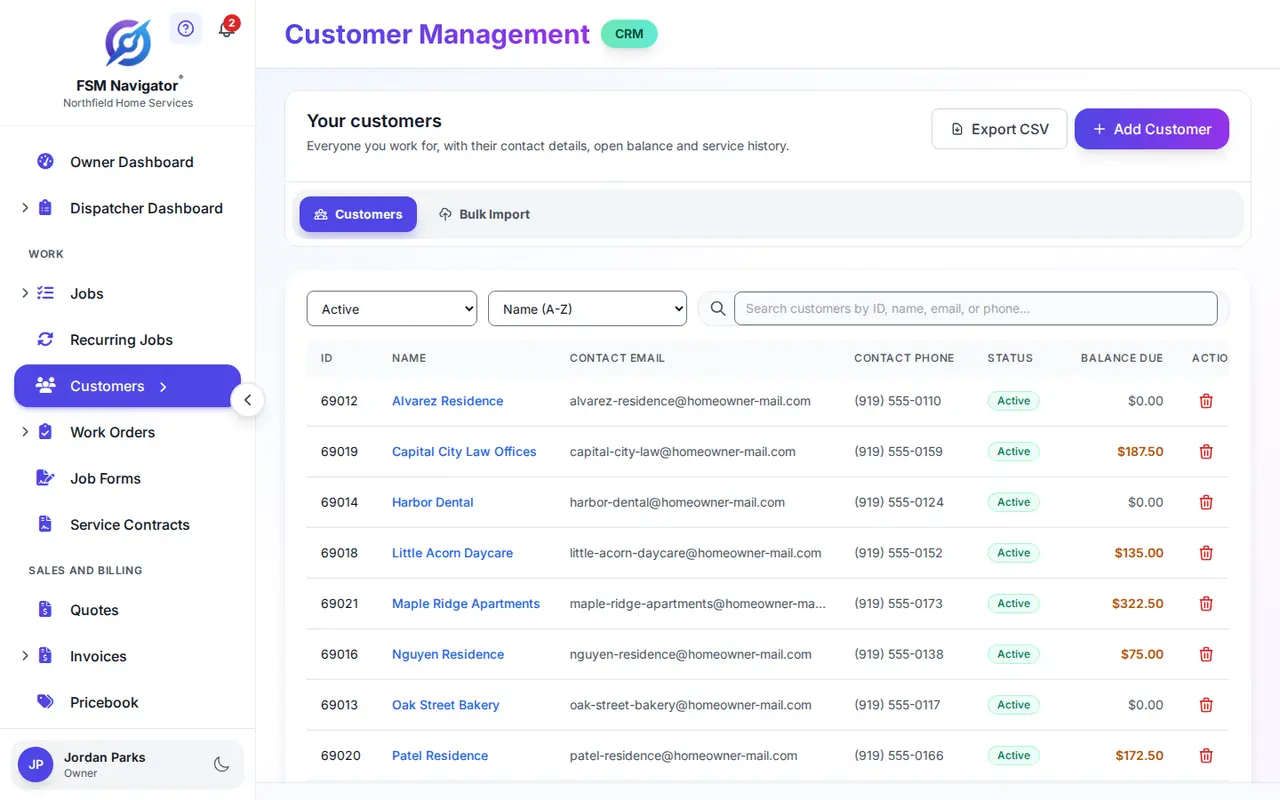
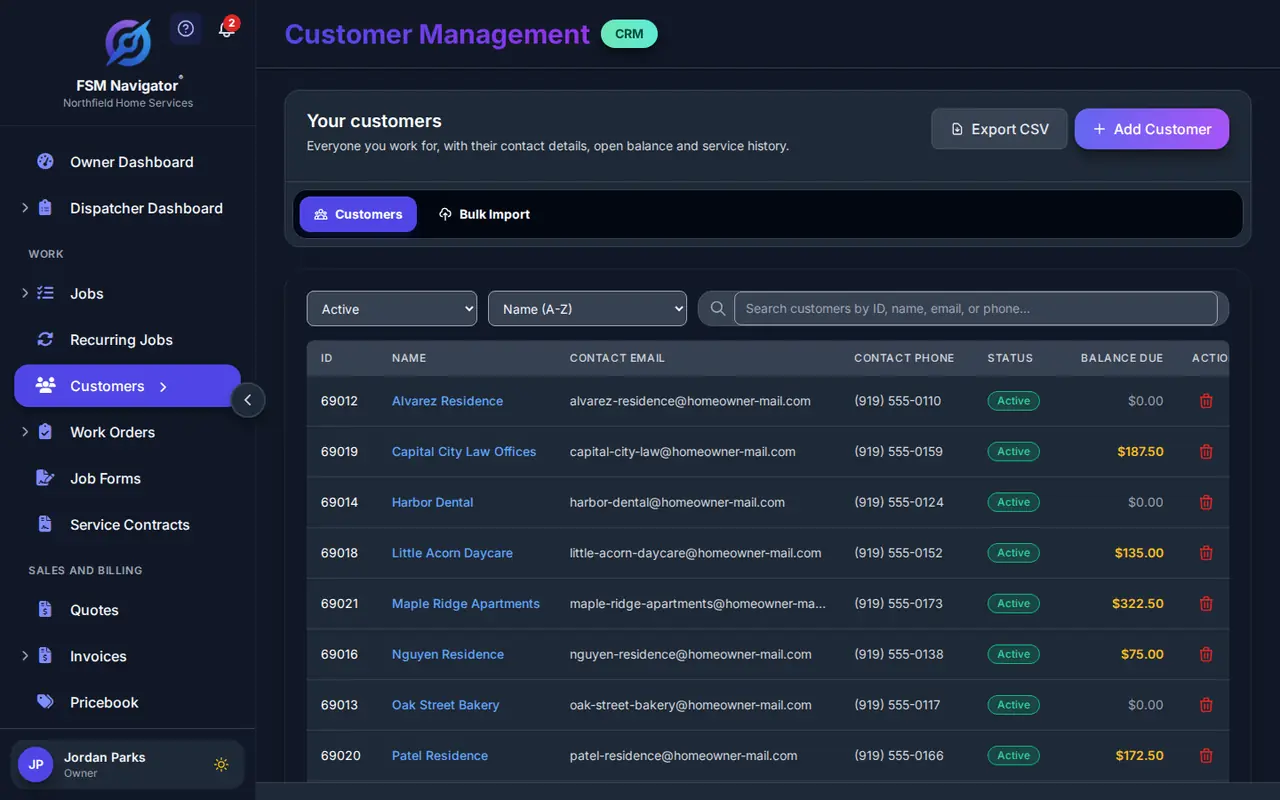
FSM Navigator is a field service management app, one app from first call to renewals. The customer record is where all of it lands: who the customer is, which sites you work at for them, what was done there and what was billed.
Customer management software for service businesses, not sales teams
A lot of CRMs were built to chase deals. They're good at pipelines and forecasts and not much use when the question is which unit at which address got a new capacitor in April.
One customer, every service location
A property manager with six buildings is one customer with six sites, not six customers sharing a phone number. Every job carries its customer and location, so the work and the history land at the right address.
Service history you don't have to type
Every job carries its customer, location, priority, SLA deadline and notes. Jobs, and the invoices that follow them, stay on the customer's record. Nobody keeps a separate history log.
Invoices on the same record
Invoicing is on every plan, Free included. The invoice sits on the customer's record next to the work it billed, so "was that covered?" has an answer on screen. Billing is covered on the invoicing and payments page.
Your own fields, on Pro
Gate codes. Which door the tech uses. Whether the customer wants a call before the truck shows up. On Pro you add your own custom fields to customers and jobs: up to 10 per record type, and up to 50 on Enterprise. Ten fields you fill in beat thirty nobody reads.
Get your customer list in, and keep it clean
Most offices switching over already have a customer list somewhere: a spreadsheet, an old system's export, the accounting file.
Import by CSV
On Pro, import customers and their service locations from a CSV file, up to 50 customers a day. Enterprise has no daily limit. On Pro a long list goes in over several days, so start with customers you have work booked for this month. The steps are in the bulk import guide.
Duplicates are turned away
A company can't hold two customers with the same email or phone number. An import row that repeats one is turned away as a duplicate, but the same customer entered with different contact details becomes a second record. Here's how duplicate customer records happen and how to stop them.
Export when you need to
Your management team can export the customer list to a CSV file whenever you need it for a mail merge or a spreadsheet.
QuickBooks Online customer records
Sent to your books
If your books live in QuickBooks Online, Pro sends your customer records to it, along with invoices and payments. Your bookkeeper stops retyping names and addresses the office already entered. Changes made in QuickBooks Online aren't copied back. See the QuickBooks Online integration page.
Who sees what
Customer data is office data. Every plan has role-based access and an audit log of significant actions, and customer contact details are stored encrypted. More on the security page.
What the customer record connects to
Service agreements for each customer and site
On Pro, service agreements attach to customers and to individual sites, and schedule their own visits, so Building C's visits show up on the board without anyone remembering them.
The customer portal
On Pro, your customers get their own customer portal to send service requests and pay invoices. That page covers what they see; this one is about what your office sees.
Equipment, on Enterprise
On Enterprise, asset management tracks equipment through its lifecycle: asset types, warranties, meters, service history and documents. Agreements can be tied to individual equipment, with parts or full coverage.
New customers in your other tools, on Enterprise
Outbound webhooks send a signed notification to an https address you choose when a customer is added, and the REST API gives your own integrations access. The AI Connector lets your AI assistant read the customer data the Owner allows; the AI drafts, a person sends. Here's how to connect field service software to your CRM with webhooks.
What it doesn't do
FSM Navigator's customer management is built around service: sites, visits, agreements and invoices. It doesn't include a lead pipeline, deal stages, marketing automation or email campaigns, and there's no built-in connector to a sales CRM.
That's a real tradeoff. If your growth depends on a sales team working long pipelines, you may keep a sales CRM for that and use FSM Navigator for everything after the customer says yes. If you're shopping for a CRM for contractors because the office can't find job history, this is the record you're after.
Free or Pro: which one fits your office
Free gives you customer records and service locations with their jobs, invoices and history, for up to 5 users. Invoicing on Free covers up to 100 invoices a month.
Pro is for when the list needs to come in by file, the record needs your own fields, the books are in QuickBooks Online, and customers need a portal. Pro is $34.99 per user per month, or $27.99 per user per month billed annually. Pricing is per user, and office staff who log in are users too. Every user in an account is on the same plan. The full breakdown is on the pricing page.
More on customer records
Customer portal
Where your customers send service requests and pay.
QuickBooks Online integration
Customers, invoices and payments sent to your books.
Invoicing and payments
Invoice from the job, and get paid online on Pro.
Service agreements
Visits per customer and site that schedule themselves.
Duplicate customer records
How they happen and how to stop them.
Integrations
Every connection and the plan it needs.
Questions Owners Ask About Customer Records
What is field service CRM software?
It's customer management built around service work instead of sales. In FSM Navigator, each customer record holds the customer's service locations along with their jobs, invoices and history, so the office can answer "what did we do there last time?" without a callback. That's usually what contractors want when they search for a CRM: a record of the work, not a sales pipeline.
Is customer management included on the Free plan?
Yes. Customer records and service locations, with their jobs, invoices and history, are included on every plan, Free included. The Free plan is for up to 5 users. Pro adds custom fields on customers, CSV import, a QuickBooks Online connection and the customer portal.
Can I import my existing customer list?
Yes, on Pro. You import customers and their service locations from a CSV file, up to 50 customers a day. Enterprise has no daily import limit. On Pro, a long list goes in over several days, so it helps to bring in customers with upcoming work first. A row with a phone number or email already on file is turned away as a duplicate, and the same customer entered with different contact details becomes a second record, so clean the file before you import.
Can one customer have more than one service location?
Yes. FSM Navigator keeps every customer and service location in one place, so a property manager with several buildings is one customer with several sites. Every job carries its customer and location, which keeps each site's history separate and correct. On Pro, service agreements can be set up for the customer or for individual sites.
Can I add my own fields to customer records?
Yes, on Pro. You can add up to 10 custom fields per record type on Pro and up to 50 on Enterprise, on customers and on jobs. Offices use them for details the standard record doesn't cover, like gate codes or how the customer wants to be contacted before a visit. Custom fields are not part of the Free plan.
Does it connect customers to QuickBooks Online?
Yes, on Pro. The QuickBooks Online integration sends customer records from FSM Navigator to QuickBooks Online, along with invoices and payments, automatically once you turn it on or one at a time when you choose. Your bookkeeper stops retyping names and addresses the office already entered. Changes made in QuickBooks Online don't come back into FSM Navigator. It isn't included on the Free plan.
Does FSM Navigator include a sales pipeline or email campaigns?
No. Customer management in FSM Navigator is built for service: customers, sites, jobs, invoices and history, plus service agreements on Pro. It doesn't include a lead pipeline, deal stages, marketing automation or email campaigns, and there's no built-in connector to a sales CRM. If you run a sales CRM for that, Enterprise webhooks can notify it when a new customer is added in FSM Navigator.
Put the whole history on one record
Import your customer list, add the fields your office actually uses and send customers to QuickBooks Online.
Sign up free, then start a 14-day Pro or Enterprise trial from your account. A payment method is collected when the trial starts and isn't charged until the trial ends.