Invoice from the job. Get paid online.
Field service invoicing software that bills from work your crew just finished, on every plan, with card and bank-transfer (ACH) payments on Pro.
Invoicing is on every plan, Free included, up to 100 invoices a month.
The invoice that never left the truck
It's Friday, 4 PM. The water heater swap on Elm Street was finished Tuesday. The paperwork is folded in the tech's door pocket, and the customer still hasn't seen a bill. Nobody forgot the work. The invoice just never made it from the field to the office.
That's where cash flow goes sideways. If you do the work first and bill second, every day the invoice sits in a truck is a day your money does too.
FSM Navigator is a field service management app, one app from first call to renewals. You turn completed jobs into invoices, so billing starts from what your tech closed out, not from what someone remembers on Friday.
Field service invoicing software on every plan
Invoice from the job
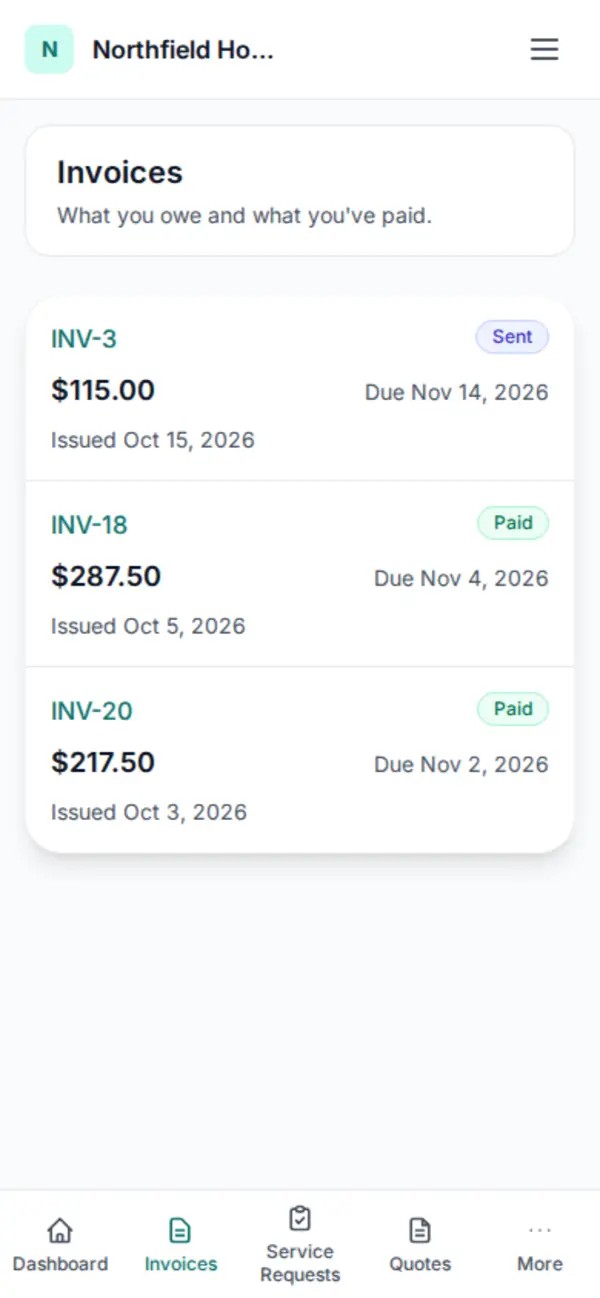
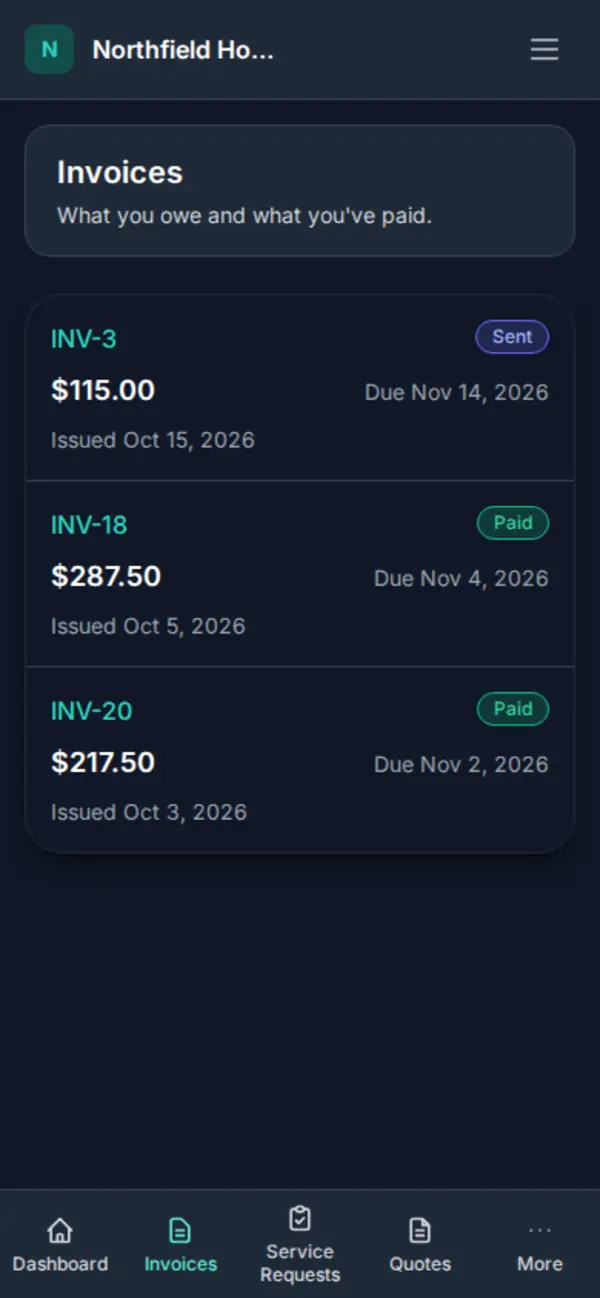
Invoicing is included on every plan, Free included. Generate the invoice from a completed job and it comes out as a PDF. The invoice sits on the customer's record next to their jobs, so whoever picks up the phone next month can see what was billed.
Free covers 100 a month
The Free plan is for up to 5 users and includes up to 100 invoices a month. Collect by check or cash and record the payment by hand. If you send more than 100 in a month, Pro has no monthly invoice cap.
Pro: no cap, and you see the margin
On Pro, invoices are unlimited. Every completed job also shows its margin: revenue against technician labor, parts and mileage cost, with missing costs shown as unknown instead of guessed. See job profitability.
If your books live in QuickBooks Online, Pro sends customers, invoices and payments from FSM Navigator to QuickBooks Online. The details are on the QuickBooks Online integration page.
Online payments for contractors: card and bank transfer (ACH)
Paper checks and "call me back with a card number" are how invoices go stale. On Pro, customers pay invoices online by card or US bank transfer (ACH) from your customer portal. Payments are processed by Stripe and settle to your business's own Stripe account.
Try Pro free for 14 days. Sign up free, then start the trial from your account. A payment method is collected when the trial starts and isn't charged until the trial ends.
Stripe charges its processing fees, and a platform fee applies to online payments on top of those. The platform fee is listed on the pricing page, so you can see the full cost before you switch payments on. Card details stay with Stripe and never touch FSM Navigator servers.
How customers pay online
1. Connect your Stripe account
Payments settle to your own Stripe account, not a pooled one. The set-up steps are in the Stripe Connect guide.
2. Invoice from the job
Same as on every plan. The invoice email links to your customer portal.
3. The customer pays in the portal
They open the invoice and pay by card or bank transfer (ACH). The invoice is marked Paid when the payment goes through.
4. The money lands in your account
With QuickBooks Online connected on Pro, the payment is sent to QuickBooks Online too.
For field-by-field set-up, see the invoicing guide.
Deposits and memberships run on the same account
Deposits on quotes
On Pro, quotes are built from your pricebook with up to three options. The customer picks one and signs it from their phone, and if you ask for a deposit they pay it online in the customer portal. Your office then turns the signed quote into a job in one step, and the invoice bills the accepted option at the signed prices, minus the deposit. Online deposits are switched off while Stripe Tax collects your sales tax.
Membership plans
Membership plans are service agreements sold at a set price, with member pricing on repairs. Once your Stripe account is connected, customers can pay for them automatically by card. More in autopay for maintenance plans.
Not sure what to ask for? Here's how much deposit a contractor should ask for.
Free or Pro: which one fits your billing
Here's the honest split. Free gives you invoicing from the job and PDF invoices, up to 100 a month, for up to 5 users. It's a capable invoicing setup for contractors who still collect by check and don't need their books connected.
Pro is for when you want customers paying online, no invoice cap, QuickBooks Online and job margins. Pro is $34.99 per user per month, or $27.99 per user per month billed annually. Pricing is per user, and office staff who log in are users too. Every user in an account is on the same plan.
More on getting paid
QuickBooks Online integration
What FSM Navigator sends to your books, and how you control it.
Customer portal
Where customers request service, check job status, approve quotes and pay.
Job profitability
The margin on every completed job.
Quotes
Options, e-signature and online deposits.
Membership plans
Agreements customers can pay for automatically by card.
Customer records
Every invoice sits on its customer's record.
Questions Owners Ask About Invoicing and Payments
Is invoicing included on the Free plan?
Yes. Invoicing is on every plan, Free included. You invoice from the job and every invoice comes out as a PDF. The Free plan is for up to 5 users and includes up to 100 invoices a month. Pro removes the monthly cap and adds online payments by card and bank transfer, plus a QuickBooks Online connection that sends invoices and payments to your books.
How do customers pay invoices online?
On Pro, customers open the invoice from your email, go to the customer portal and pay by card or by US bank transfer (ACH). You connect your business's own Stripe account first, and payments settle there. Online payments are not part of the Free plan; on Free you can record a check or cash payment by hand.
Where does the money from online payments go?
Online payments settle to your business's own Stripe account. Stripe is the payment processor, and card details never touch FSM Navigator servers. If you use QuickBooks Online on Pro, invoices and payments are sent to QuickBooks Online too.
What does it cost to accept online payments?
Two things apply. Stripe charges its processing fees, and a platform fee applies to online payments in addition to those. The platform fee is listed on the FSM Navigator pricing page. Invoicing itself is included in your plan: Free covers up to 100 invoices a month, and Pro has no monthly invoice cap.
Does it send invoices to QuickBooks Online?
Yes, on Pro. The QuickBooks Online integration sends customers, invoices and payments from FSM Navigator to QuickBooks Online, so your bookkeeper isn't retyping what the office already entered. The sync runs one way, and automatic sync is off until the Owner turns it on. It isn't included on the Free plan.
Can customers pay a deposit when they approve a quote?
Yes, on Pro. Quotes are built from your pricebook with up to three options. The customer picks one and signs it from their phone, and if you ask for a deposit they pay it online in the customer portal. Your office then turns the signed quote into a job in one step, and the invoice from the quote bills the accepted option at the signed prices, minus the deposit. Online deposits are switched off while Stripe Tax collects your sales tax.
Can membership customers pay automatically?
Yes, on Pro. Membership plans are service agreements sold at a set price, with member pricing on repairs. Once your business's Stripe account is connected, customers can pay for their membership automatically by card, so the office doesn't have to collect each payment by hand.
Send your next invoice from the job
Invoicing is on every plan, Free included. Set up your office, add your techs, and bill the work they finish today.