Technician Certification Tracking
Put the expiry date on the technician's skill, where assignment already looks. The owner, your managers and the technician hear about it before it lapses, and from the day after it expires, auto-assignment stops counting it.
Included in Pro and Enterprise with auto-assignment · 14-day free trial · No setup fees
The renewal date lives in one place. The schedule lives in another.
A NICET card runs out on a Tuesday. Nobody notices, because the renewal date is in a spreadsheet the office manager checks when things calm down. On Thursday, that technician gets sent to an alarm inspection the contract says needs a current certification.
Nobody decided to send an expired technician. The date was written down. It just wasn't connected to the thing that decides who goes where. The reminder went to one inbox, the technician who had to do the continuing education heard last, and the schedule kept working from what it knew.
FSM Navigator closes that gap by keeping the expiry date on the same skill record auto-assignment already uses to decide who's qualified.
Add the Date Once. The Rest Follows From It.
1. Put the Date on the Skill
An Owner or Manager opens the technician's profile in the web dashboard, selects Expiry next to the skill and picks the date the certification or license runs out. Nobody can set the date on their own skill, so another Owner or Manager records it.
2. Everyone Hears About It Early
A daily check emails reminders 30 days before the date, 7 days before, on the expiry day, and once more just after. Owners and Managers get one summary for the whole team. Each technician gets a note about their own certifications.
3. Expired Means It Stops Counting
The certification still counts on its expiry day. From the next day, in your company's time zone, auto-assignment no longer treats that skill as qualifying the technician, so work that needs it goes to someone whose certification is current.
4. Record the Renewal
When the new card comes through, enter the new date on the same skill. The technician qualifies again straight away, and the reminders start over for the new date.
See What's Coming Up
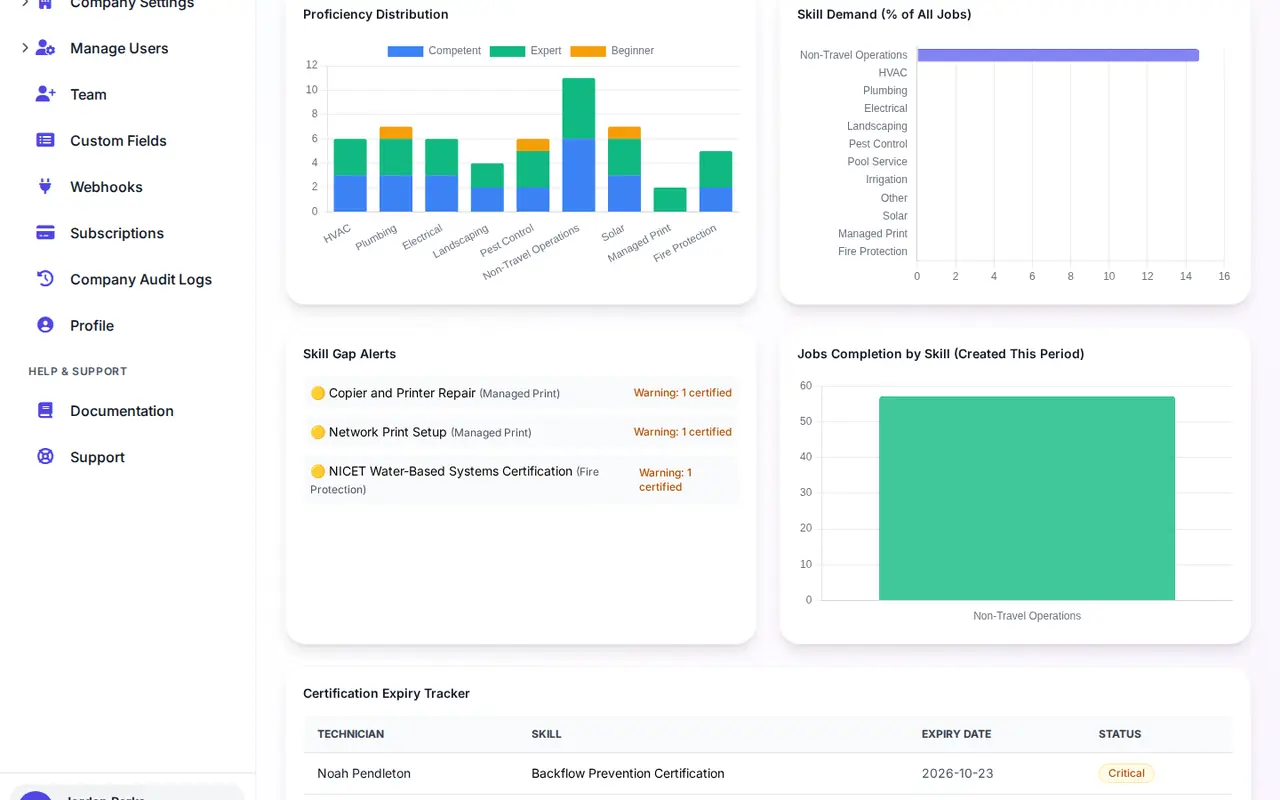
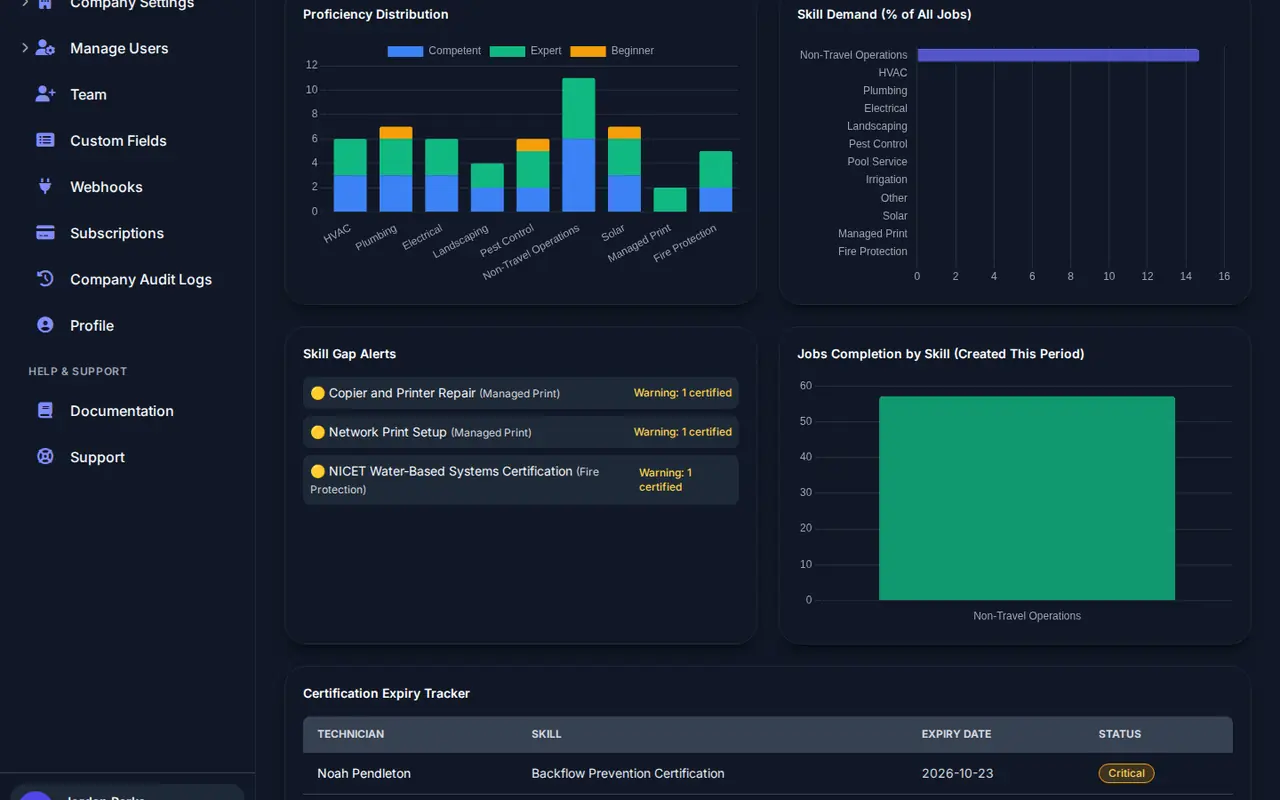
The Certification Expiry Tracker on the Skills tab of your KPI dashboard lists every certification that has expired or runs out in the next 90 days, soonest first. For a credential with a long lead time, like NICET's points, that's the list to look at before the 30-day email arrives.
What It Doesn't Do
It helps you keep track. It doesn't store certificate files, check with any licensing board, or change the reminder schedule. What your contracts and your state require is still yours to check, so keep the originals where you keep them now.
Not every certification expires
EPA Section 608 is the one people get wrong. The EPA says Section 608 technician certification credentials do not expire, so that skill needs no date. The ones that do lapse are the ones to date: NATE renews every two years, NICET every three, pesticide applicator certification at most every five under federal rules, and some state electrician licenses every year.
We list the common ones, with the renewal rule for each and a link to the issuing body, in which trade certifications expire, and when. If you're moving off a spreadsheet, how to track technician license expirations covers what to record and who to remind.
Part of the app you run the whole job from
Certification tracking isn't a separate reminder tool. It sits inside the app you book, quote, dispatch and invoice from. The customer books online, the quote gets signed on their phone, and when the job needs a certified technician, intelligent dispatch picks someone whose certification is current. The technician finishes the checklist and takes payment on site, and the service agreement schedules the next visit.
That's the point of keeping the date on the skill: one record, used by the reminders, tracker and dispatch engine, with nothing to keep in sync.
Certifications Your Trade Tracks
Fire Protection
NICET levels written into inspection contracts, on a three-year recertification cycle.
Electrical
Journeyman and master licenses, set by each state and renewed on each state's schedule.
HVAC
NATE renews every two years. EPA 608 doesn't expire and needs no date.
Pest Control
Applicator certifications, which your state may renew more often than the federal five-year limit.
Large Teams
Hundreds of technicians and custom skill categories, with one tracker for every expiry date.
When an Expired Certification Takes the Job
How it happens on a large team, and the four controls that stop it.
Questions Owners Ask About Certification Tracking
How do I add a certification expiry date?
From the technician's profile in the web dashboard. An Owner or Manager selects Expiry next to the skill, picks the date and saves. Leave the date empty for a skill that never expires.
Can a technician or manager set the date on their own skills?
No. Nobody can change the expiry date on their own skill. Another Owner or Manager does it, so no one can quietly extend their own certification to stay eligible for work.
Who gets the reminder emails, and when?
Reminders go out 30 days before the expiry date, 7 days before, on the day it expires, and once more just after. Owners and Managers get one summary for the whole team, and each technician gets a note about their own certifications.
What happens on the day a certification expires?
It still counts that day. From the next day, in your company's time zone, auto-assignment no longer treats that skill as qualifying the technician. The skill stays on their profile, so you can add the new date when the renewal comes through.
What happens when I record the renewal?
Enter the new expiry date on the same skill. The technician qualifies for auto-assignment again straight away, and the reminder schedule starts over for the new date.
What about jobs already on that technician's schedule?
The expiry date is checked when auto-assignment picks a technician for a job. When the reminders start, look over that technician's upcoming work that needs the skill, so nothing already on the schedule catches you out.
Can a dispatcher still assign that technician by hand?
Yes. Manual assignment works the same as it always has. The expiry check applies to auto-assignment, so the call is yours when you assign by hand.
Where can I see every certification that is about to expire?
The Certification Expiry Tracker on the Skills tab of the KPI dashboard lists every technician certification that has expired or runs out in the next 90 days, soonest first.
Do I need an expiry date for EPA Section 608 certification?
No. The EPA says Section 608 technician certification credentials do not expire, so leave that skill without a date. Add dates to the ones that do lapse, such as NATE, NICET, pesticide applicator certification or a state license.
Can I upload a copy of the certificate, or check it with the state board?
Not today. FSM Navigator keeps the expiry date on the skill and does not store certificate files or connect to licensing boards. Keep the certificate itself where you keep it now.
Can someone opt out of the reminder emails?
Yes. Anyone who would rather not get them can turn off Certification Expiry Alerts in their email preferences.
Which plans include certification tracking?
Pro ($34.99 per user per month) and Enterprise ($59.99 per user per month), the same plans that include auto-assignment and technician skills. Custom skill categories are on Enterprise.
Step-by-step instructions are in the user profiles guide.
Stop Sending Expired Certifications to the Job
Add the dates that lapse during your trial, and let the reminders and auto-assignment work from them.
14-day free trial · Nothing charged until the trial ends · Certification tracking is included on Pro and Enterprise