Membership Plans That Show Up on Bills and Schedules
Set up the maintenance plans you sell once. Members get their pricing on every quote and invoice without asking, their tune-ups land on the schedule, and the plan fee can go on their card. It is the part of FSM Navigator® that keeps the customer, in the same app you use from first booking to renewals.
14-day free trial · Nothing charged until the trial ends · Cancel anytime
You Sold the Memberships. Now You Have to Run Them.
Selling forty maintenance plans in the fall feels great. Then spring comes. Half the tune-ups are not on the schedule because nobody put them there. A member gets charged full price for a repair because the office forgot the discount. The annual plan fees come due in January, and someone has to call every one of them.
A membership program that lives in a spreadsheet costs you twice: once in the office hours it takes to run, and again in the members who do not renew because the plan never seemed to do anything.
Being a member should change what happens on the bill, on the schedule and at renewal. That is what membership plans in FSM Navigator are built to do.
Define the Plans You Sell, Once
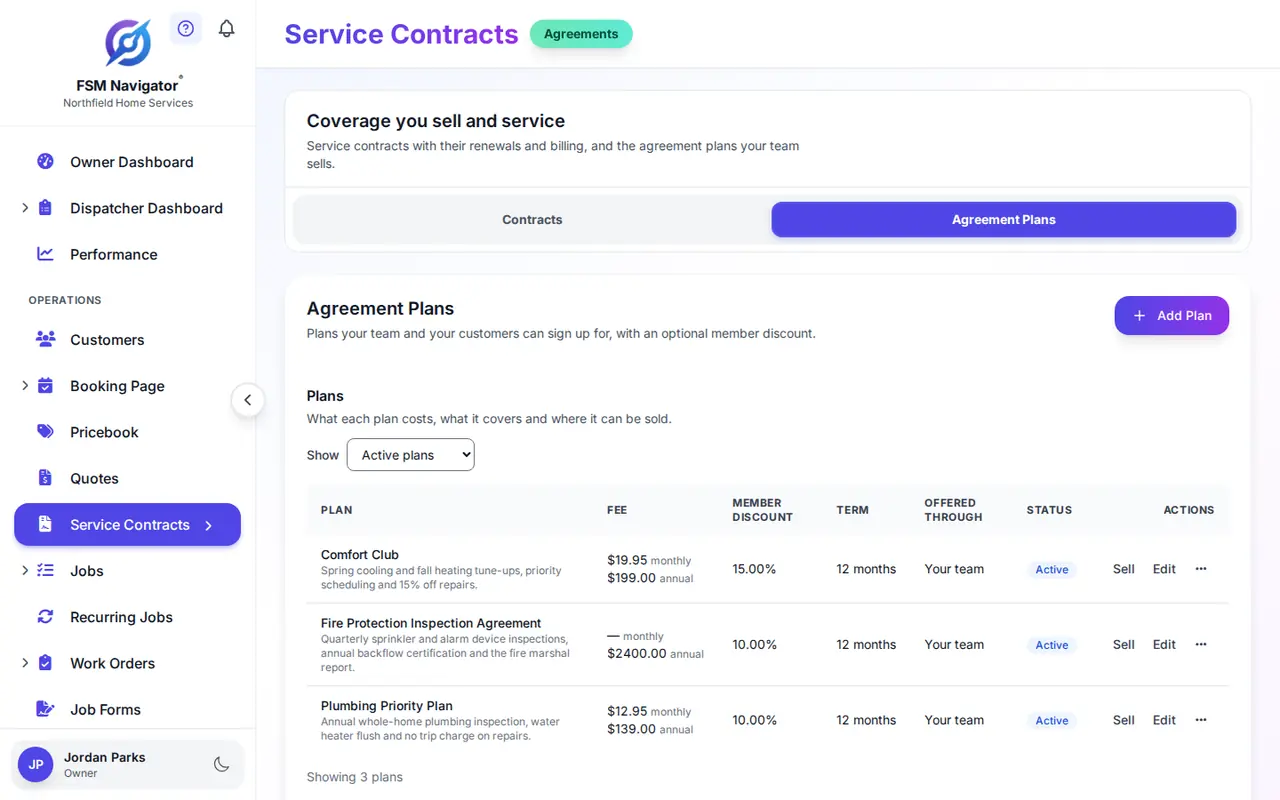
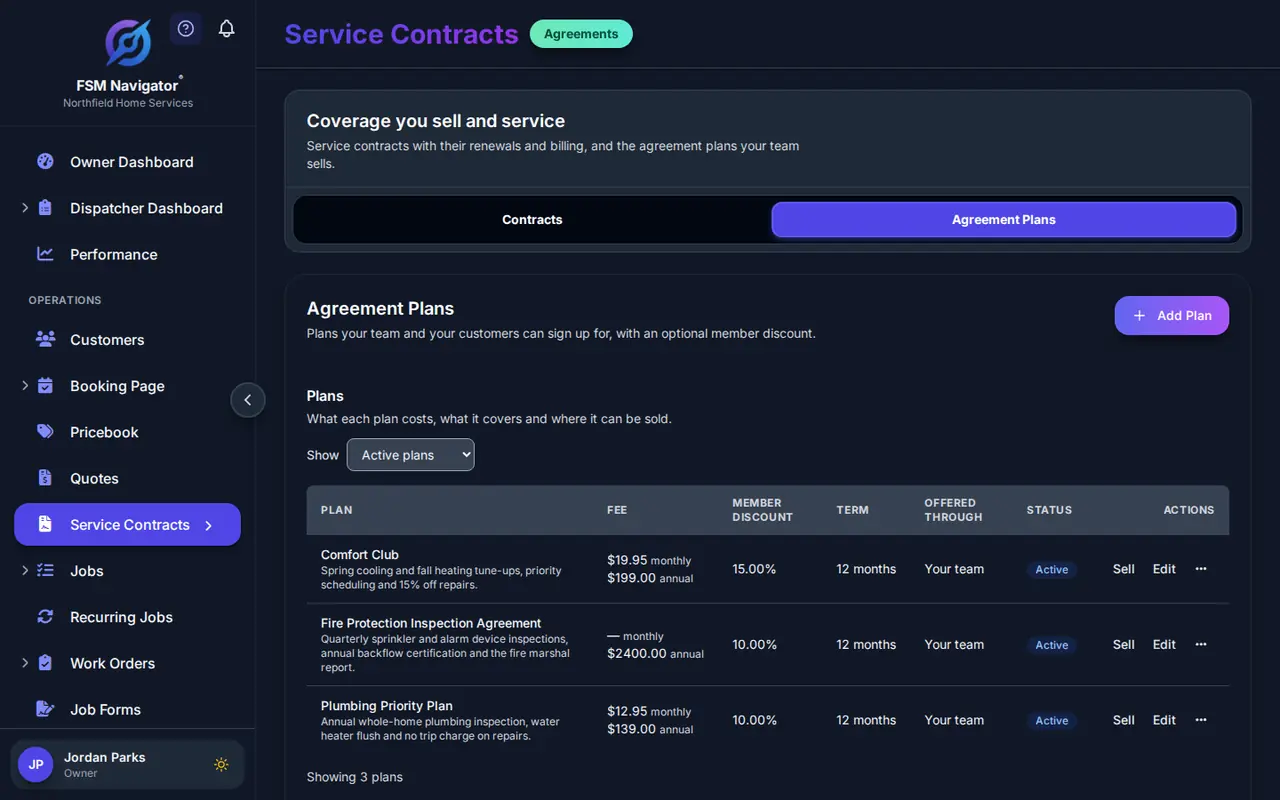
A two-visit tune-up plan, a plumbing inspection plan, a quarterly plan for a commercial account. Set each one up with its terms, and every sale copies those terms exactly.
Fee, Term and Visits
Give a plan a monthly fee, an annual fee or both, a term, and the number of visits it includes. When a plan has both fees, you choose how each customer is billed at the sale.
A Member Discount
Set the percentage members get off. It is copied onto each membership when you sell it, so raising or lowering it later never reprices the members who already bought.
Your Word, Not Ours
Call it a membership, a maintenance plan or a comfort club. A sold plan is a service agreement underneath, so coverage, contract response times and renewal reminders come with it.
Member Pricing, Applied for You
A member should never have to ask for their discount, and your office should never have to remember who is a member.
On Quotes, Shown as Savings
A member's quote shows a member savings line under each option. The terms are locked when you send it, like the tax rate, so a plan change next month never moves a quote the customer already has.
On Invoices, Off Labor and Parts
The member percentage comes off labor and parts on job invoices without anyone typing it in. On Enterprise it applies to work order invoices too.
Member Prices on Items
Want members to pay a set price for a diagnostic or a drain cleaning? Give that pricebook item a member price. On each quote line the member gets the item price or plan percentage, whichever saves more.
Discounts never stack. If the office also gives a discount on an invoice, the larger one wins. A member gets the better deal, not 15% plus the "neighbor" and "long day" discounts, and your margin is protected without anyone policing it. How to set member pricing that keeps your margin.
The Visits Members Paid For, on the Schedule
The spring and fall tune-ups are why most members buy. They are also the first thing a spreadsheet forgets.
Set the Schedule Once
Give the membership its service location and a visit schedule, say every six months. Each visit is created as a job while the membership is in force, and the schedule can never book more visits than the plan includes.
Dispatched Like Any Other Job
Once a visit is created, intelligent dispatch matches it to the right technician on skills, availability and workload. When the membership ends the visits stop, and when it renews they pick back up on the new term.
Plan Fees That Pay Themselves
The office stops chasing annual payments one phone call at a time. Autopay needs your Stripe account connected, and the card lives on your account, not ours.
The Customer Adds the Card
Tick automatic payments when you sell the plan and the customer is emailed a secure link to add their card. The link is on screen too, for a customer standing next to you. The membership starts once the card is saved.
Charged When the Invoice Is
Each billing period's invoice is still created as usual, and the saved card is charged for its total the same day. The customer gets the normal receipt, and the invoice shows paid.
Declines Handled Sensibly
A temporary decline is retried after 1, 3 and 7 days. An expired or lost card is not retried; the customer is asked for a new one. Either way they can still pay the invoice in the customer portal.
Autopay is a recurring charge, so tell customers what they will pay and when, and make stopping it easy. Here is a plain-English guide to autopay for maintenance plans.
Sell It Where the Customer Is
One plan catalog, more than one way to sign a member up. A location can hold each plan once at a time, so a double sale is refused rather than billed twice.
From the Office
Pick a plan, a customer and a service location, and sell. The membership, its billing and, when you ask for it, the card link are all set up in that one step.
In the Customer Portal
Tick a plan to offer it in your portal. The customer picks the location, adds a card on a secure page and is a member once it is saved. They can change the card or cancel from the same page.
Sell From the Job
The best moment to offer a plan is right after the repair. Your tech can sell a plan from the open job in the mobile app, for the plans you mark as sellable in the field.
Starting from scratch? How to start a maintenance membership program walks through what to include, how to price it and how to bill it.
Renewals Your Customer Agreed To
A membership renews on its own only when the customer agreed to that at sale, and they can stop it online whenever they choose. Without that agreement, renewal is a step your office takes.
A Reminder Before the End
Renewal reminders arrive on a lead time you set per agreement, thirty days by default, so there is time to call before the term runs out. Customers on automatic renewal get their own notice too, with a link to stop it.
One Step, Nothing Retyped
Renewing creates the next term linked to the last one, and the visit schedule moves across with it. On Enterprise the covered equipment carries forward too, so no model numbers get retyped.
A Clean Cancellation
When a membership is cancelled, by you or by the customer in the portal, automatic payments stop straight away and coverage runs to the end of the period already paid for.
Membership Plans vs. the Way You Run Them Today
| The way it runs today | With FSM Navigator membership plans |
|---|---|
| Members tracked in a spreadsheet | Plans and members in the app you quote, schedule and invoice from |
| The office has to remember the discount | Applied on quotes and invoices, shown as member savings |
| Techs stack discounts | The larger discount wins; they never add together |
| Tune-ups booked by hand, or forgotten | Visits created from the schedule for the whole term |
| Calling members for annual payments | Autopay to the card the customer saved, with retries |
| Retyping everything at renewal | One-step renewal that keeps the visit schedule |
Where Memberships Fit in the Rest of the App
A membership touches booking, quotes, visits, invoices and renewals. That is why it belongs in the same app as all of them.
Service Agreements
Coverage, contract response times and renewal tracking underneath every plan.
HVAC Maintenance Agreements
Seasonal tune-up plans and renewals that land before the cooling season.
Customer Portal
Where customers buy a plan, change their card and pay invoices.
Asset Management
The equipment a membership covers, carried forward at renewal on Enterprise.
Quotes
Member pricing applied to every line, locked in when you send.
Pricebook
Give an item a member price, next to its list price.
Membership Plan Questions
What is membership program software?
It holds the maintenance plans you sell and makes being a member change what happens: the member discount lands on quotes and invoices, the included visits get booked, and the plan fee gets collected. In FSM Navigator a membership is a service agreement underneath, so it lives in the same app you quote, schedule, invoice and get paid from.
Which plans include membership plans?
Membership plans, member pricing and automatic card payments are on the Pro and Enterprise plans. Automatic card payments and online sales in the customer portal also need your Stripe account connected. Member pricing on work order invoices and renewals that carry covered equipment forward are Enterprise, because work orders and equipment tracking are Enterprise features.
Is a membership different from a service agreement?
No. A plan you sell becomes a service agreement for that customer location, with the plan's fee, coverage, visits and member discount copied onto it. Call it a membership, a maintenance plan or a club; your customers see the plan name you choose.
How does the member discount work?
Each plan carries a percentage off. It comes off labor and parts on the member's job invoices, and it is shown as member savings on their quotes. The percentage is copied onto the agreement when you sell it, so changing the plan later does not reprice members who already bought.
What if the office also gives a discount?
The larger discount wins. The member discount and an office discount are never added together, so a member gets the better of the two and nobody has to police it.
Can I set a member price on specific items?
Yes. Give a pricebook item a member price and a member's quote uses it when it saves them more than the plan percentage would. On each line the member gets whichever saves more, never both.
Are the included visits scheduled automatically?
Yes, once the agreement has a service location and a visit schedule. You pick how often, the schedule can never add more visits than the plan includes, and each visit is created as a job while the agreement is in force. Visits stop when it ends and pick back up on the new term when it renews.
How do automatic card payments work?
When you sell a plan with automatic payments, the customer gets a secure link to add their card, and the membership starts once the card is saved. Each billing period's invoice is charged to that card on your own connected Stripe account. A temporary decline is retried after 1, 3 and 7 days, and a card that can no longer be used is not retried; the customer is asked for a new one instead.
Are there fees on automatic payments?
Stripe's card processing fees apply, and a platform fee applies to online payments processed through FSM Navigator, the same as any invoice a customer pays online. See the pricing page for the current rates.
Can customers buy a plan themselves?
Yes. Tick the option on a plan to offer it in your customer portal. The customer picks the location it covers, adds a card on a secure page, and the membership starts once the card is saved. They can change that card or cancel the membership from the same page.
Do memberships renew automatically?
They can. A membership renews automatically when the customer ticks the automatic renewal box at sale (it starts unchecked) and pays the plan fee by card autopay. They get a renewal notice before the term ends and can stop automatic renewal online at any time, and a price rise of more than 10% over what they agreed to needs their fresh consent before it renews. Without that consent, and for any agreement you set up directly rather than sell from a plan, renewal stays a step your office takes after a reminder. Either way the visit schedule moves to the new term, and on Enterprise the covered equipment carries forward with it.
More on Running a Membership Program
How to Start a Maintenance Membership Program
What to include, how to price it from your own costs, and how to make being a member visible.
Read the article PricingMember Pricing That Keeps Your Margin
What a member discount really costs, what to exclude, and why discounts should never stack.
Read the article RenewalsRaising Your Renewal Rate
Why members leave after year one, and what keeps them.
Read the articleRun Your Membership Program From the App You Run the Day In
Set up your first plan during the trial and see member pricing on your next quote. A payment method is required at signup, and nothing is charged until the trial ends.
14-day free trial on all paid plans · No setup fees · Membership plans are included on Pro and Enterprise