How service agreements and memberships work
Pro feature
Service agreements and membership plans are on Pro and Enterprise.
What it is
A service agreement is a promise to look after a customer's equipment for a set term, like two tune-ups a year for a monthly fee. A membership is an agreement sold from one of your agreement plans, with a set price, a member discount and a number of visits per term. Agreements schedule their own visits, bill on a regular cycle, and come up for renewal at the end of the term.
Where it fits
flowchart LR
    Q[Membership or renewal quote] --> G[Service agreement]
    AP[Agreement plan] --> G
    C[Customer] --> G
    G --> V[Scheduled visits]
    V --> J[Jobs]
    G --> I[Invoice each billing period]
    G --> R[Renewal]
    R --> G
An agreement is created for a customer, from one of your plans or from an accepted membership or renewal quote. While it's in force it creates scheduled visits (which become jobs) and one invoice per billing period. At the end of the term, a renewal starts the next one.
Statuses
stateDiagram-v2
    direction LR
    state "Expiring Soon" as ExpiringSoon
    [*] --> Draft
    Draft --> Scheduled
    Scheduled --> Active
    Active --> ExpiringSoon
    ExpiringSoon --> Expired
    Active --> Suspended
    Suspended --> Active
    Active --> Cancelled
    Active --> Inactive
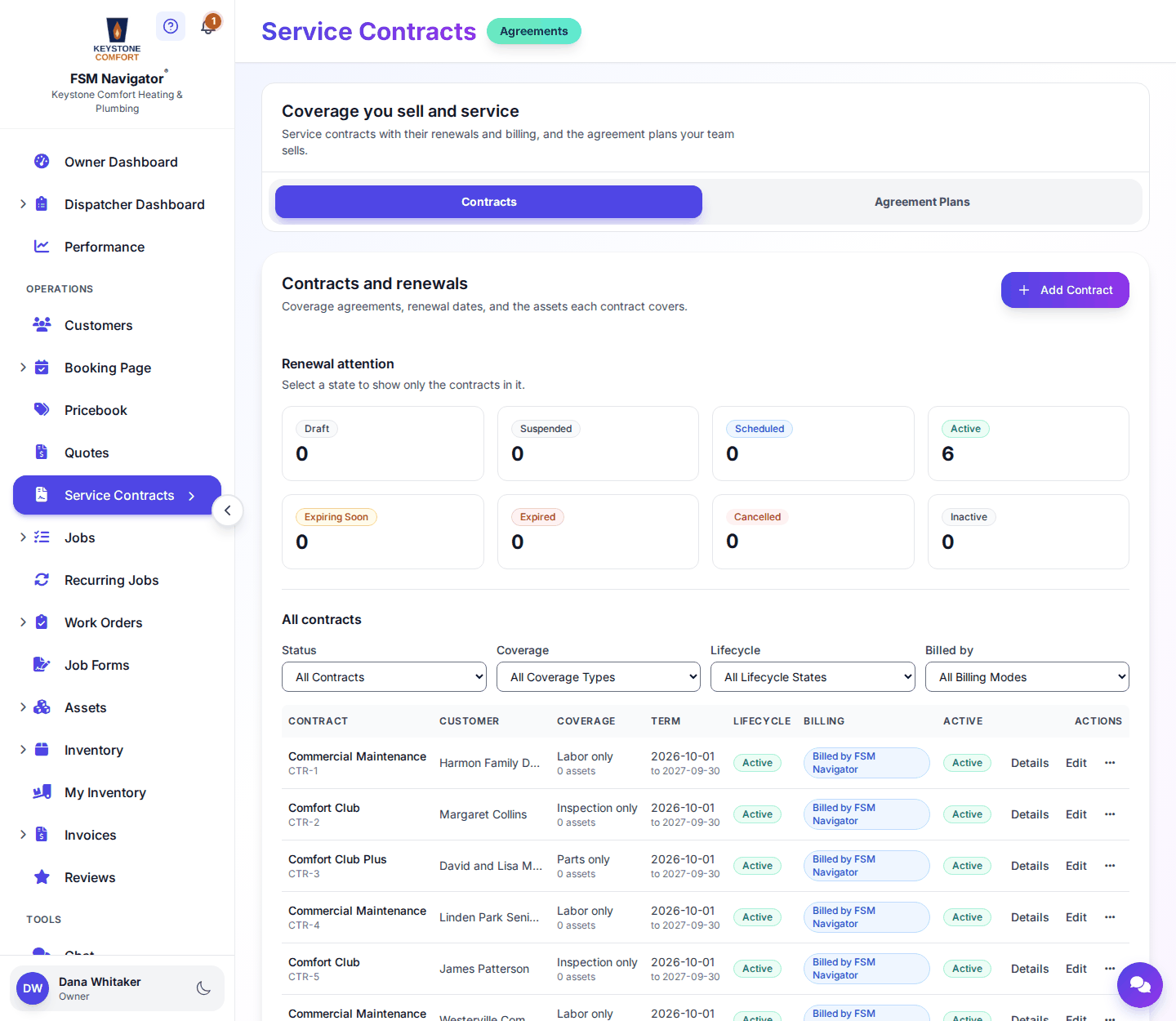
Most agreement labels follow the dates: Scheduled before the start date, Active during the term, Expiring Soon as the end gets close, then Expired. You set two by hand: Draft while you're still writing it, and Suspended to pause cover without cancelling. Cancelled and Inactive mean it no longer covers work.
Step by step
- Open Service Contracts from the side menu. The page is titled "Coverage you sell and service" and has two tabs: Contracts and Agreement Plans.
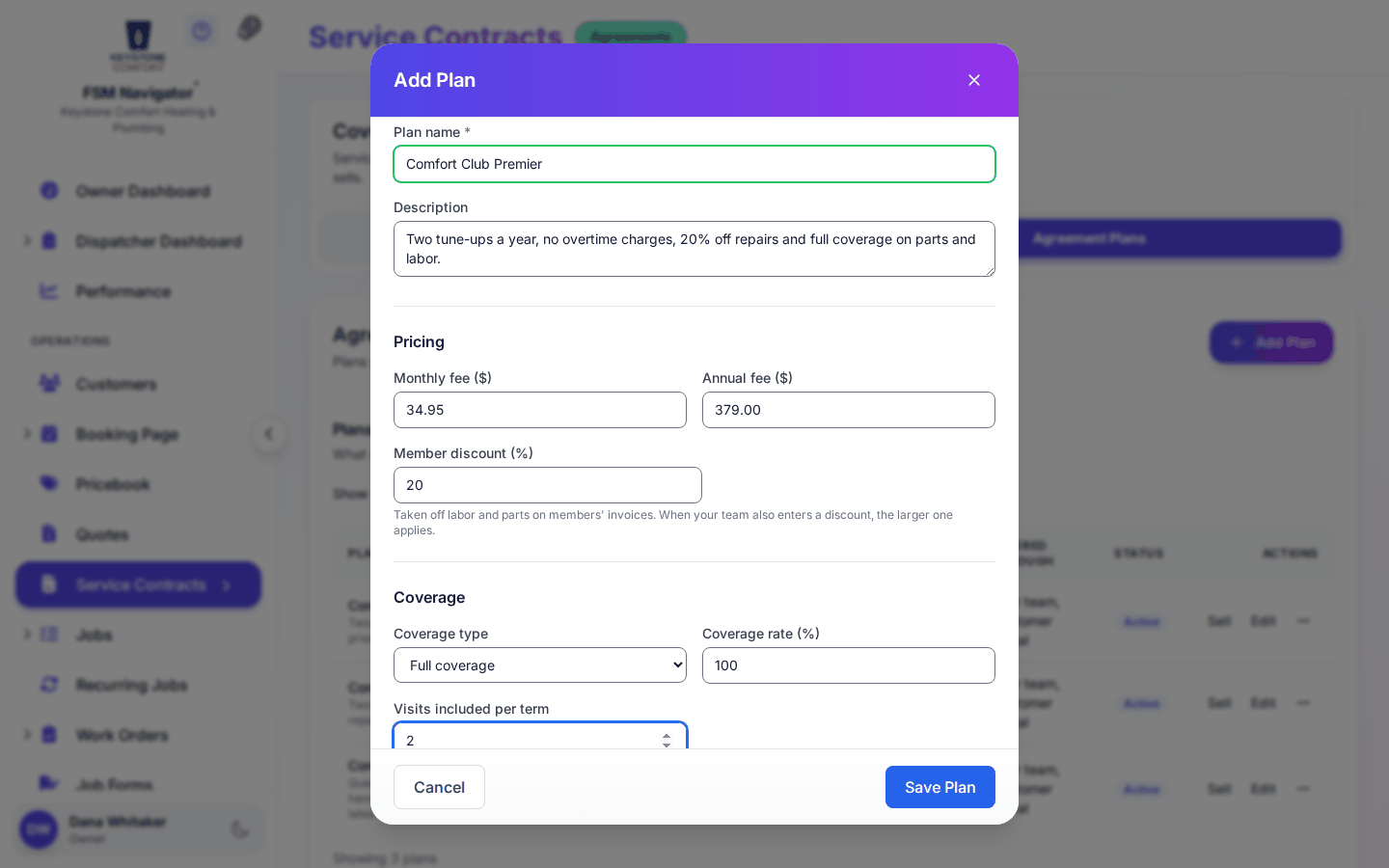
- On Agreement Plans, set up what you sell: plan name, monthly and annual fee, member discount, coverage type and visits included per term.
- Create an agreement for a customer. Pick the coverage type (Full coverage, Parts only, Labor only or Inspection only) and billing (Monthly or Annual).
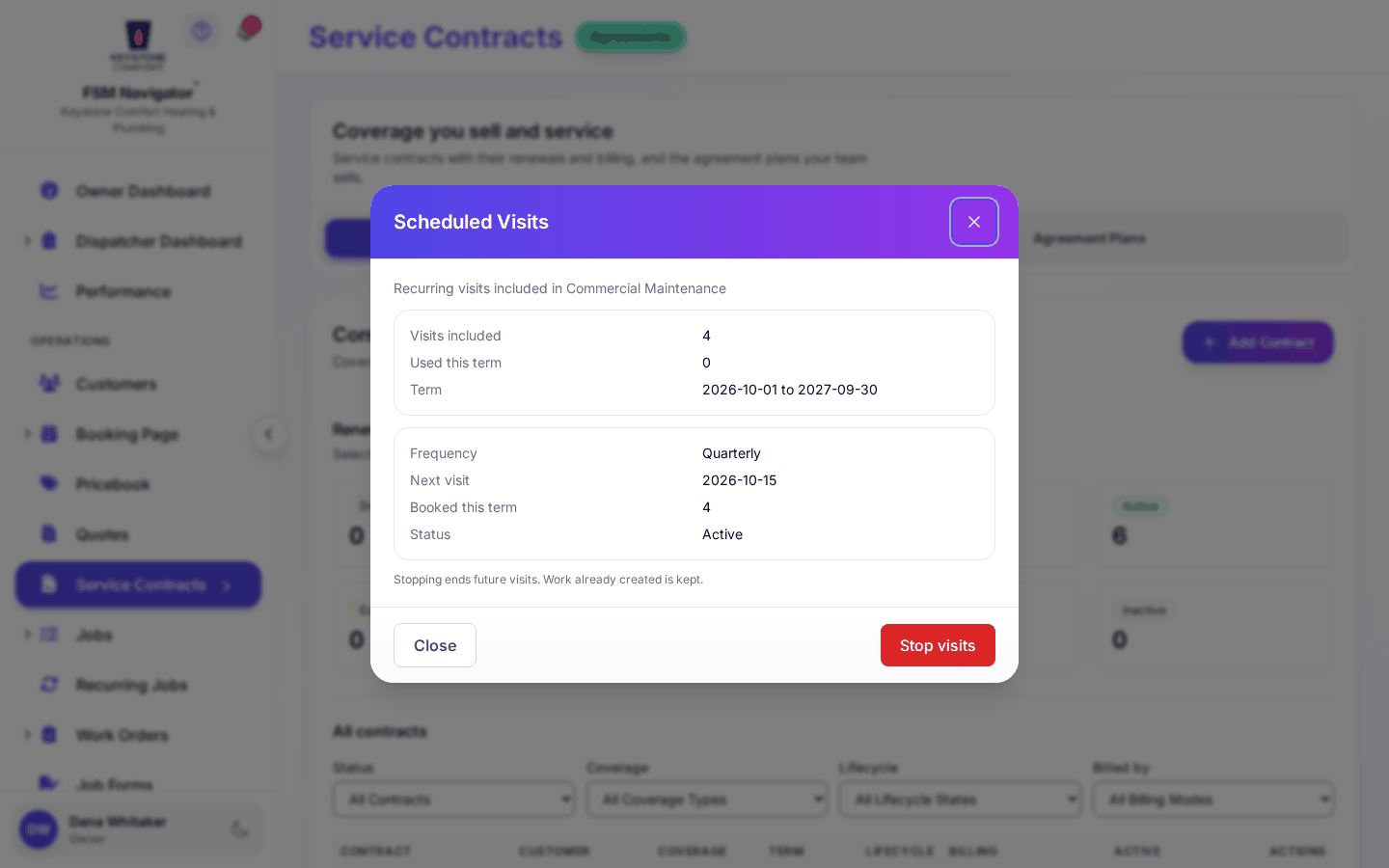
- Add a scheduled-visit schedule so the agreement creates its own visits. Visits are capped at the number included per term and only happen while the agreement is in force.
- Each billing period, one invoice is created for the agreement.
- As the end date nears, send a renewal quote from the Quotes page, or let auto-renew carry it over for members who pay by card.
What happens next
- Previous stage: Technician mobile workflow
- Next stage: Inventory and parts
For the full detail, see Service agreements, Creating an agreement, Coverage, Agreement plans, Scheduled visits, Agreement fee billing, Billing schedules, Renewals, Renewal reminders and Pausing and removing.
Who can do this
| Action | Who can do it |
|---|---|
| View agreements | Owner, Manager, Dispatcher, Inventory Manager, Asset Manager |
| Create and edit agreements and plans | Owner, Manager, Asset Manager |
| Sell a membership from a job in the mobile app | Owner, Manager, Asset Manager, Dispatcher, Technician |
Tips and common questions
What does auto-renew need? A membership plan, the customer's consent and card autopay. Customers can turn off auto-renew from the link in their email.
Do scheduled visits keep coming after the agreement ends? No. Visits pause when the agreement stops being in force and pick up again when it's renewed.
What does "Past due" mean on a membership? Memberships paid by card show their own payment labels: Waiting for card, Active, Past due, Card needed, Paused and Cancelled.
Learn more about service agreements and membership plans.