Run your mobile mechanic business from first call to repeat customer
Mobile mechanic software for the business side of mobile auto repair: booking you approve, quotes the customer signs from their phone, invoices, payments and mileage records.
The technician app, customer records and invoicing are on every plan, Free included.
The job's done. Getting paid for it is the hard part
It's 5:40 on a Thursday in an office-park lot. You've just finished front pads and rotors on a customer's SUV. When you called with the price at lunch, they said "sure, go ahead." Now they're standing by the car saying they thought it was the pads only.
Then you drive home, eat, and open the laptop to write up four invoices from memory. The miles you put on the van today go in the notebook if you remember, and most nights you don't.
That's where a mobile repair business leaks money: at the curb and after dark. FSM Navigator is a field service management app, one app from first call to repeat customer. It handles the work around the wrench: the request, the quote, the signature, the invoice, the payment and the drive.
What this mobile mechanic software does, and what it doesn't
Straight answer first, because you'll find out anyway. FSM Navigator isn't shop software. It doesn't decode VINs, look up labor times, search supplier parts catalogs or read diagnostic codes. Keep the tools you already use for that.
What it does is run the business side. If your evenings go to paperwork, unpaid invoices and a mileage log you never finish, that's the part this covers.
Quotes the customer signs before you pick up a wrench
Good, better and best, on the customer's phone
On Pro, quotes are built from your pricebook with good, better and best options. Pads only, pads and rotors, or pads, rotors and a fluid flush. The customer picks one and signs it from their phone. If you take a deposit, it goes out as its own invoice they pay online in your customer portal. Deposits are available once online payments are set up, and they're off while Stripe Tax collects your sales tax.
You turn the signed quote into a job in one step, and the final invoice bills the option they picked at the signed price, minus the deposit, so "I thought it was the pads only" has an answer with their signature on it.
The deposit matters more for you than for most trades, because you often buy the parts before you drive out. Here's how much deposit to ask for.
Sign up free, then start a 14-day Pro or Enterprise trial from your account. A payment method is collected when the trial starts and isn't charged until the trial ends.
Photos of what you found
On Pro, attach photos to the job, up to 10 per job: the scored rotor, the leaking hose, the cracked belt. When the customer asks why the price went up, you show them. Technicians can also collect the customer's signature on a job form when the work is done. More on photo documentation in the field.
Mobile mechanic invoicing that keeps up with the day
Invoicing is on every plan, Free included, with PDF invoices and up to 100 invoices a month on Free. You invoice from the job, so the line items are already there and nothing waits for the laptop.
On Pro, there's no monthly invoice cap, and customers pay online by card or bank transfer (ACH) from the customer portal. Payments settle to your own Stripe account. Stripe's processing fees and a platform fee apply; see pricing. The full picture is on invoicing and payments. If you also use QuickBooks Online, Pro sends your customers, invoices and payments to it, and you choose what syncs automatically.
Every mile to every job, logged
You drive more than almost anyone in the trades, and every one of those miles is a business record. On Pro, mileage tracking logs the drive automatically when you mark a job en route, once each person has consented in the app, with year-end records and a CSV export. No paper log, no second app. It works offline, and mileage cost feeds job profitability, so on Pro you see the margin on every completed job with the drive counted.
For reference, the IRS business standard mileage rate is 76 cents a mile for miles driven on or after July 1, 2026. It was 72.5 cents a mile from January 1, 2026. How you use your log at tax time is a question for your tax preparer. If you're working out what to bill for the drive itself, read how to charge for travel time.
An app that works in a parking garage
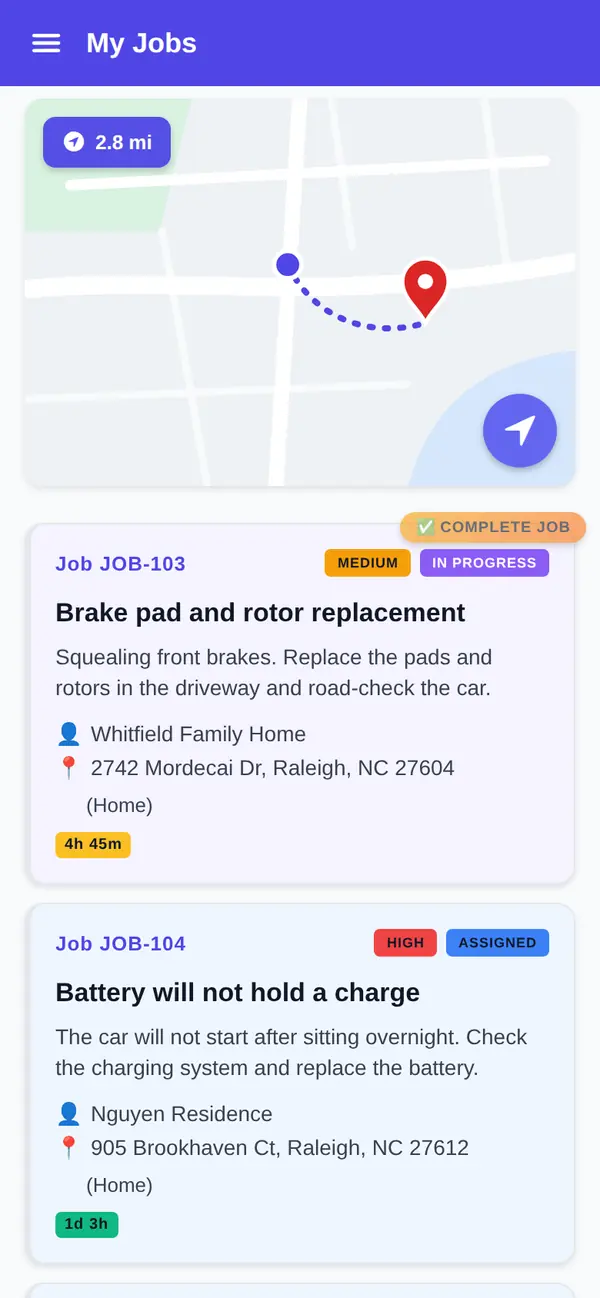
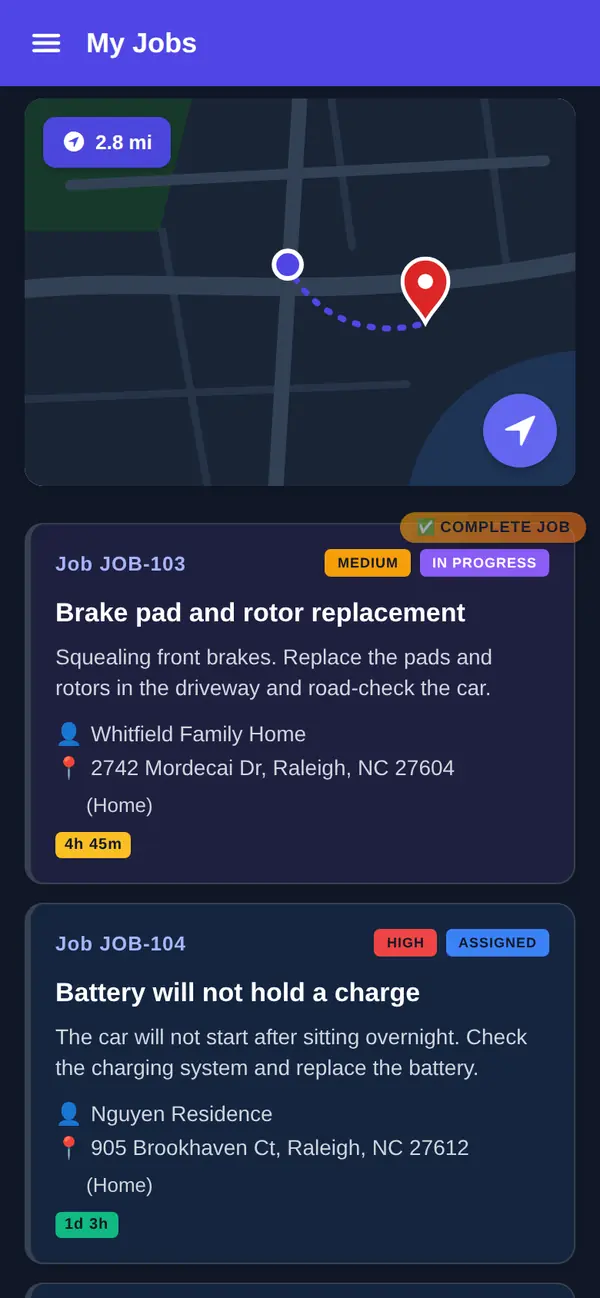
Native iOS and Android apps are on every plan, Free included. You see the day's jobs, update status as you go (accepted, en route, arrived, in progress, complete) and add notes. The app is offline-first, so the third level of a parking garage or a rural driveway doesn't stop you, and changes sync when the phone reconnects.
Tap Navigate to open the job address in your phone's maps app. Every plan includes technician GPS location, so once you add a second van, the office can see where technicians on duty are. See the mobile app.
Bookings and repeat customers
A mobile mechanic scheduling app with booking you approve
On Pro, customers pick a service and an arrival window on your online booking page and send a request. Every request waits for your approval before it goes on the schedule. That matters when you're one person: you decide whether a no-start across town fits between two brake jobs.
Every plan includes a schedule board and calendar where you assign work by hand, with status updates from the field.
The customer who calls you again
Customer records are on every plan, Free included: every customer and service location in one place, with their jobs and invoices. When a customer from last spring calls about a noise, you can pull up what you did and what you charged.
After a job, customers are asked for a rating on every plan. On Pro, everyone who rates sees your Google review link, and low ratings also reach you privately, so you hear about the problem before the next customer does.
Free or Pro for a mobile mechanic
Here's the honest split. Free covers up to 5 users with the technician app, GPS location, Navigate, the schedule board, customer records and invoicing. It suits a mechanic who quotes by phone, takes payment in person and logs miles somewhere else.
Pro adds the parts that close the gaps above: online booking, quotes with signatures and deposits, job photos, mileage tracking, online payments and review requests. Pro is $34.99 per user per month, or $27.99 per user per month billed annually, with no user limit. Pricing is per user, and anyone who logs in, including whoever answers your phone, is a user.
What you get
- Quotes the customer signs. Good, better and best options, e-signature and an optional deposit (Pro).
- Invoice from the job. On every plan; online card and ACH payments on Pro.
- Mileage logged for you. Logged when you head to a job, with year-end records and a CSV export (Pro).
- Offline-first app. Keeps working without signal, on every plan.
- Navigate and GPS location. Open the job address in your maps app (every plan).
- Booking you approve. Customers request; you decide (Pro).
Go deeper
Mileage tracking
Every drive to a job, logged with year-end records and a CSV export.
Read moreQuotes
Good, better and best options with e-signature and deposits.
Read moreInvoicing and payments
Invoice from the job; get paid online on Pro.
Read moreMobile app
The offline-first app on every plan.
Read moreAudit-proof mileage log
What a mileage record needs to hold up.
Read the articleRelated trades
Common questions about mobile mechanic software
What is mobile mechanic software?
It's software that runs a mobile repair business from the van: customer requests, scheduling, quotes, invoices, payments and records. FSM Navigator is a field service management app that covers the business side: booking, quotes, invoicing, online payments, mileage and an offline-first technician app. It doesn't decode VINs, look up labor times or read diagnostic codes.
Can I run my mobile mechanic business from my phone?
Yes. The iOS and Android apps are on every plan, Free included. You update job status, add notes and tap Navigate to open the job address in your maps app. The app is offline-first, so it keeps working without signal. On Pro, you also attach photos and collect signatures, and you send quotes the customer signs from their phone.
Can customers approve a quote and pay a deposit from their phone?
Yes, on Pro. Quotes are built from your pricebook with good, better and best options. The customer picks one and signs it from their phone. If you take a deposit, it goes out as its own invoice the customer pays online in your customer portal, through your own Stripe account; Stripe's processing fees and a platform fee apply. Deposits are off while Stripe Tax collects your sales tax. You turn the signed quote into a job in one step, and the final invoice bills the option they picked at the signed price, minus the deposit.
Is there mobile mechanic invoicing on the free plan?
Yes. Invoicing with PDF invoices is on every plan, Free included, up to 100 invoices a month on Free. You invoice from the job, so the work is already on it. Pro removes the monthly cap and lets customers pay online by card or bank transfer from the customer portal, with payments settling to your own Stripe account.
Does it track my mileage for taxes?
On Pro, mileage tracking logs the drive automatically when you mark a job en route, with year-end records and a CSV export. It works offline, and mileage cost feeds the margin on each completed job. Ask your tax preparer how to use the log. The IRS publishes its business standard mileage rate on irs.gov.
Can customers book me online?
Yes, on Pro. Customers pick a service and an arrival window on your booking page and send a request. Every request waits for your approval before it goes on the schedule, so you decide what fits between the jobs you already have. Once approved, it shows on your schedule board and calendar like any other job.
How much does it cost?
FSM Navigator has a Free plan for up to 5 users, and signing up for it needs no card. Pro is $34.99 per user per month, or $27.99 per user per month billed annually, and Enterprise is $59.99 per user per month, or $47.99 billed annually. Paid plans have no user limit and a 14-day free trial; a card is required to start the trial and isn't charged until it ends. A platform fee applies to online payments; see the pricing page.
Put tomorrow's first job on your phone tonight.
The technician app, customer records, the schedule board and invoicing are on every plan, Free included. Add your first customer and send your next invoice from the driveway.