Run your appliance repair business from first call to repeat customer
Appliance repair software for the whole call: the booking, the diagnosis, the quote, the part and the invoice, in one field service management app.
The technician app, the schedule board, customer records and invoicing are on every plan, Free included.
The second trip is where the day goes
It's 9:10 on a Tuesday. Your tech is on his knees behind a dryer that won't heat. Ten minutes with a meter and he's found it: a blown thermal fuse and a heating element that's done. The fuse is on the truck. The element isn't.
So it goes the way it always goes. Diagnose, order the part, come back. The customer goes another four days hanging laundry on chairs, your tech drives the same street twice, and the second visit fills a slot you could have sold to someone else. Multiply that by a few calls a week and the parts problem is a schedule problem.
FSM Navigator is a field service management app, one app from first call to repeat customer. Some of what fixes the second trip is on every plan. The parts side is on Enterprise, and this page says which is which.
What this appliance repair software does, and what it doesn't
Straight answer first. FSM Navigator doesn't look up model or serial numbers, file manufacturer warranty claims, connect to parts distributors or OEM catalogs, or run diagnostics. Keep the tools and supplier accounts you use for that today.
What it does is run the business around the repair: the request, the schedule, the technician's day, the quote, the parts you carry (on Enterprise), the invoice and the customer who calls you again in two years.
Get the first visit right
Know what you're walking into
Customer records are on every plan, Free included: every customer and service location in one place, with their jobs, invoices and history. Jobs carry notes, so the brand, the symptom and "the dog is friendly" are on the tech's phone before he knocks.
On Pro, technicians attach photos to the job, up to 10 per job (20 on Enterprise). Snap the model and serial plate, the burnt connector and the cracked door gasket. The next tech on that job sees exactly what the first one saw. More on photo documentation in the field.
A quote they sign before you order the part
On Pro, quotes are built from your pricebook with up to three options, good, better and best: replace the element; replace the element and the fuse; or both plus a new vent hose. The customer picks one and signs it from their phone, and can pay the deposit online from your customer portal. You turn the signed quote into a job, and the final invoice bills the option they signed, minus the deposit.
That deposit matters in this trade. You're often buying a part for one specific machine, and a deposit means the customer is committed before it's ordered. Here's how much deposit to ask for.
Parts on the van, not on back order
This section is Enterprise. We'd rather say so up front than let you find out at checkout.
Inventory that follows the part
Enterprise inventory management covers warehouses and bins, a parts catalog, purchase orders and suppliers, stock transfers, barcode scanning, cycle counts and technician van stock. When your tech uses a part, it comes out of that technician's van stock and is recorded against the job. The office stops guessing which igniters are on which truck.
Dispatch that checks the van
On Enterprise, intelligent dispatch is also parts-aware. It won't assign a technician whose van stock doesn't have the job's required parts, the parts you add to the job, so the tech who shows up for the return visit has the element on the truck. Nobody leaves the job for a warehouse run. If you want the background, read what inventory management means in field service.
Try Enterprise free for 14 days
Sign up free, then start a 14-day Pro or Enterprise trial from your account. A payment method is collected when the trial starts and isn't charged until the trial ends.
On Free and Pro
There's no inventory module on Free or Pro. You keep parts the way you do now, and when the part lands, the return visit goes on the board as its own job. That's still a lot better than a sticky note on the monitor.
Schedule, dispatch and the technician's day
Appliance repair scheduling software with a board you control
Every plan includes a visual dispatch board and calendar where you schedule and assign by hand, with SLA tracking and live job status. The board refreshes on its own through the day. Read more on scheduling.
On Pro, customers can pick a service and an arrival window on your online booking page and send a request. Every request waits for your approval before it goes on the schedule, so you decide whether a "fridge not cooling" fits today or first thing tomorrow.
On Pro, intelligent dispatch matches each job to a technician who's available, nearby and not buried, and keeps rebalancing as the day changes. Certification tracking (Pro) reminds you 30 days, 7 days and on the day a certification expires, and once more just after. You can reassign anything by hand at any time.
An app that works in a basement laundry room
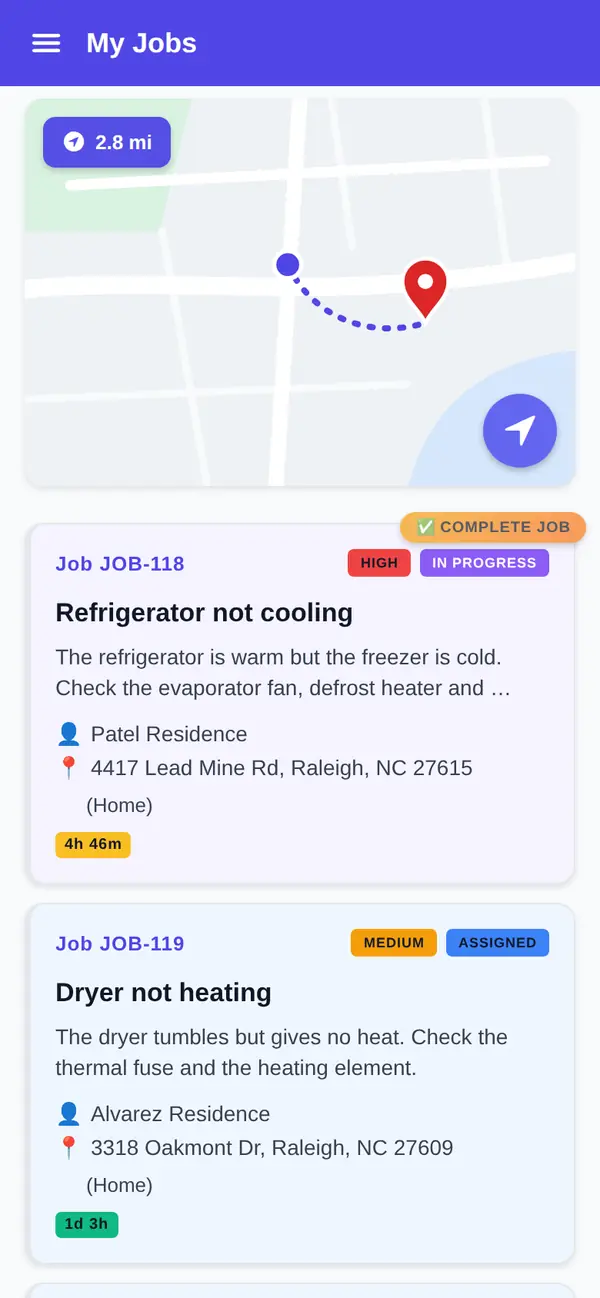
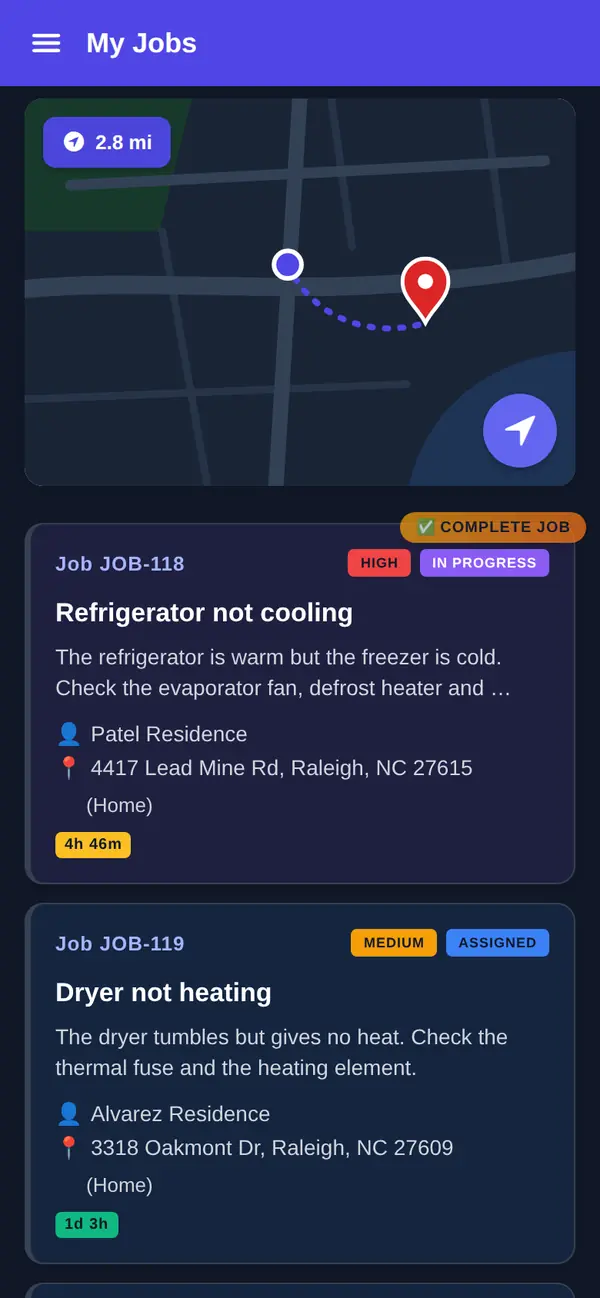
Native iOS and Android apps are on every plan, Free included. Techs see their jobs, update status with one tap (accepted, en route, in progress, complete) and add notes. The app is offline-first, so a basement with no signal doesn't stop the job; changes sync when the phone reconnects. Tap Navigate to open the job address in your maps app, and every plan includes technician GPS location. See the mobile app.
Get paid, and get the next call
Appliance repair invoicing from the job
Invoicing is on every plan, Free included, with PDF invoices and up to 100 invoices a month on Free. You invoice from the job, so the labor and the work are already there.
On Pro, there's no monthly invoice cap, and customers pay online by card or bank transfer (ACH, US bank accounts) from the customer portal. Payments settle to your own Stripe account. Stripe's processing fees and a platform fee apply; see pricing. Pro can also send customers, invoices and payments to QuickBooks Online, and you choose what syncs automatically.
The customer who calls you again
After a completed job, customers are asked for a rating on every plan. On Pro, everyone who rates sees your Google review link once you add it, and low ratings alert your team.
On Pro, membership plans let you sell an agreement at a set price with member pricing on repairs, and customers can pay for it automatically by card once your Stripe account is connected.
On Enterprise, asset management can track each customer's appliances as equipment, with warranty dates, service history and documents. It records the warranty; it doesn't file the claim.
Which plan fits an appliance repair shop
Free covers up to 5 users with the technician app, GPS location, Navigate, the schedule board, customer records, job notes and invoicing. It suits a shop that quotes by phone and keeps parts on a shelf list.
Pro adds online booking, signed quotes with deposits, job photos, intelligent dispatch, certification tracking, online payments, Google review invites and membership plans. Pro is $34.99 per user per month, or $27.99 billed annually.
Enterprise adds inventory, van stock, parts-aware dispatch and asset management. Enterprise is $59.99 per user per month, or $47.99 billed annually. Paid plans have no user limit, and pricing is per user: anyone who logs in, including whoever answers the phone, is a user.
What you get
- Signed quotes with a deposit. Good, better and best options, signed from the customer's phone (Pro).
- Plate photos on the job. Up to 10 photos per job on Pro, 20 on Enterprise.
- Van stock that updates itself. Parts used come out of the technician's van and onto the job (Enterprise).
- Dispatch that checks the van. Won't assign a technician whose van stock doesn't have the job's required parts (Enterprise).
- Offline-first app. Keeps working in basements, on every plan.
- Invoice from the job. On every plan; online card and ACH payments on Pro.
Go deeper
Inventory management
Warehouses, van stock and parts recorded against the job (Enterprise).
Read moreQuotes
Good, better and best options with e-signature and deposits.
Read moreMobile app
The offline-first technician app on every plan.
Read moreScheduling
The dispatch board and calendar, and intelligent dispatch on Pro.
Read moreGood, better, best pricing
How to build options customers actually pick.
Read moreAppliance repair software questions
What is appliance repair software?
It's software that runs an appliance service business: customer requests, scheduling, the technician's day, quotes, parts, invoices and payments. Appliance service software from some vendors adds model lookups or warranty-claim tools. FSM Navigator is a field service management app that covers the business side: booking, quotes, dispatch, an offline-first technician app, invoicing and, on Enterprise, inventory and van stock. It doesn't look up model numbers or file warranty claims.
Can I use this appliance repair software for free?
Yes. The Free plan covers up to 5 users with no credit card. It includes the iOS and Android technician app, the schedule board and calendar, customer records, job notes, technician GPS location and invoicing, up to 100 invoices a month. Quotes, photos, online booking, online payments and intelligent dispatch are on Pro. Inventory and van stock are on Enterprise.
Does it track parts and van stock?
Yes, on Enterprise. Inventory covers warehouses and bins, a parts catalog, purchase orders and suppliers, stock transfers, barcode scanning, cycle counts and technician van stock. When a technician uses a part, it comes out of their van stock and is recorded against the job. Free and Pro don't include inventory; you schedule the return visit as its own job when the part arrives.
Will it send a technician who has the part?
On Enterprise, yes. Intelligent dispatch is parts-aware: it won't assign a technician whose van stock doesn't have the job's required parts, the parts you add to the job, so the tech doesn't leave the job for a warehouse run. On Pro, intelligent dispatch matches jobs on availability, workload, proximity and SLA urgency, without checking stock. On every plan, you can assign and reassign by hand.
Is there appliance repair scheduling software on every plan?
Yes. Every plan, Free included, has a visual dispatch board and calendar with SLA tracking and live job status, and you assign jobs by hand. Pro adds an online booking page where customers pick a service and arrival window; every request waits for your approval. Pro also adds intelligent dispatch, which matches technicians automatically and keeps rebalancing through the day.
How does appliance repair invoicing work?
You invoice from the job, on every plan. Free includes PDF invoices, up to 100 a month. Pro removes the monthly cap and lets customers pay online by card or bank transfer from the customer portal, with payments settling to your own Stripe account. Stripe's processing fees and a platform fee apply. On Pro, you can also send invoices and payments to QuickBooks Online.
How much does it cost?
The Free plan covers up to 5 users with no credit card. Pro is $34.99 per user per month, or $27.99 per user per month billed annually, and Enterprise is $59.99 per user per month, or $47.99 billed annually. Enterprise adds inventory, van stock and parts-aware dispatch. Paid plans have no user limit. A platform fee applies to online payments; see the pricing page. Sign up free, then start a 14-day Pro or Enterprise trial from your account. A payment method is collected when the trial starts and isn't charged until the trial ends.
Put the next dryer call on the board tonight.
The technician app, the schedule board, customer records and invoicing are on every plan, Free included. Add your first customer and send your next invoice from the laundry room.
Sign up free, then start a 14-day Pro or Enterprise trial from your account. A payment method is collected when the trial starts and isn't charged until the trial ends.