Run your commercial cleaning contracts from first walk-through to renewal
Quotes, recurring cleans for every site, crew checklists and invoices for commercial cleaning and janitorial contractors, in one field service management app.
The crew app, the schedule board and invoicing are on every plan, Free included.
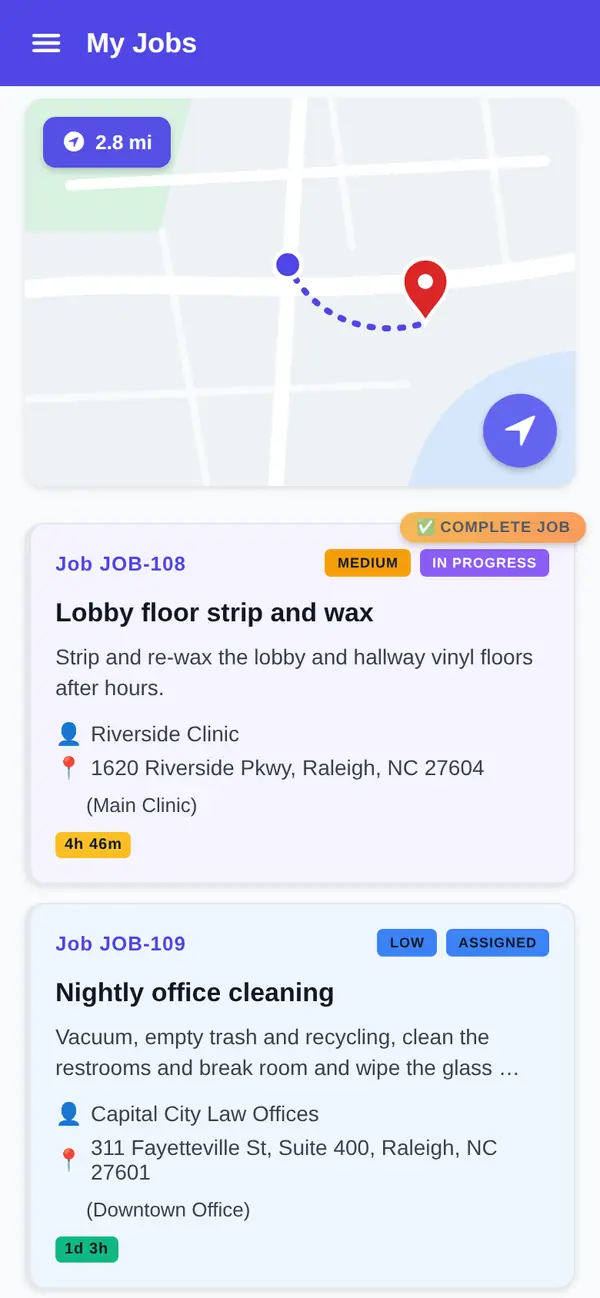
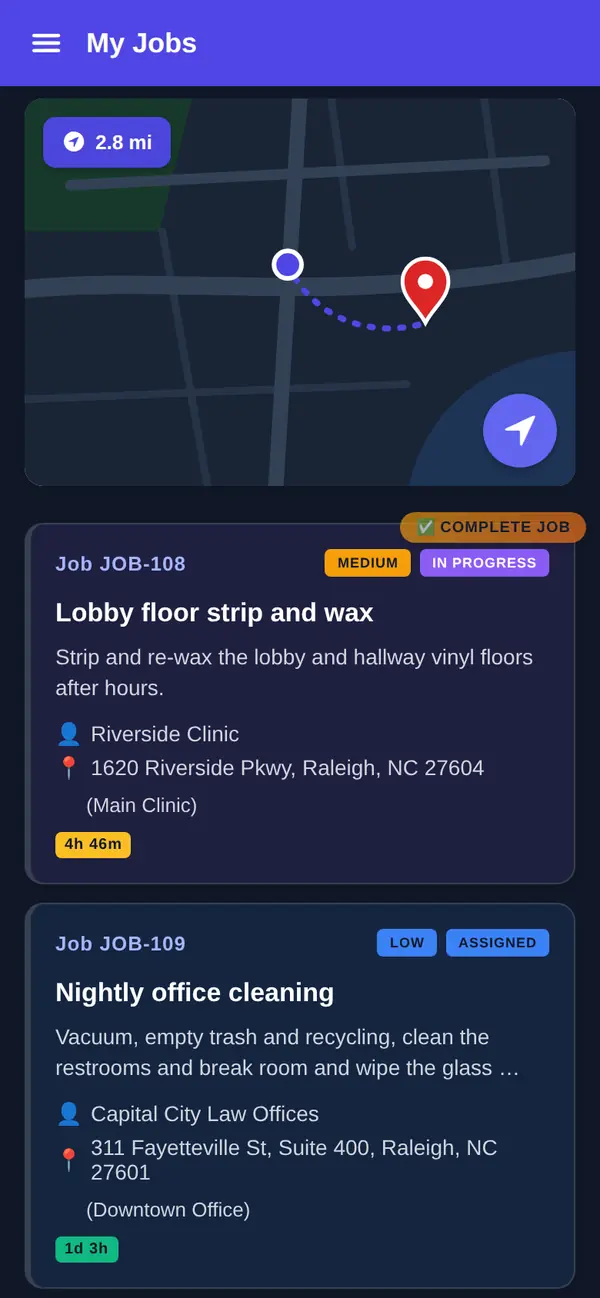
When the night shift breaks
It's 5:40 PM. Your crew lead for the medical building calls out sick, the property manager at the office park wants the second-floor conference rooms done before a 7 AM board meeting, and someone has to remember that the dental suite changed its alarm instructions last week. By 6:15 the crews are heading out, and half of what they need is in your head or on a sticky note.
That's normal in this trade. As the Bureau of Labor Statistics notes (opens in a new tab), "because office buildings are often cleaned while they are empty, many cleaners work evening hours." Nobody from the client is there to see the work, and the office is closed when things go sideways.
Good commercial cleaning software keeps each customer's contracts, sites, jobs and invoices on one record. FSM Navigator is a field service management app, one app from first call to renewals.
Commercial cleaning software built around the contract
Walk the building, then quote it
You win commercial work on the walk-through. On Pro, quotes are built from your pricebook with up to three options, good, better and best: three nights a week, five nights a week, or five nights plus a monthly floor scrub and wax. The facility manager picks one and signs it from their phone.
When you take online payments, the deposit goes out as its own invoice that the customer pays in your customer portal. You turn the signed quote into a job in one step, and the final invoice bills the option they chose at the price they signed, minus the deposit. More on good, better and best pricing.
A service agreement for every site
A property manager with four buildings isn't one contract. It's four sites with four sets of instructions. FSM Navigator keeps every customer and service location in one place, with their jobs, invoices and history, on every plan.
On Pro, service agreements are set up for the customer and for each site. They schedule their own visits, and you get a renewal notice before they end. Agreements the customer has agreed to auto-renew renew automatically, so the date on a three-year office contract doesn't sneak past you.
A schedule that repeats for every site
On Pro, recurring jobs repeat on their own. Set up a building's recurring clean once and it lands on the schedule without anyone rebuilding next week from a spreadsheet. Each schedule repeats on one weekday, so a five-night contract is five weekly schedules or one daily schedule. Access instructions and site notes ride along on the job, so the crew reads them before they're standing at a locked door.
Sign up free, then start a 14-day Pro or Enterprise trial from your account. A payment method is collected when the trial starts and isn't charged until the trial ends.
Janitorial crews, in the app
An app that keeps working in the basement
Native iOS and Android apps are on every plan, Free included. Crews see their assigned jobs, update status with one tap and add notes. The app is offline-first, so a cleaner in a parking garage, a stairwell or a basement mechanical room keeps working, and changes sync automatically when the phone reconnects. See the mobile app.
Cleaning checklists and sign-off
On Pro, crews complete job forms and checklists in the app: restrooms restocked and disinfected, trash pulled, breakroom wiped down, entry glass done. You build a checklist for each building the way the contract reads and add it to that building's jobs; forms you set for a job type are added to every new job of that type automatically.
When the facility contact is on site, the crew collects their signature on the phone at the end of the clean. When no one is in the building, a signature item can be set for the technician instead, so a night clean is still signed off.
Photos for the morning-after call
On Pro, crews attach photos to the job, up to 10 per job: the lobby floor after the scrub, the restroom at close, the overflowing dumpster that isn't yours. When a tenant says the suite wasn't cleaned, you have the checklist and the pictures. Here's why a signature on its own isn't proof of service.
Hours, without the paper sign-in sheet
On Pro, hours, overtime and punctuality build into timesheets from the availability status each crew member sets in the app: available, wrap-up, lunch or off duty. Nobody reconstructs Tuesday night from a clipboard on Friday. More on digital timesheets.
To be straight about two things. Timesheets come from the status your crew sets, not from a geofenced time clock. And FSM Navigator doesn't run payroll; your payroll stays with whoever runs it today.
Every plan includes technician GPS location while crew members are on duty or on a job, so the office can see where each one is when a client calls asking whether anyone's on the way.
The board when a crew member calls out
Every plan includes a visual schedule board and calendar where you assign jobs by hand, with live status as the night goes on. The board refreshes on its own through the day. That's enough when you know every building and every crew. See scheduling.
When call-outs and extra requests outgrow hand assignment, Pro adds intelligent dispatch. It evaluates availability, current workload, proximity and SLA urgency, leaves off-duty technicians out of automatic assignments, and keeps rebalancing through the day as conditions change. If a client expects the same crew every night, keep those jobs assigned by hand; a job you assign by hand stays with that crew while rebalancing moves other work. You can reassign anything at any time.
Let the facility manager ask for it
On Pro, the customer portal gives your clients one place to send a service request for an extra clean, check job status, approve quotes and pay invoices. The carpet extraction after a flood or the post-construction clean on the third floor lands as a request you can see, not a voicemail you find Monday.
Bill the building
Invoicing is on every plan, Free included, up to 100 invoices a month on Free. You invoice from the job. On Pro, there's no monthly invoice cap, customers pay online by card or bank transfer (ACH, US bank accounts) from the customer portal, and payments settle to your own Stripe account. Stripe's processing fees and a platform fee apply; see pricing. Also on Pro, you can send customers, invoices and payments to QuickBooks Online, and you choose what syncs automatically. The details are on invoicing and payments.
On Pro, job profitability shows the margin on every completed job, revenue against labor and other costs, so you can see which buildings pay and which ones you're subsidizing.
Free or Pro for a cleaning contractor
Here's the honest split. Free covers up to 5 users with the crew app, GPS location, the schedule board, customer and site records, and invoicing. It suits a contractor running a handful of buildings who needs everyone on the same board.
Pro is where the contract lives: quotes with deposits, service agreements per site, recurring jobs, checklists, signatures and photos, timesheets, the customer portal, intelligent dispatch and online payments. Pro is $34.99 per user per month, or $27.99 per user per month billed annually, with no user limit.
Pricing is per user, and anyone who logs in, cleaner or office staff, is a user. Count the people who need the app before you choose a plan.
What you get
- Quotes from the walk-through. Good, better and best, signed by the customer, with a deposit invoice when you take online payments (Pro).
- An agreement per site. Visits scheduled, with a renewal notice before each one ends (Pro).
- Checklists and sign-off. Built per building, signed on the phone (Pro).
- Offline-first crew app. Keeps working without signal, on every plan.
- Timesheets from availability status. Hours and overtime without a paper sheet (Pro).
- Invoice from the job. On every plan; online payments on Pro.
Go deeper
Job forms and signatures
Checklists your crews complete and sign in the app.
Read moreService agreements
Contracts that schedule their own visits and renew on time.
Read moreTime tracking
Hours and overtime built from crew availability status.
Read moreScheduling
The board and calendar on every plan.
Read moreInvoicing and payments
Invoice from the job; online payments on Pro.
Read moreCommercial cleaning software questions
What does commercial cleaning software do?
It keeps a commercial cleaning or janitorial business in one place: customers and sites, the schedule board, the crew app and invoicing. In FSM Navigator those are on every plan, Free included. On Pro you add quotes with good, better and best options, service agreements for each site, recurring jobs, cleaning checklists with signatures and photos, timesheets, a customer portal and online payments by card or bank transfer.
Can I set up recurring cleaning for each building under a contract?
Yes, on Pro. Service agreements are set up for the customer and for each site, and they schedule their own visits. Recurring jobs repeat on their own, so a building's recurring clean lands on the schedule without being retyped. Each recurring schedule repeats on one weekday, so a five-night contract is five weekly schedules or one daily schedule. You can still move or reassign any job by hand on the schedule board when a client asks for a change.
Can my crews complete cleaning checklists and get sign-off?
Yes, on Pro. You build job forms and checklists for each building and add them to that building's jobs; forms you set for a job type are added to every new job of that type automatically. Crews complete them in the app. A signature can come from the facility contact on site or from the technician when no one is there. Crews can also attach up to 10 photos per job, so you have the checklist and pictures when a tenant questions a clean.
How does time tracking work for night crews?
On Pro, hours, overtime and punctuality build into timesheets from the availability status each crew member sets in the app, such as available, wrap-up, lunch or off duty. It isn't a geofenced time clock. Every plan includes technician GPS location while crew members are on duty or on a job, so the office can see where they are. FSM Navigator doesn't run payroll; your payroll stays where it is today.
Does the crew app work in buildings with no signal?
Yes. The iOS and Android apps are offline-first and included on every plan, Free included. A cleaner in a basement, garage or stairwell keeps updating status and adding notes, and changes sync automatically when the phone reconnects. On Pro, crews also complete checklists, attach photos and collect signatures in the same app.
Can facility managers request extra cleaning?
Yes, on Pro. The customer portal lets your clients send a service request for an extra clean, view job status, approve quotes and pay invoices online by card or bank transfer. Every request waits for your office to review and schedule, so a carpet extraction or post-construction clean doesn't depend on someone checking voicemail.
How much does commercial cleaning software cost?
FSM Navigator has a Free plan for up to 5 users with no credit card. Pro is $34.99 per user per month, or $27.99 per user per month billed annually, and Enterprise is $59.99 per user per month, or $47.99 billed annually. Paid plans have no user limit. Anyone who logs in is a user. A platform fee applies to online payments; see the pricing page. Sign up free, then start a 14-day Pro or Enterprise trial from your account. A payment method is collected when the trial starts and isn't charged until the trial ends.
Put tonight's buildings on one board.
The crew app, GPS location, the schedule board and invoicing are on every plan, Free included. Add your crew leads and run tonight's cleans from the phone.
Sign up free, then start a 14-day Pro or Enterprise trial from your account. A payment method is collected when the trial starts and isn't charged until the trial ends.