HVAC Work Orders That Run the Season for You.
Tune-up season doesn't wait, and neither do no-cool calls. FSM Navigator® turns your maintenance agreements into work orders that generate themselves, keeps multi-stage installs in sequence, and keeps every refrigerant record attached to the job it belongs to.
✓ Recurring maintenance schedules · ✓ Multi-stage installs · ✓ Documents on every job
Where HVAC work orders fall apart
Tune-up season buries the board
Hundreds of maintenance visits come due in the same six weeks — while emergency no-cool calls keep landing on top. A whiteboard or spreadsheet can't hold that.
Agreements slip through the cracks
A missed tune-up is contract revenue you already earned but never scheduled — and the customer who notices is the one who doesn't renew.
Paperwork scattered everywhere
Recovery records in a glove box, permits in email, startup sheets in a photo roll. When an inspector or customer asks, nobody can find the record.
What if the agreement scheduled its own visits — and the records filed themselves with the job?
From maintenance agreement to dispatched work order
- Template the visit once
- Spring tune-up
- Set the recurrence
- Every April & October
- Every visit after that
- Generates itself
Recurring work orders generate from your templates on daily, weekly, monthly, or custom schedules — and can assign a technician based on your rules.
Work order management built for HVAC shops
Recurring maintenance work orders
Spring tune-ups, fall heat checks, filter services — set the schedule once and every visit generates from its template when it comes due. No agreement slips.
Installs that stay in sequence
Break a changeout into dependent stages — recovery, removal, set, startup, inspection. Each stage unlocks when the previous one completes, visible on a timeline.
Compliance records on the job
Attach refrigerant recovery records, permits, startup sheets, and photos to the work order from the field. Everything stays with the job and its customer history.
The right tech, first time
Intelligent dispatch evaluates skills, certifications, availability, proximity, and workload — refrigerant work goes to a certified tech, and your senior installer isn't burned on a filter change.
Estimates customers approve online
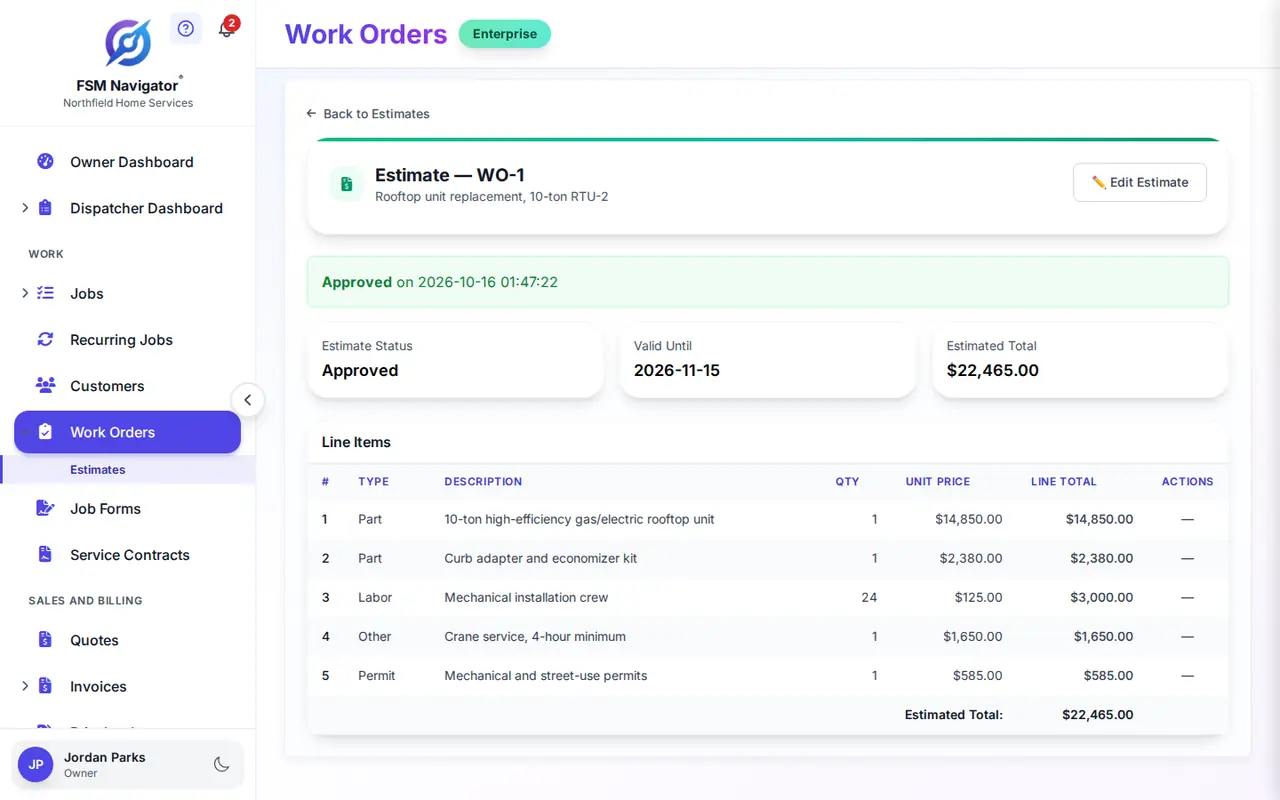
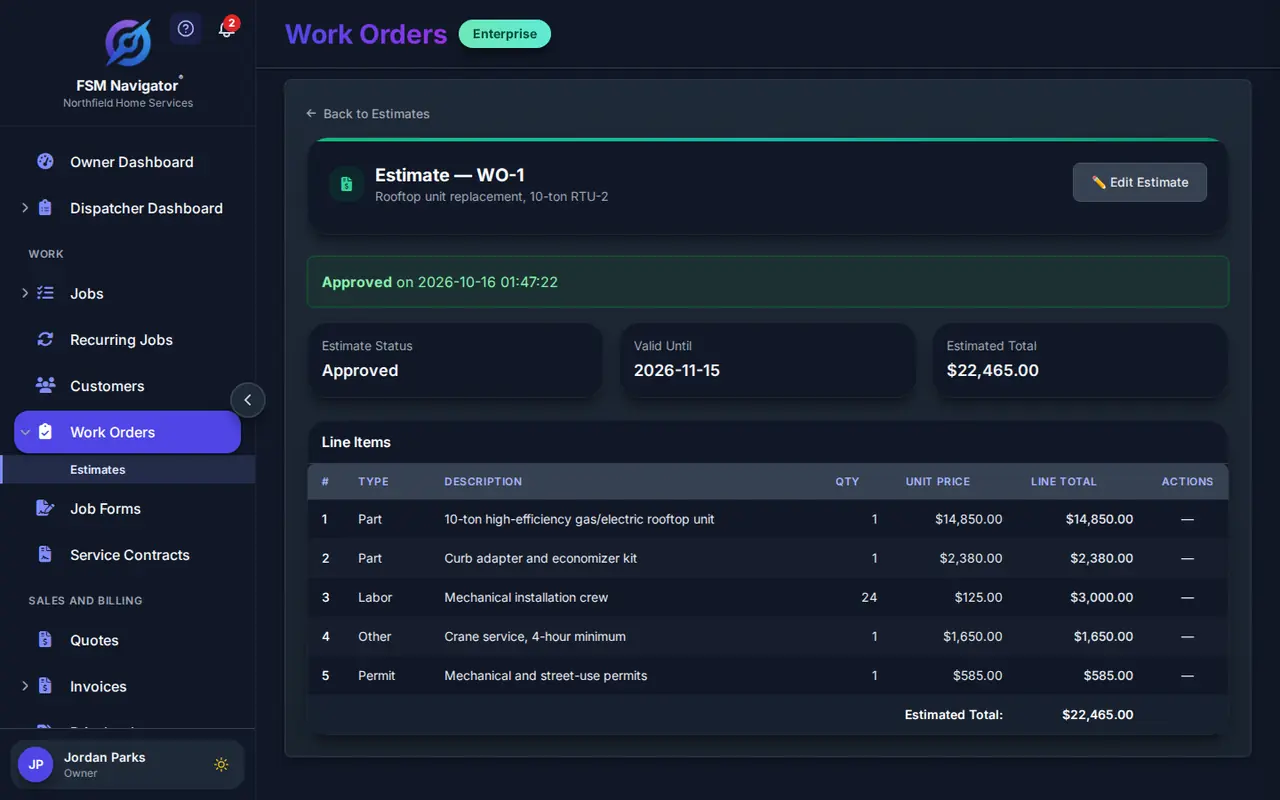
Repair versus replace, priced on the work order. The customer approves or declines online, the decision is recorded, and approved work moves straight to scheduling.
Budgets and SLA clocks
Track labor and material spend against the work order's budget, and see SLA due times on every job — so commercial accounts get the response their service agreement promises.
From agreement to completed visit in three steps
Template your maintenance visits
Build a work order template for each visit type — spring tune-up, fall heat check, filter service — and set the recurrence that matches the agreement.
Work orders generate and dispatch
When a visit comes due, the work order generates itself, and intelligent dispatch assigns a technician with the right skills, certifications, and availability.
Complete with records attached
The tech completes the visit in the mobile app with photos, readings, and documents attached — job, history, and compliance records in one place.
Every agreement scheduled, every install in sequence, every record where an inspector can find it.
HVAC work orders, answered
Can maintenance agreements generate work orders automatically?
Yes. Set any work order to recur daily, weekly, every two weeks, monthly, quarterly, or yearly. When a customer's spring and fall tune-ups come due, FSM Navigator generates the work order from your template, ready for your team to schedule — no agreement slips through the cracks. The agreement itself — what it covers, its response times and its renewal date — lives in HVAC maintenance agreements.
How does it handle a full system changeout?
Break the install into sub-jobs with dependencies: recovery, removal, set and connect, startup, and final inspection. Each stage unlocks when the one before it completes, and the timeline view shows the whole install at a glance — so the startup tech isn't dispatched before the equipment is set.
Where do refrigerant records and permits live?
On the work order itself. Technicians attach recovery records, permits, startup sheets, and photos from the mobile app, and the documents stay with the job and its customer history — searchable when an inspector or customer asks for them.
Can it send the right technician to refrigerant work?
Yes. Intelligent dispatch evaluates skills, certifications, availability, proximity, and workload when it assigns a work order — so refrigerant work goes to a certified tech and a maintenance visit doesn't tie up your senior installer.
Can customers approve repair-versus-replace estimates?
Yes. Build the estimate on the work order, send it to the customer, and they approve or decline online. The decision is recorded on the job, and approved work moves straight into scheduling.
Which plans include work order management?
Work order management is available on the Enterprise plan — including recurring work orders, sub-job dependencies, budget tracking, estimate approvals, and document attachments. Start with a 14-day free trial to explore the full system.
Work Orders for Your Trade
More for HVAC Teams
Run Tune-Up Season Without the Whiteboard.
Maintenance agreements that schedule themselves, installs that stay in sequence, and every record attached to the job — built into the field service software your HVAC team already uses.
Start Your 14-Day Free TrialWork order management on Enterprise · 14-day free trial