How quotes and estimates work
Plan
Quotes, the pricebook and the online booking page are on Pro and Enterprise. Work order estimates are on Enterprise.
What it is
A quote is the price you send before the work starts. It can carry up to three options, so a customer can pick good, better or best, and they accept it online or sign in person. A work order estimate does the same job for a larger project on Enterprise: the customer approves it before the work order can start.
Where it fits
flowchart LR
    C[Customer] --> Q[Quote]
    B[Booking page] --> R[Service request]
    R --> J[Job]
    PB[Pricebook] --> Q
    Q -->|Accepted and converted| J
    Q -->|Accepted and converted| W[Work order]
    Q -->|Membership or renewal quote| G[Service agreement]
    Q -->|Deposit| I[Deposit invoice]
    W --> E[Estimate]
Quote lines come from your pricebook. Once a customer accepts, you convert the quote into a job, or into a work order on Enterprise. A membership or renewal quote creates the service agreement when it's accepted. If you asked for a deposit, it becomes its own invoice. Bookings from your booking page skip the quote: they arrive as service requests that you approve into jobs.
Statuses
Quotes
stateDiagram-v2
    direction LR
    [*] --> Draft
    Draft --> Sent : Send
    Sent --> Viewed : Customer opens it
    Sent --> Accepted
    Viewed --> Accepted
    Viewed --> Declined
    Viewed --> Expired
    Viewed --> Withdrawn : Withdraw
    Accepted --> Converted : Convert
    Accepted --> Cancelled : Cancel acceptance
    Converted --> Invoiced : Invoice
A quote starts as Draft and becomes Sent, then Viewed once the customer opens it. The customer can accept or decline it, or it can reach its expiry date. You can withdraw a quote that's still open. A Sent or Viewed quote can also be declined, expire or be withdrawn, and you can revise and resend a declined or expired one. After acceptance you Convert it into work, and the converted quote can then be Invoiced.
Work order estimates (Enterprise)
stateDiagram-v2
    direction LR
    [*] --> Draft
    Draft --> Sent : Send
    Sent --> Approved : Customer approves
    Sent --> Rejected : Customer rejects
    Sent --> Expired
    Rejected --> Sent : Send again
An estimate is Draft until you send it. The customer approves or rejects it in the portal, and a sent estimate expires if nobody answers. You can only change the line items while it's a Draft.
Step by step
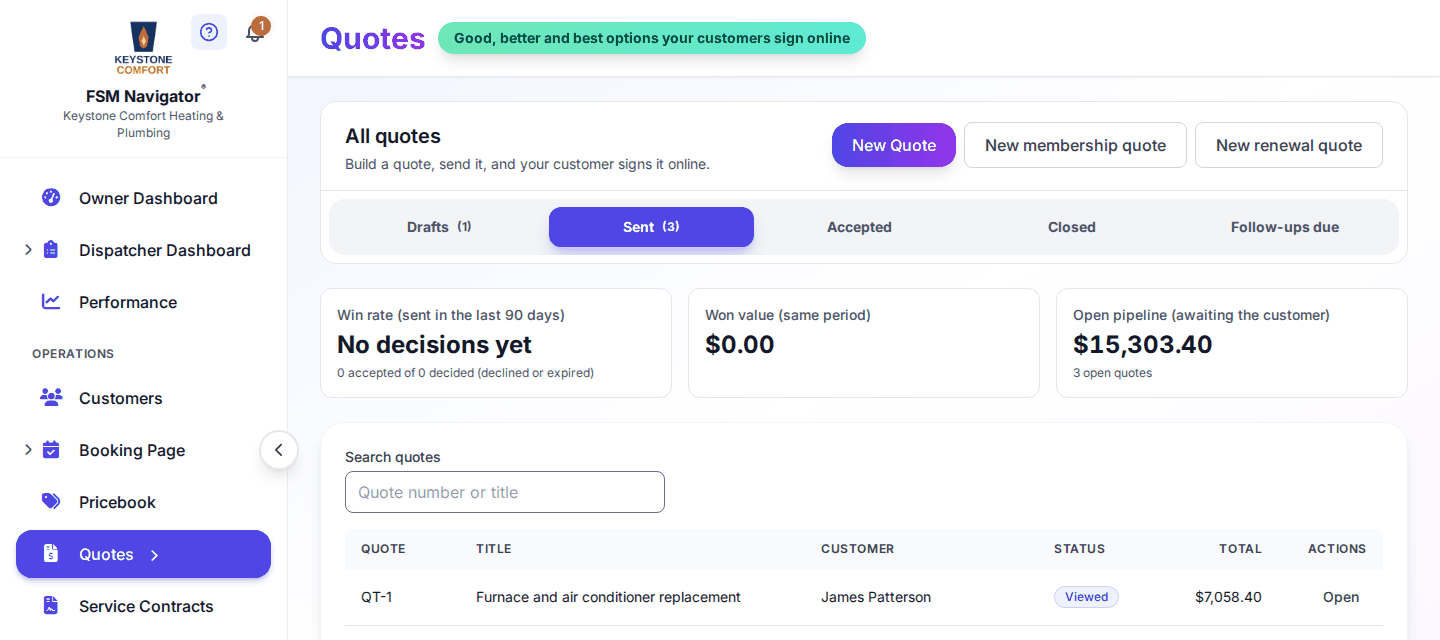
- Open Quotes from the side menu. The page is titled "All quotes" and shows your win rate, won value and open pipeline.
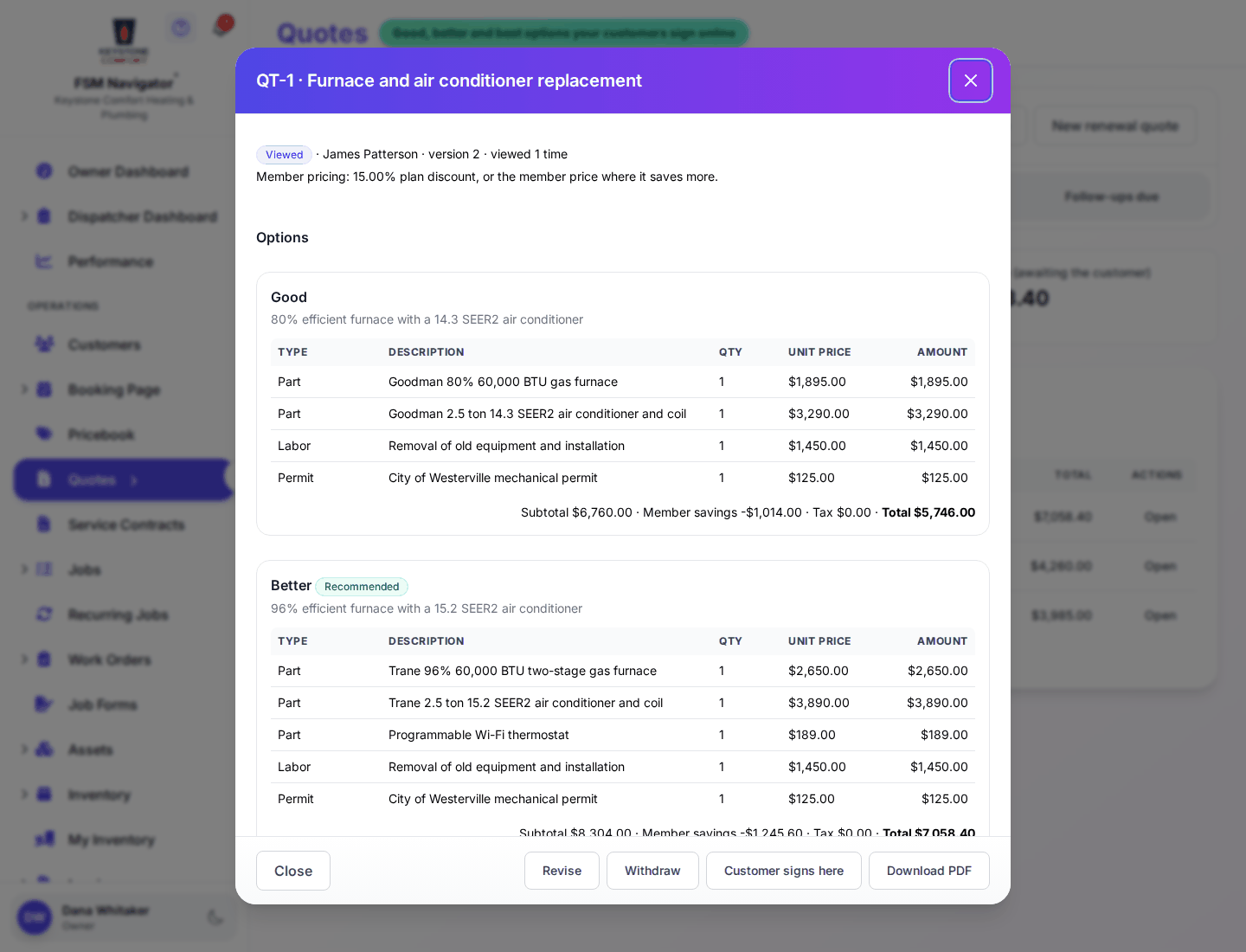
- Select New Quote, choose the customer, and add lines from your pricebook. Add up to three options if you want the customer to choose.
- Pick a deposit if you need one: No deposit, Percent of the total or Fixed amount.
- Send it. The customer gets a link, and the quote moves to the Sent tab.
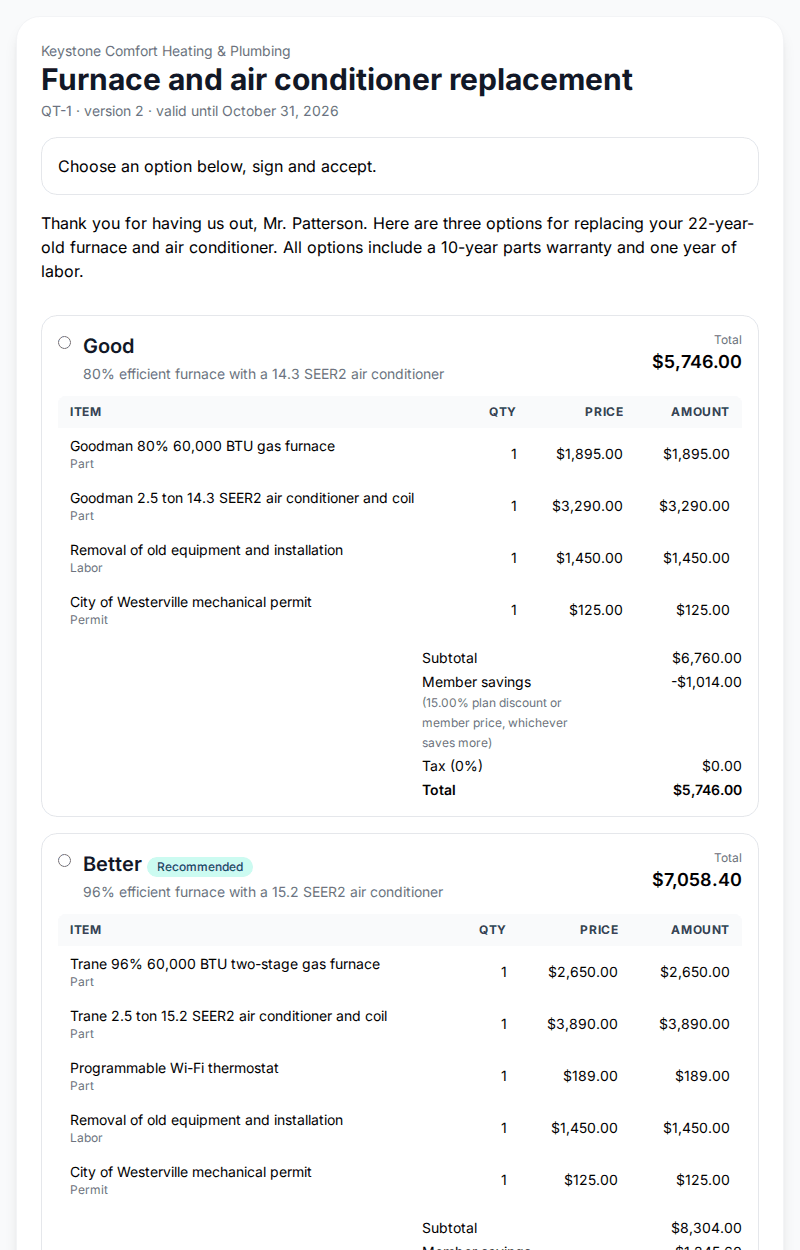
- The customer accepts online, or signs in person on your device. In the portal they see labels like "Awaiting your answer".
- Open the accepted quote and convert it into a job (or a work order on Enterprise). Then schedule the work.
- Check the Follow-ups due tab for quotes that need a nudge.
What happens next
- Previous stage: Assets
- Next stage: Jobs and work orders
For the full detail, see Quotes, Pricebook, Estimates and approval, the booking page, service requests and agreement plans.
Who can do this
| Action | Who can do it |
|---|---|
| View quotes | Owner, Manager, Dispatcher, Technician |
| Create and send quotes | Owner, Manager, Dispatcher |
| Edit the pricebook | Owner, Manager |
| Create and send work order estimates | Owner, Manager |
| Set up the booking page | Owner, Manager |
Tips and common questions
How long is a quote valid? 30 days unless you change it. You can set up to 365 days.
Can I edit a quote after sending it? Use Revise to start a new version, then send it again. Revise works on a Sent, Viewed, Declined or Expired quote.
Can I delete a quote? Only a Draft that was never sent. A sent quote is a record of what you offered, so you withdraw it instead.
Is there a quote screen in the mobile app? No. Quotes are built and sent from the web app.
Learn more about quotes, the pricebook and online booking.